
Tmonyy - Minecraft Skins & Skin History
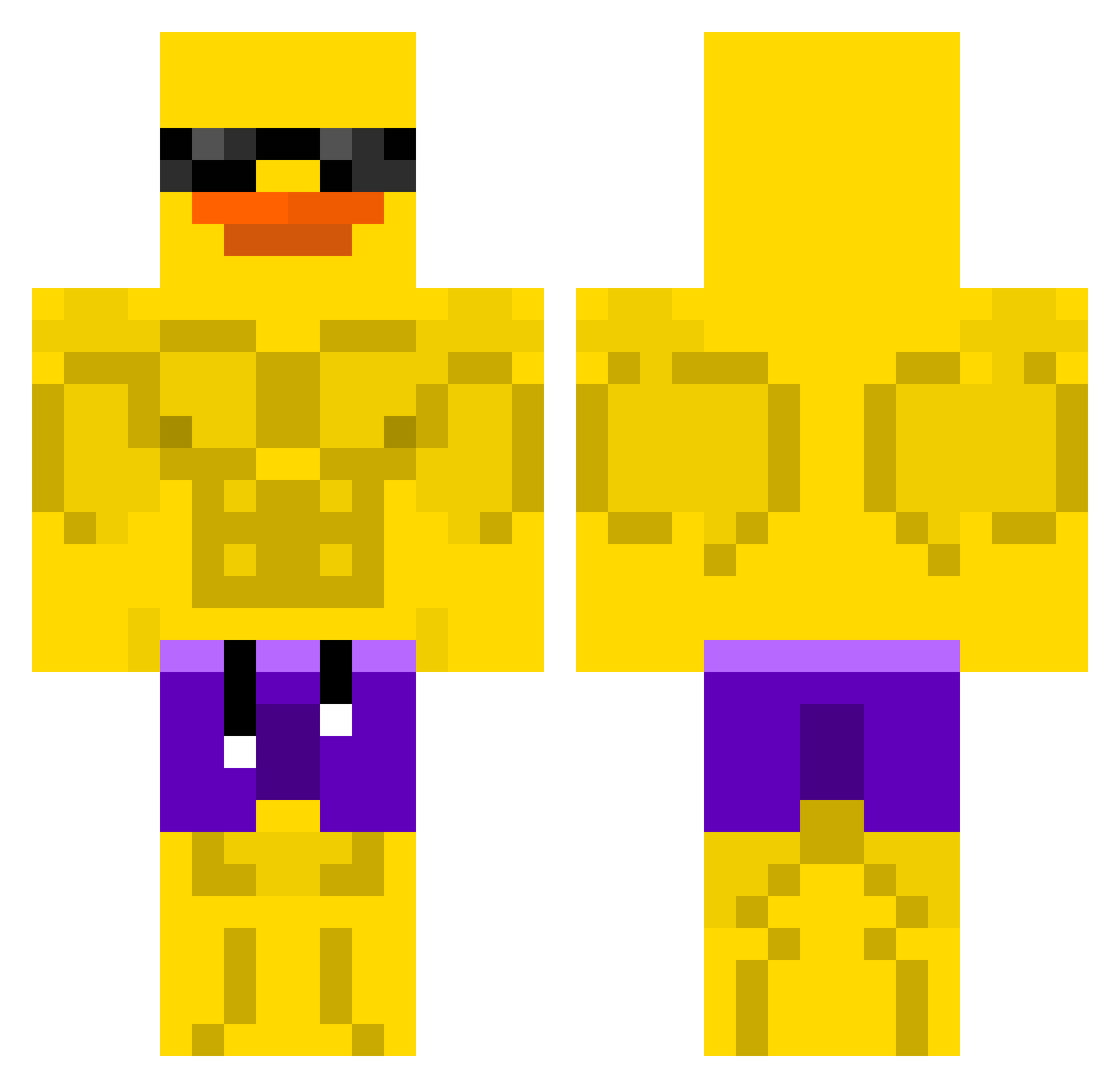
Current Minecraft skin of the player Tmonyy, loaded from the official Mojang API. Rotate the 3D model with your mouse or finger, then download the skin as a PNG file and use it in Minecraft: Bedrock Edition or Java Edition for free. When Tmonyy changes their skin, this page updates automatically and the old skin stays in the history below.
Other players with this skin (507)
Tmonyy was the 410th player we have seen with this skin, first spotted on 07.10.2026. The same skin was seen on these players. Open a nickname to see their current skin and skin history.
 CommanderBomb17 Stasis01 MRnobody20000 AudaCity01 gattouzdisciple ChampWoof Redbeast2010 ryumin1012 DongA1004 Koduk1004 Anonymous7115 murtabak Migthy_Krogon ChungusLover Ninja1269 dlwlgus10 miao121 dojin20130218 Bedless_Sweat hierarch1 TheAradas TheReal_KSchmedd yonkey__ yugioh1123 Brodini23 DjConway93 M3X1CANNN urMOM3256 r3ta7d DDR_Glauerson superlorenzino Fire_bird36 BeeDawg44 Nicobichoco hhhiam xhy2030 FirePhoenix694 ardasnbg22 Denostado JajkoSvko4 Hristo7180 Airtseo20 Black_Ray23 N3RY4_ AfelApeludo CorStrix Pi7noob Leo_Line0218 Jdanglin majimag_ida Stanco55 majmajer123gg snoopysam26 thys_123 Eviliiii RetaRune IISaboII Coazzy Skytune1 Asim2
More Swim Trunks Minecraft skins
How to install the Tmonyy skin
- Press the Download button above to save the skin as a PNG file.
- Minecraft: Bedrock Edition (PE): open the Dressing Room from the main menu (or tap your character → Edit Character), go to Classic Skins → Owned, press the + (new skin) button, choose the downloaded PNG and pick the Classic (Steve) model. Works on PC and mobile; consoles cannot import custom skins.
- Minecraft: Java Edition: open the Minecraft Launcher, go to the Skins tab, click New Skin, load the PNG, pick the Classic (Steve) model and press Save & Use. You can also upload it at minecraft.net → Profile → Change Skin.
The skin does not show up after import - what should I do?
Restart Minecraft and open the Dressing Room again - imported skins sometimes appear only after a restart. Also make sure you selected the imported skin and picked the Classic (Steve) model.
Which model should I choose, Classic or Slim?
This skin is designed for the Classic (Steve) model. If you pick the wrong model, the arms of the skin will look stretched or squeezed.
Is the skin of Tmonyy free to download?
Yes. Press Download, save the PNG file and use it in Minecraft: Bedrock Edition or Java Edition - no payment or registration needed. The skin also works on multiplayer servers and Realms.
More skins
Looking for more? Go back to all Minecraft skins and check the top skins of the week, month and all time, or find any player's skin by nickname.