
Titi5411 - Minecraft Skins & Skin History
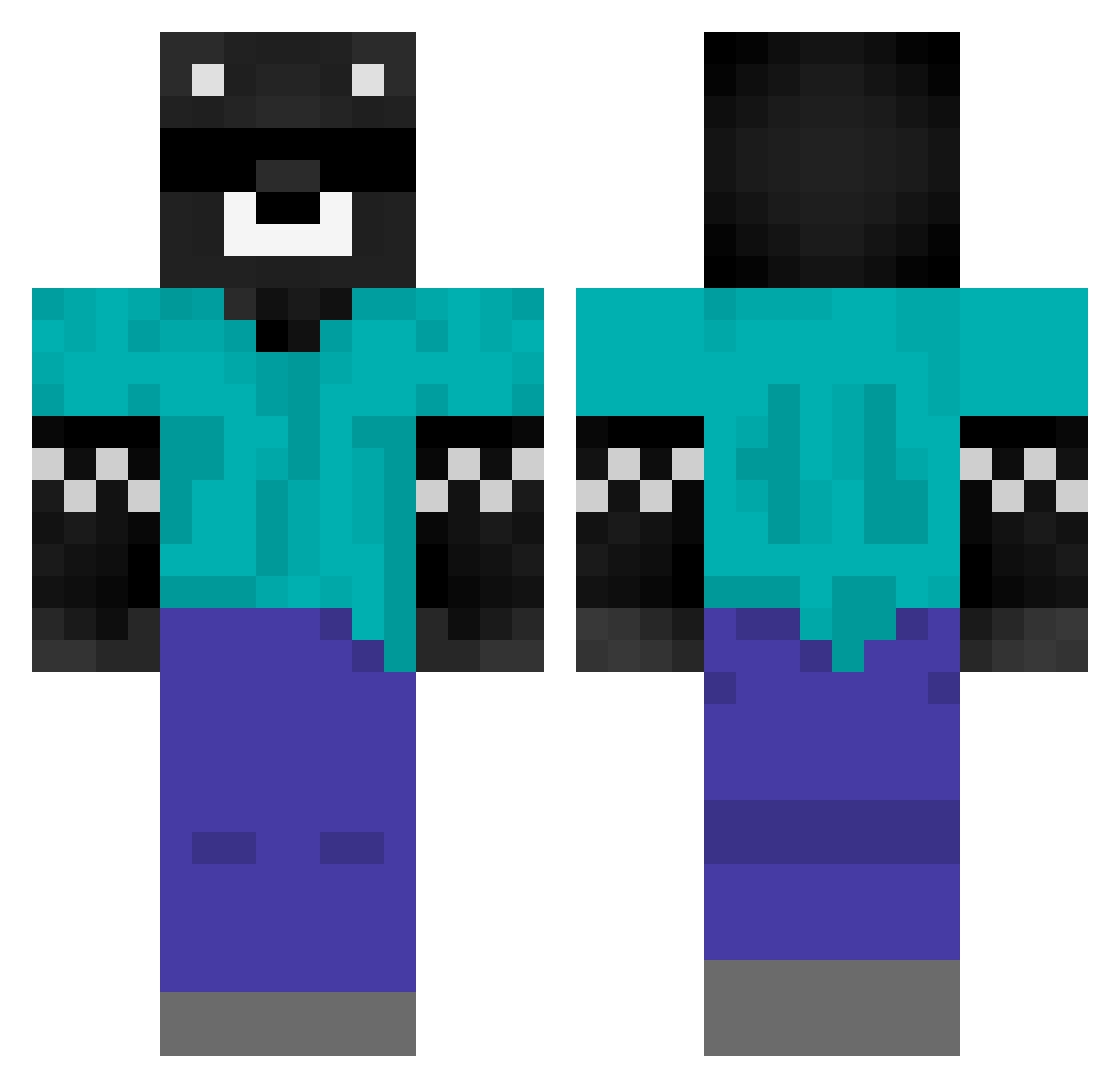
Current Minecraft skin of the player Titi5411, loaded from the official Mojang API. Rotate the 3D model with your mouse or finger, then download the skin as a PNG file and use it in Minecraft: Bedrock Edition or Java Edition for free. When Titi5411 changes their skin, this page updates automatically and the old skin stays in the history below.
Other players with this skin (415)
Titi5411 was the 249th player we have seen with this skin, first spotted on 26.09.2026. The same skin was seen on these players. Open a nickname to see their current skin and skin history.
 saripurgiema samuel_211 fulanoxbox1 Alvaro175 S6969 latigoman9 b4byblock SEQUERA Demonshadow55 NotSpreen dominus698 Jonatha_Pr fer_nanh __ya__ valenxitoo navajas555 Neyrusss mraniba mkjpde yniller chiquitinho Axotool svtq2wq Veyxzin Mathias100512 caracce elpepe345 Pirulo01 ScopexYou Jorges4404 PedritoMonte maucov03 Alvaro7100 MakkuC Luis01SV J031LMC Davinhoo II_LICHA_II G3RM4N111 benjasup123128 OdrexLOL Alanndroide Superpololo elkati NebulaGamer1 victoraldanath MATIAS_YT2024 tintinxz swkds xxcatomii CrimsLuisz alejandrofes LunaLolaLuna Tobiasm90 Deimons__ TheHapyGoat ikerchukiss santetas8 benjoide12 Joaco666
More Bear Minecraft skins
How to install the Titi5411 skin
- Press the Download button above to save the skin as a PNG file.
- Minecraft: Bedrock Edition (PE): open the Dressing Room from the main menu (or tap your character → Edit Character), go to Classic Skins → Owned, press the + (new skin) button, choose the downloaded PNG and pick the Classic (Steve) model. Works on PC and mobile; consoles cannot import custom skins.
- Minecraft: Java Edition: open the Minecraft Launcher, go to the Skins tab, click New Skin, load the PNG, pick the Classic (Steve) model and press Save & Use. You can also upload it at minecraft.net → Profile → Change Skin.
The skin does not show up after import - what should I do?
Restart Minecraft and open the Dressing Room again - imported skins sometimes appear only after a restart. Also make sure you selected the imported skin and picked the Classic (Steve) model.
Which model should I choose, Classic or Slim?
This skin is designed for the Classic (Steve) model. If you pick the wrong model, the arms of the skin will look stretched or squeezed.
Is the skin of Titi5411 free to download?
Yes. Press Download, save the PNG file and use it in Minecraft: Bedrock Edition or Java Edition - no payment or registration needed. The skin also works on multiplayer servers and Realms.
More skins
Looking for more? Go back to all Minecraft skins and check the top skins of the week, month and all time, or find any player's skin by nickname.