
Titas2007 - Minecraft Skins & Skin History
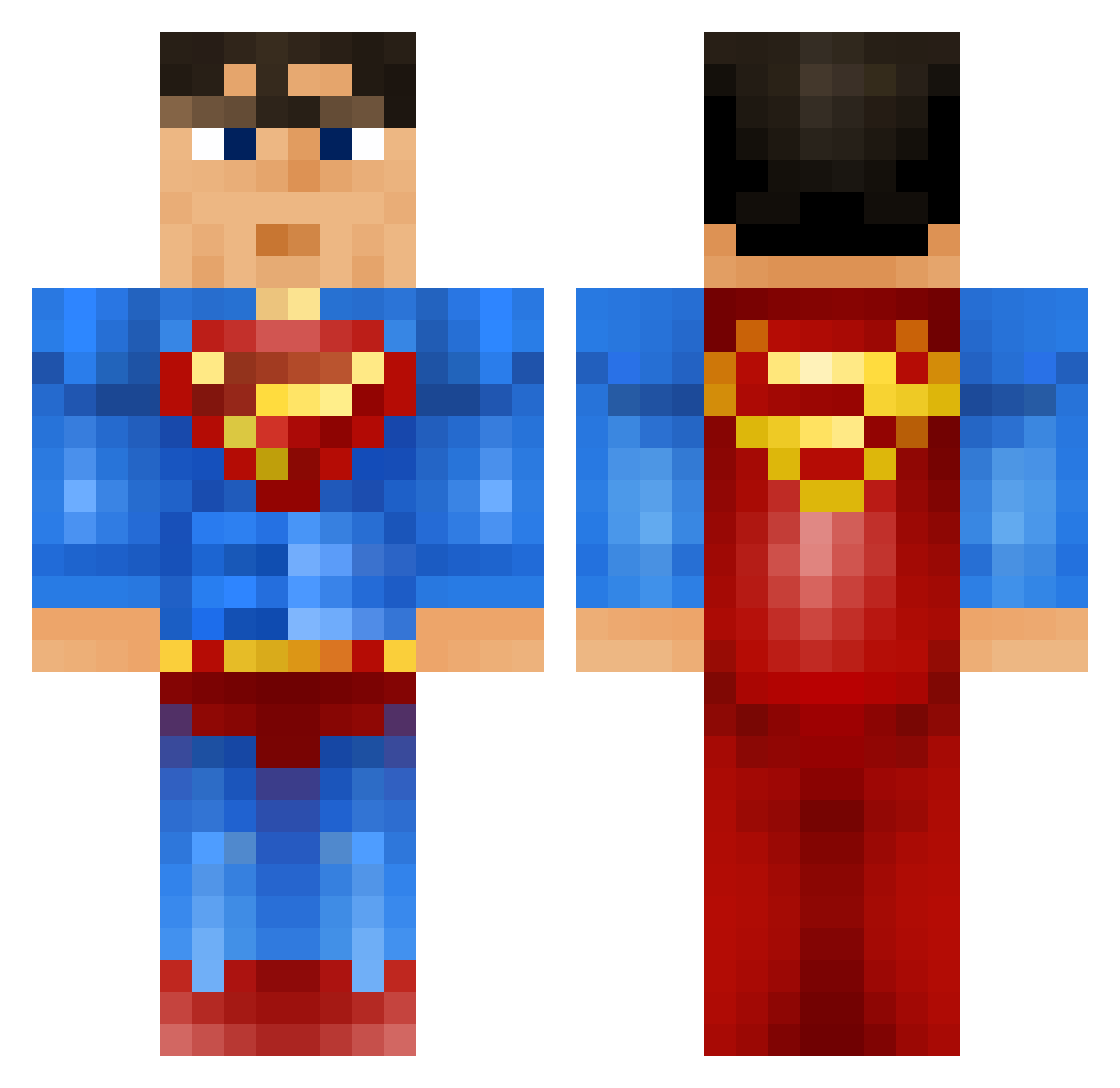
Current Minecraft skin of the player Titas2007, loaded from the official Mojang API. Rotate the 3D model with your mouse or finger, then download the skin as a PNG file and use it in Minecraft: Bedrock Edition or Java Edition for free. When Titas2007 changes their skin, this page updates automatically and the old skin stays in the history below.
Other players with this skin (919)
Titas2007 was the 416th player we have seen with this skin, first spotted on 15.09.2026. The same skin was seen on these players. Open a nickname to see their current skin and skin history.
 new__born colint006 Tappekran__no WarriorDaddy Charlie09mccahon Schizomanicman TERK_OG MrSundster queyrell joshlangdonwot Geoffory Speedsuper DA_BOWUZ wuaalb gijspalthe crazzy_horse Tyler101271 Gaeshin the_epic_alien modman2034 BadManDan96 Zarakilian RubenP123 Lethal_Badger Jewboy26 billytheboy97 Zerdath TheSmart1 tiramissou10 Lord_Chaos2 shaun7996 Procoro25 albra02 Curlingz Husky_altaccount 123jack321123 coyotes2179 trotterp2305 RedHyperion Smiley_Josh Gator_bait15 fabiansvensson EvilBB MaudDub TheMattzilla lewiswest1234 GreenArrow32 polopolo13 cheetah741 sumoqui MM122403 4_all_the_way Itsrichybro Diab0liX_ supercooltim EaZy_Banana GANGMEMBERIZEHAI TrIssEn1 sparkybmw12 Stockyz
More Superman Minecraft skins
How to install the Titas2007 skin
- Press the Download button above to save the skin as a PNG file.
- Minecraft: Bedrock Edition (PE): open the Dressing Room from the main menu (or tap your character → Edit Character), go to Classic Skins → Owned, press the + (new skin) button, choose the downloaded PNG and pick the Classic (Steve) model. Works on PC and mobile; consoles cannot import custom skins.
- Minecraft: Java Edition: open the Minecraft Launcher, go to the Skins tab, click New Skin, load the PNG, pick the Classic (Steve) model and press Save & Use. You can also upload it at minecraft.net → Profile → Change Skin.
The skin does not show up after import - what should I do?
Restart Minecraft and open the Dressing Room again - imported skins sometimes appear only after a restart. Also make sure you selected the imported skin and picked the Classic (Steve) model.
Which model should I choose, Classic or Slim?
This skin is designed for the Classic (Steve) model. If you pick the wrong model, the arms of the skin will look stretched or squeezed.
Is the skin of Titas2007 free to download?
Yes. Press Download, save the PNG file and use it in Minecraft: Bedrock Edition or Java Edition - no payment or registration needed. The skin also works on multiplayer servers and Realms.
More skins
Looking for more? Go back to all Minecraft skins and check the top skins of the week, month and all time, or find any player's skin by nickname.