
TitanGames21 - Minecraft Skins & Skin History
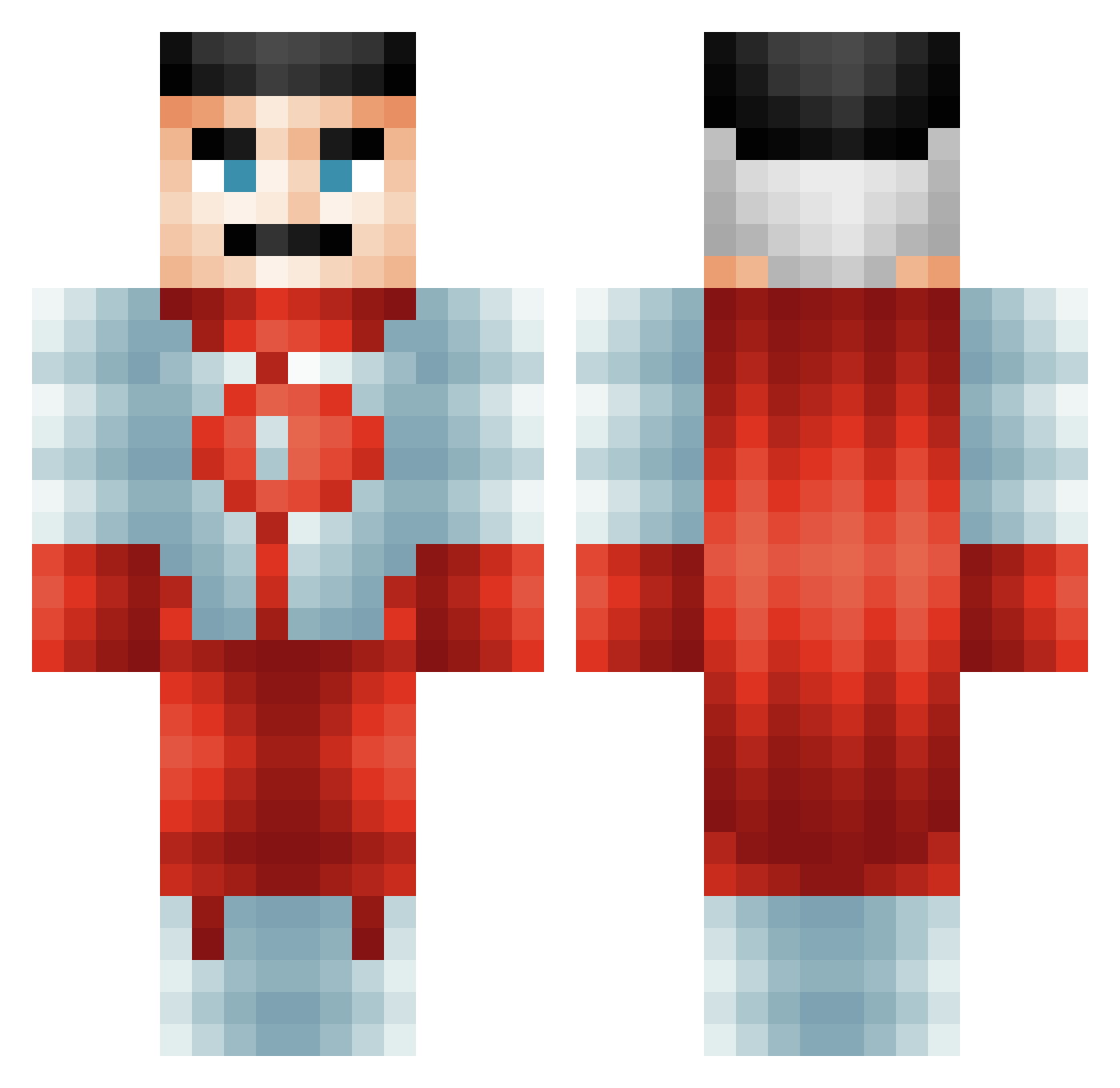
Current Minecraft skin of the player TitanGames21, loaded from the official Mojang API. Rotate the 3D model with your mouse or finger, then download the skin as a PNG file and use it in Minecraft: Bedrock Edition or Java Edition for free. When TitanGames21 changes their skin, this page updates automatically and the old skin stays in the history below.
Other players with this skin (485)
TitanGames21 was the 310th player we have seen with this skin, first spotted on 19.09.2026. The same skin was seen on these players. Open a nickname to see their current skin and skin history.
 TheBlackKnight66 kakashy369 KolbyM2 Skrawnz michael_arsany SpicyHobo56 Shad0w2896 VOIDPLAYSS YungFinE3 Gamercrazer Ushmadand cr1msonn Villtrumite Micks99 TuT_ori1205 Shirmy67 dqzzzz MiniMontoya18 Turtle_For_HT1 dyIan27 XxFrost_geladu nuqn MystBot ProGoldenGamer1 H2L8T DuskM3 sUSboyeet Mannequins Swiftending DankeschonAura bojek77 _kacperek777 haeghone DriftKingTang nooweynoragequit Pllopert riraraddi IcySoot xyphorr_ epicblobgaming ChikinJuce QVP88 GibsonTheBuilder ZaydBoi21 Fazymc BIGCHEESEluis80 SnipsTG iJustWantDiamond Waltareus Rikley ChefAlvin Magooly69 Xbilzz HeiwaSan LevZaitsev Up2Mump BigSteve357 SaltyIR OofieDoofie TruMoo135
More Omni Man Minecraft skins
How to install the TitanGames21 skin
- Press the Download button above to save the skin as a PNG file.
- Minecraft: Bedrock Edition (PE): open the Dressing Room from the main menu (or tap your character → Edit Character), go to Classic Skins → Owned, press the + (new skin) button, choose the downloaded PNG and pick the Classic (Steve) model. Works on PC and mobile; consoles cannot import custom skins.
- Minecraft: Java Edition: open the Minecraft Launcher, go to the Skins tab, click New Skin, load the PNG, pick the Classic (Steve) model and press Save & Use. You can also upload it at minecraft.net → Profile → Change Skin.
The skin does not show up after import - what should I do?
Restart Minecraft and open the Dressing Room again - imported skins sometimes appear only after a restart. Also make sure you selected the imported skin and picked the Classic (Steve) model.
Which model should I choose, Classic or Slim?
This skin is designed for the Classic (Steve) model. If you pick the wrong model, the arms of the skin will look stretched or squeezed.
Is the skin of TitanGames21 free to download?
Yes. Press Download, save the PNG file and use it in Minecraft: Bedrock Edition or Java Edition - no payment or registration needed. The skin also works on multiplayer servers and Realms.
More skins
Looking for more? Go back to all Minecraft skins and check the top skins of the week, month and all time, or find any player's skin by nickname.