
Tinatoro - Minecraft Skins & Skin History
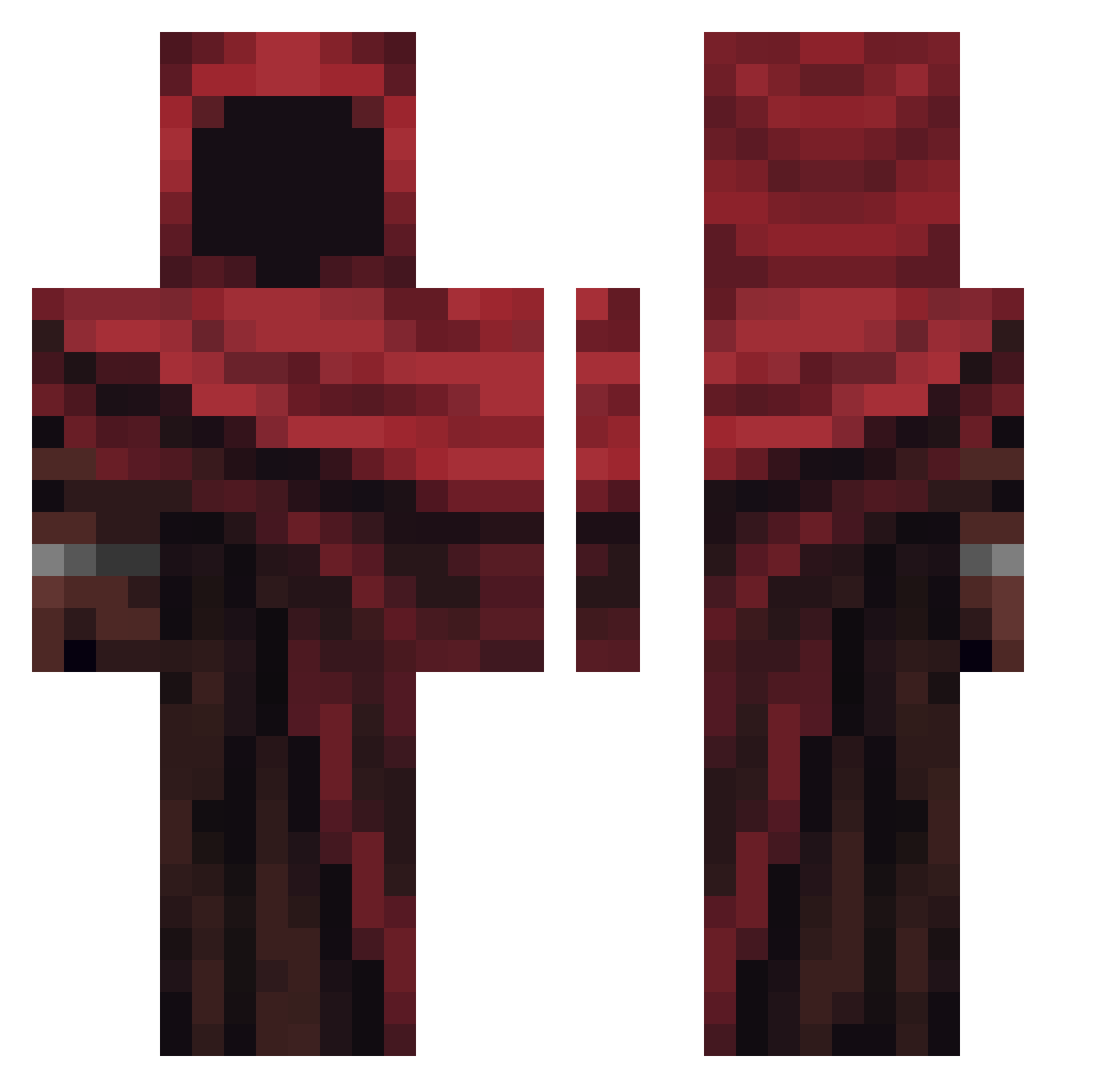
Current Minecraft skin of the player Tinatoro, loaded from the official Mojang API. Rotate the 3D model with your mouse or finger, then download the skin as a PNG file and use it in Minecraft: Bedrock Edition or Java Edition for free. When Tinatoro changes their skin, this page updates automatically and the old skin stays in the history below.
Other players with this skin (364)
Tinatoro was the 309th player we have seen with this skin, first spotted on 19.10.2026. The same skin was seen on these players. Open a nickname to see their current skin and skin history.
 aurel3000 Jellizz Davey911 LadyKillersII miche12812 1kaeeM IamWaltah morning_Poop Dragnius UncThicc Voidboi6975 M1KEtheC0w CurlyDude10 31i3 mtzsoberba DevilofSoulz miv960 willyL123 TheDarkKing__ Mr_Zodiac_ Moueleux_00 EchosIsBetter WallyWest732 Kluher HpExtreme1 namenlos2808 BoleBank1 Paud BurtekJEZ Batiii Galacticis Depolarisation CainoBL22 Linvyxai so7u Ossideo Mayans_ Besqeet 420SlayerClau gregi4ever KZM0723 VoidStarRV BlackZodiac94 Avast2014 Phoenix3k Kvochur NarkoshkaMt D3ADP000L Meczko Theostheros Zupastricker321 lindoso_ Myfeks Anoiy Bokuto4fu Undefined_d jontix21 Lantsey Braverdiamond statiesbalhaar
More Rogue Minecraft skins
How to install the Tinatoro skin
- Press the Download button above to save the skin as a PNG file.
- Minecraft: Bedrock Edition (PE): open the Dressing Room from the main menu (or tap your character → Edit Character), go to Classic Skins → Owned, press the + (new skin) button, choose the downloaded PNG and pick the Classic (Steve) model. Works on PC and mobile; consoles cannot import custom skins.
- Minecraft: Java Edition: open the Minecraft Launcher, go to the Skins tab, click New Skin, load the PNG, pick the Classic (Steve) model and press Save & Use. You can also upload it at minecraft.net → Profile → Change Skin.
The skin does not show up after import - what should I do?
Restart Minecraft and open the Dressing Room again - imported skins sometimes appear only after a restart. Also make sure you selected the imported skin and picked the Classic (Steve) model.
Which model should I choose, Classic or Slim?
This skin is designed for the Classic (Steve) model. If you pick the wrong model, the arms of the skin will look stretched or squeezed.
Is the skin of Tinatoro free to download?
Yes. Press Download, save the PNG file and use it in Minecraft: Bedrock Edition or Java Edition - no payment or registration needed. The skin also works on multiplayer servers and Realms.
More skins
Looking for more? Go back to all Minecraft skins and check the top skins of the week, month and all time, or find any player's skin by nickname.