
TimeTimes__ - Minecraft Skins & Skin History
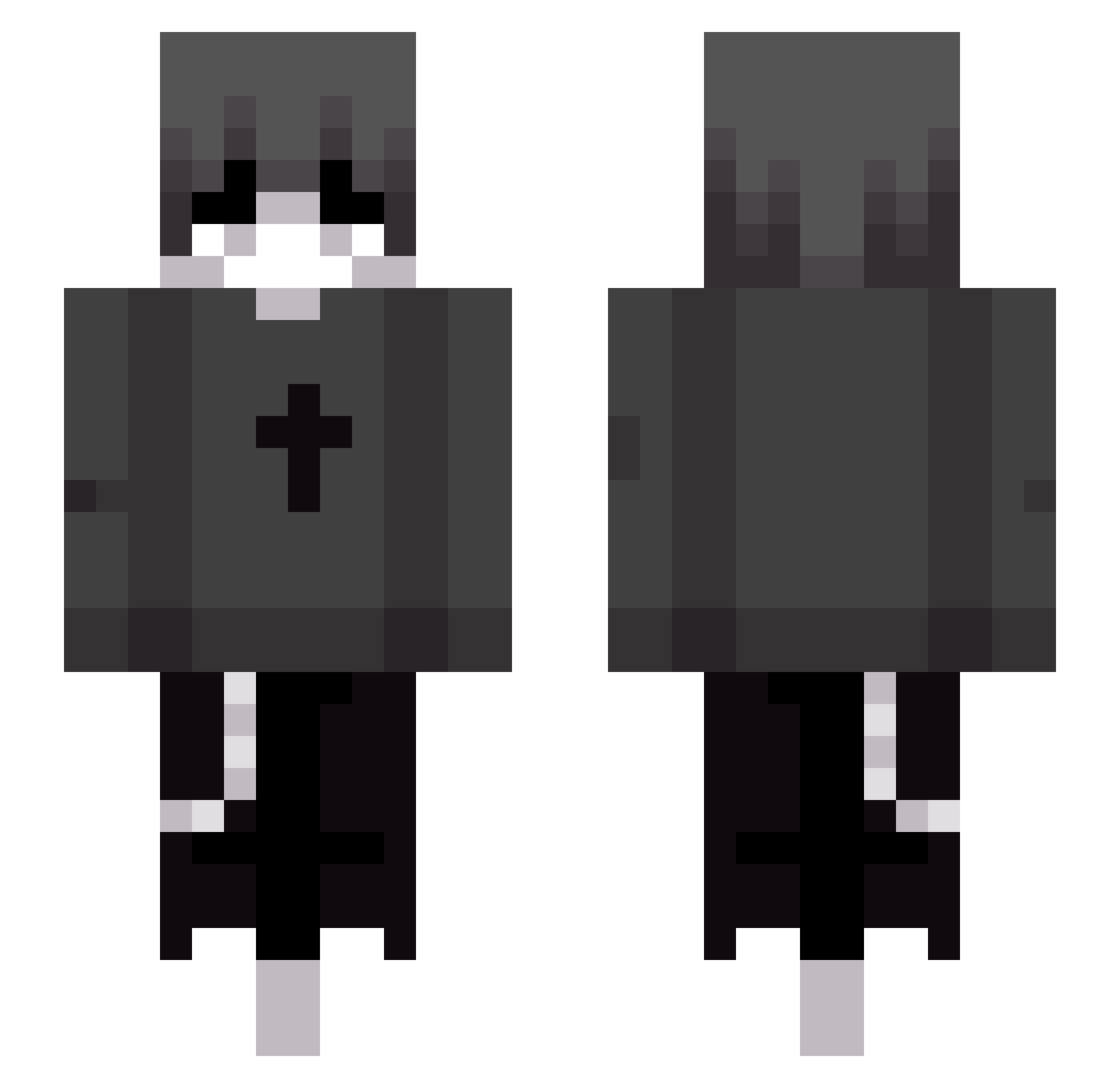
Current Minecraft skin of the player TimeTimes__, loaded from the official Mojang API. Rotate the 3D model with your mouse or finger, then download the skin as a PNG file and use it in Minecraft: Bedrock Edition or Java Edition for free. When TimeTimes__ changes their skin, this page updates automatically and the old skin stays in the history below.
Other players with this skin (92)
TimeTimes__ was the 74th player we have seen with this skin, first spotted on 15.10.2026. The same skin was seen on these players. Open a nickname to see their current skin and skin history.
 ScorpioJoe1 Nivaria_420 HeroicOne2023 CatClaw2012 quyqu Loathez SJDSG ddgg520 feiniya Acenglyx Papayapayapaya GekkuCos HayzelEyes haji865675676665 TheREALM00N Yabeca MrZamix Guwqp qiangweihuahai xSawars _zxoi1213 josh140 Zini_Games sebasalql XJZV WrttZp YunHelp Chereshaa KaikoTh3God _Mil3k Mo27th ILIXI extigorzinnxx qiangjian Jadielnoob Emmanuel0114 Xu_Kevin Pimlopes Zzzeng12 ReMp2 n4tional 613lhs esl003 Zepz1 omerb7670 chordbotgrt Fantasyd_ shintim_ouo SmileyMrJr OstraOkurka10 cassanopycke _Stalinator_ NotYoshida atifxd Xo1m Maikell05 Ruthra_ ShyDuck54 Floweranew zen6666
More Grunge Minecraft skins
How to install the TimeTimes__ skin
- Press the Download button above to save the skin as a PNG file.
- Minecraft: Bedrock Edition (PE): open the Dressing Room from the main menu (or tap your character → Edit Character), go to Classic Skins → Owned, press the + (new skin) button, choose the downloaded PNG and pick the Slim (Alex) model. Works on PC and mobile; consoles cannot import custom skins.
- Minecraft: Java Edition: open the Minecraft Launcher, go to the Skins tab, click New Skin, load the PNG, pick the Slim (Alex) model and press Save & Use. You can also upload it at minecraft.net → Profile → Change Skin.
The skin does not show up after import - what should I do?
Restart Minecraft and open the Dressing Room again - imported skins sometimes appear only after a restart. Also make sure you selected the imported skin and picked the Slim (Alex) model.
Which model should I choose, Classic or Slim?
This skin is designed for the Slim (Alex) model. If you pick the wrong model, the arms of the skin will look stretched or squeezed.
Is the skin of TimeTimes__ free to download?
Yes. Press Download, save the PNG file and use it in Minecraft: Bedrock Edition or Java Edition - no payment or registration needed. The skin also works on multiplayer servers and Realms.
More skins
Looking for more? Go back to all Minecraft skins and check the top skins of the week, month and all time, or find any player's skin by nickname.