
TimLocastro - Minecraft Skins & Skin History
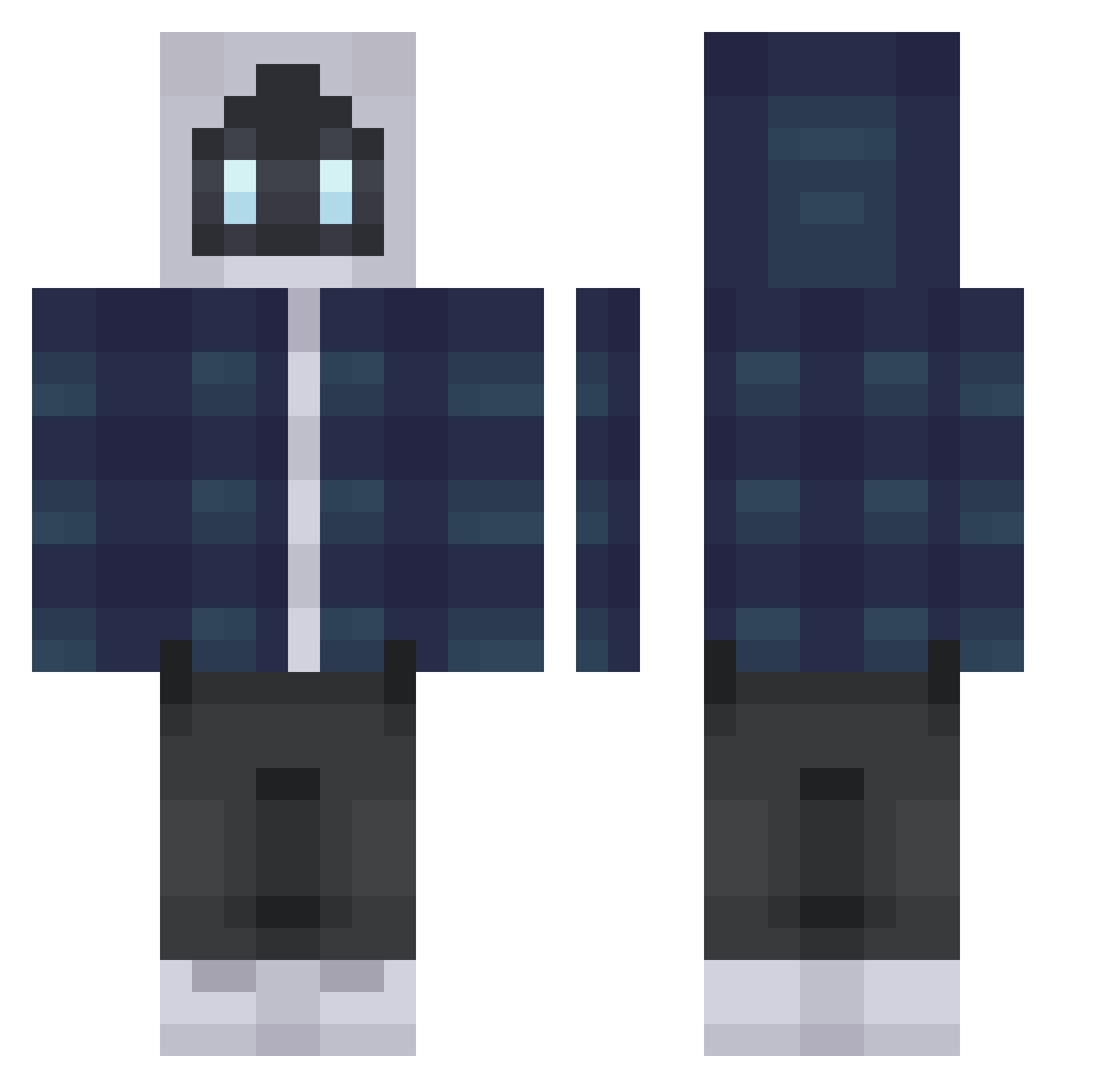
Current Minecraft skin of the player TimLocastro, loaded from the official Mojang API. Rotate the 3D model with your mouse or finger, then download the skin as a PNG file and use it in Minecraft: Bedrock Edition or Java Edition for free. When TimLocastro changes their skin, this page updates automatically and the old skin stays in the history below.
Other players with this skin (367)
TimLocastro was the 317th player we have seen with this skin, first spotted on 01.11.2026. The same skin was seen on these players. Open a nickname to see their current skin and skin history.
 CheAnsia Tyauch FireFistAsh soungae BonesMC lusky56 Coringahellz Piculinsito monster4466 korls KingOkongO fraggsz slayertech ll1891 nmaxy HAMELN Keima7801 ENEZETA_ Phaseburner easportler1 CannabinuM YorickMaya namesj JuB3n gobroncos99 Asovereign SlateGT l2012keks PERIIOE tin3w TRRMC ForlongWasTaken BKBKBK9527 Mr___KJ SyntaxN1 Eklerq Lilac47 RabbyTundra Oqean BBCSeanPaul seytng Durin____ starwars3001 Dim542004 magicjoachim Nucleostar Macfiezvous Piper_0 Terensoa CGNLuc ZaedenV majiangkk ThsAppsood Enemo1411 Ramenous DuckDuck7171 Fqtih_TR Plexels Asra_Architect GeeHenna
More Robot Minecraft skins
How to install the TimLocastro skin
- Press the Download button above to save the skin as a PNG file.
- Minecraft: Bedrock Edition (PE): open the Dressing Room from the main menu (or tap your character → Edit Character), go to Classic Skins → Owned, press the + (new skin) button, choose the downloaded PNG and pick the Classic (Steve) model. Works on PC and mobile; consoles cannot import custom skins.
- Minecraft: Java Edition: open the Minecraft Launcher, go to the Skins tab, click New Skin, load the PNG, pick the Classic (Steve) model and press Save & Use. You can also upload it at minecraft.net → Profile → Change Skin.
The skin does not show up after import - what should I do?
Restart Minecraft and open the Dressing Room again - imported skins sometimes appear only after a restart. Also make sure you selected the imported skin and picked the Classic (Steve) model.
Which model should I choose, Classic or Slim?
This skin is designed for the Classic (Steve) model. If you pick the wrong model, the arms of the skin will look stretched or squeezed.
Is the skin of TimLocastro free to download?
Yes. Press Download, save the PNG file and use it in Minecraft: Bedrock Edition or Java Edition - no payment or registration needed. The skin also works on multiplayer servers and Realms.
More skins
Looking for more? Go back to all Minecraft skins and check the top skins of the week, month and all time, or find any player's skin by nickname.