
Tiko751 - Minecraft Skins & Skin History
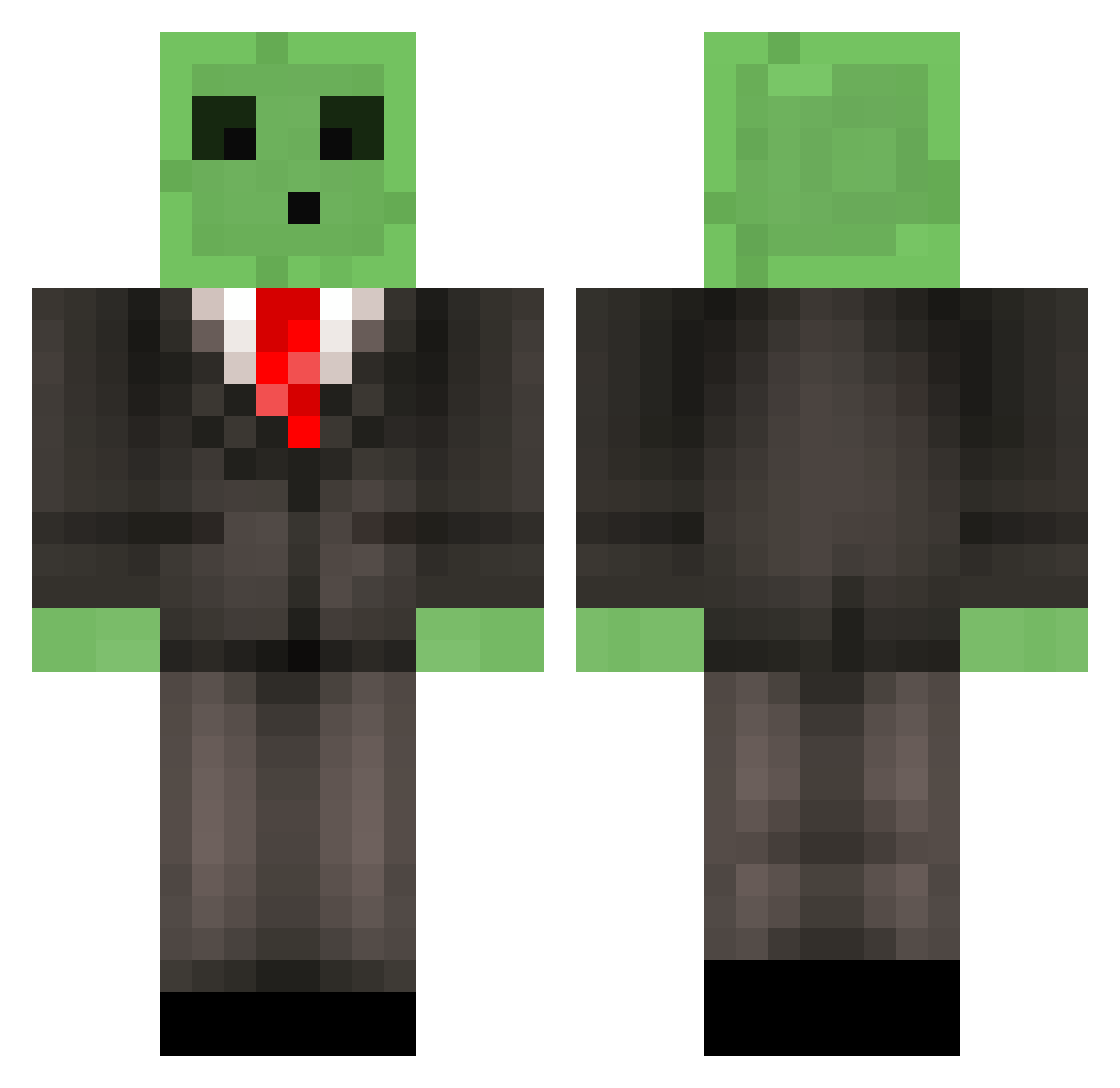
Current Minecraft skin of the player Tiko751, loaded from the official Mojang API. Rotate the 3D model with your mouse or finger, then download the skin as a PNG file and use it in Minecraft: Bedrock Edition or Java Edition for free. When Tiko751 changes their skin, this page updates automatically and the old skin stays in the history below.
Other players with this skin (510)
Tiko751 was the 67th player we have seen with this skin, first spotted on 05.08.2026. The same skin was seen on these players. Open a nickname to see their current skin and skin history.
 thelateshow Charzika DeviousJam77 marleyj35 logibear1622 slimeboy62 Suco_De_Maracuja Moneytech Peapod21 Tony_master ImKorbin King_Isaac StarringMyselfx Takli lucabob12354 Bobbyy45 PsychoRhino careno FallenGreenz Adrron DonkeyTeeth24 Achillies92 Count_Jacula DJJOELLJ SALVATION59 OleKrem PickaDylan greenpois0n15 tate_whittaker99 Sven_Eva Oatmeal_larry5 CalaFrisky Povels shorts027 Chromeousible r_batsbak11 GlassTurtles DameBond aostr SlipperySlime333 eat_a_biscuit AwwChit pnutosan Phil_S23 Oh_No_Sharks ClayMoreClare Elections Fillboooi Rakusagi27 Josh17ua Swim4life55 CPTN_K1LLJ0Y Jenspluim zjm71100 Drexhx GamingSquid009 limpbizkit129 Bravebird01 Oilix fatmonkey147
More Slime Minecraft skins
How to install the Tiko751 skin
- Press the Download button above to save the skin as a PNG file.
- Minecraft: Bedrock Edition (PE): open the Dressing Room from the main menu (or tap your character → Edit Character), go to Classic Skins → Owned, press the + (new skin) button, choose the downloaded PNG and pick the Classic (Steve) model. Works on PC and mobile; consoles cannot import custom skins.
- Minecraft: Java Edition: open the Minecraft Launcher, go to the Skins tab, click New Skin, load the PNG, pick the Classic (Steve) model and press Save & Use. You can also upload it at minecraft.net → Profile → Change Skin.
The skin does not show up after import - what should I do?
Restart Minecraft and open the Dressing Room again - imported skins sometimes appear only after a restart. Also make sure you selected the imported skin and picked the Classic (Steve) model.
Which model should I choose, Classic or Slim?
This skin is designed for the Classic (Steve) model. If you pick the wrong model, the arms of the skin will look stretched or squeezed.
Is the skin of Tiko751 free to download?
Yes. Press Download, save the PNG file and use it in Minecraft: Bedrock Edition or Java Edition - no payment or registration needed. The skin also works on multiplayer servers and Realms.
More skins
Looking for more? Go back to all Minecraft skins and check the top skins of the week, month and all time, or find any player's skin by nickname.