
Thymael - Minecraft Skins & Skin History
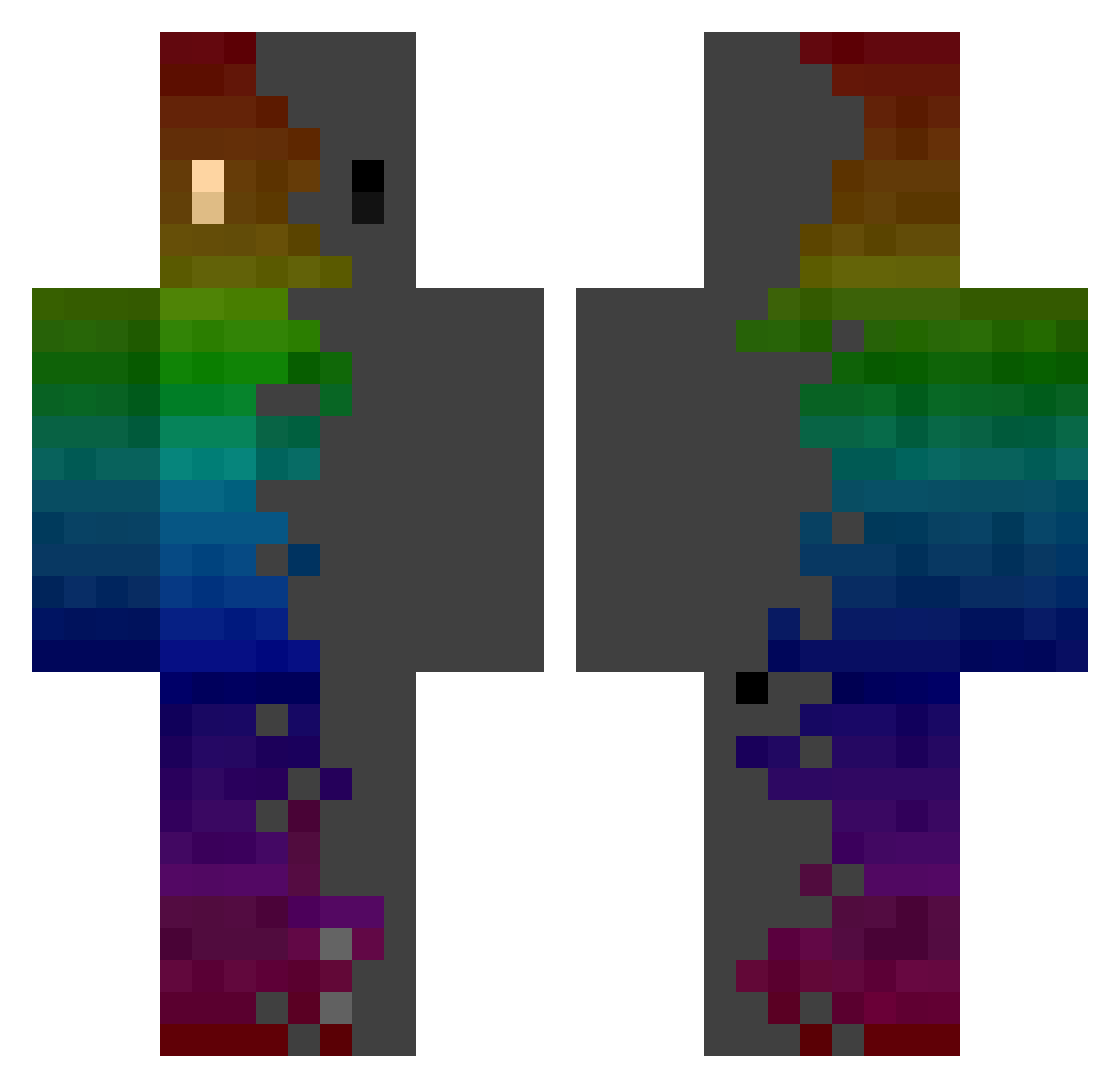
Current Minecraft skin of the player Thymael, loaded from the official Mojang API. Rotate the 3D model with your mouse or finger, then download the skin as a PNG file and use it in Minecraft: Bedrock Edition or Java Edition for free. When Thymael changes their skin, this page updates automatically and the old skin stays in the history below.
Other players with this skin (1063)
Thymael was the 804th player we have seen with this skin, first spotted on 25.10.2026. The same skin was seen on these players. Open a nickname to see their current skin and skin history.
 Walshie0812 Ordanine TlazerT2 amayes_666 Fishingfishing Tim0000 LAPIKE Drago61802 Eviom MajikBN Arnelon Bobcatofski filipxplay chocho4865 Ulices2708 11Marxbu61 cc4bb Brabas95 withloveblue Ybot118 Naehx TakedownMDSD xShadowNight Menlai LittleGreen18 melmatlouis Chronixx4 YongHa_ Repsycle Rapttorx Anundalie Sirekkers KTMJonny KifelG Swagamemnon4 _Jeran_ LL_REZ AfkFenix Aldebaran97 HRDXanathar Erlow91 DESSNESSESAURO KAFLISZ enc1uk lolik001X andres1435 Dark_894 Foxoboy Shinaritorr Ghyosa SmurfjeWillem SandroLuis SoulBrother21 Sky_Pong tiorroj KKphantom iRazify CamWithBenefits zyoni00 Mal_NDxZpB
How to install the Thymael skin
- Press the Download button above to save the skin as a PNG file.
- Minecraft: Bedrock Edition (PE): open the Dressing Room from the main menu (or tap your character → Edit Character), go to Classic Skins → Owned, press the + (new skin) button, choose the downloaded PNG and pick the Classic (Steve) model. Works on PC and mobile; consoles cannot import custom skins.
- Minecraft: Java Edition: open the Minecraft Launcher, go to the Skins tab, click New Skin, load the PNG, pick the Classic (Steve) model and press Save & Use. You can also upload it at minecraft.net → Profile → Change Skin.
The skin does not show up after import - what should I do?
Restart Minecraft and open the Dressing Room again - imported skins sometimes appear only after a restart. Also make sure you selected the imported skin and picked the Classic (Steve) model.
Which model should I choose, Classic or Slim?
This skin is designed for the Classic (Steve) model. If you pick the wrong model, the arms of the skin will look stretched or squeezed.
Is the skin of Thymael free to download?
Yes. Press Download, save the PNG file and use it in Minecraft: Bedrock Edition or Java Edition - no payment or registration needed. The skin also works on multiplayer servers and Realms.
More skins
Looking for more? Go back to all Minecraft skins and check the top skins of the week, month and all time, or find any player's skin by nickname.