
Thomasgleichcool - Minecraft Skins & Skin History
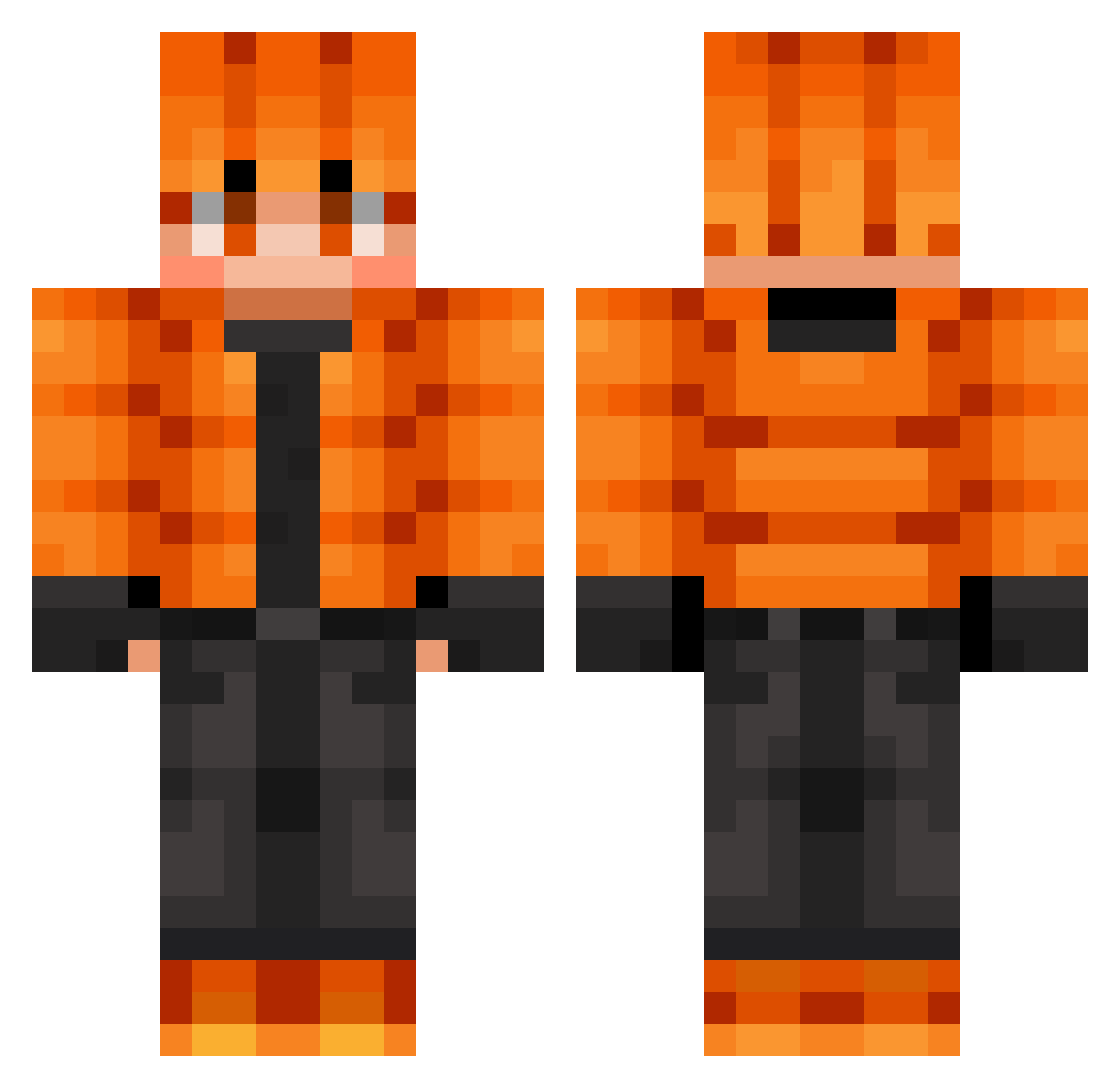
Current Minecraft skin of the player Thomasgleichcool, loaded from the official Mojang API. Rotate the 3D model with your mouse or finger, then download the skin as a PNG file and use it in Minecraft: Bedrock Edition or Java Edition for free. When Thomasgleichcool changes their skin, this page updates automatically and the old skin stays in the history below.
Other players with this skin (724)
Thomasgleichcool was the 528th player we have seen with this skin, first spotted on 08.10.2026. The same skin was seen on these players. Open a nickname to see their current skin and skin history.
 Emarli Nickgamer2068074 therealmarza1 JSPARK1024 sarawut19 Scrubber504 crazy_red_cat Gaulivant Gotty_Game val_boy Gnidowich epicwar5BR Artspider09 Briziking Noris_128 Rudler30 MaybeNextTime_ Derpy_Allan Ggcamel3241 dffgghh WOPEK98 mommy12852 honzafous HeoMap Alpha_Cole Kim_Si_Woo Ali_m16 CherJournal glitched_RMC mccamp14 Kawazakiii OdarkFox Remeugio Scharan280 SOSTTG ScaryPapaya Road2Perfection_ tropp PHOOGM xcfox KEREMPRO35 hhjun35 VashVenom Riichman LordKing99 Aleu1519 SquidyWetty pobus Crowni666 incantingtable TheFragileEgg doctor_20 bt725 BlueJezza123 juju123654 gabrielCM09 sinsterTV CraftyMikeyJ SirNerdsAlot5 RPulham
How to install the Thomasgleichcool skin
- Press the Download button above to save the skin as a PNG file.
- Minecraft: Bedrock Edition (PE): open the Dressing Room from the main menu (or tap your character → Edit Character), go to Classic Skins → Owned, press the + (new skin) button, choose the downloaded PNG and pick the Classic (Steve) model. Works on PC and mobile; consoles cannot import custom skins.
- Minecraft: Java Edition: open the Minecraft Launcher, go to the Skins tab, click New Skin, load the PNG, pick the Classic (Steve) model and press Save & Use. You can also upload it at minecraft.net → Profile → Change Skin.
The skin does not show up after import - what should I do?
Restart Minecraft and open the Dressing Room again - imported skins sometimes appear only after a restart. Also make sure you selected the imported skin and picked the Classic (Steve) model.
Which model should I choose, Classic or Slim?
This skin is designed for the Classic (Steve) model. If you pick the wrong model, the arms of the skin will look stretched or squeezed.
Is the skin of Thomasgleichcool free to download?
Yes. Press Download, save the PNG file and use it in Minecraft: Bedrock Edition or Java Edition - no payment or registration needed. The skin also works on multiplayer servers and Realms.
More skins
Looking for more? Go back to all Minecraft skins and check the top skins of the week, month and all time, or find any player's skin by nickname.