
ThomasTdizzle - Minecraft Skins & Skin History
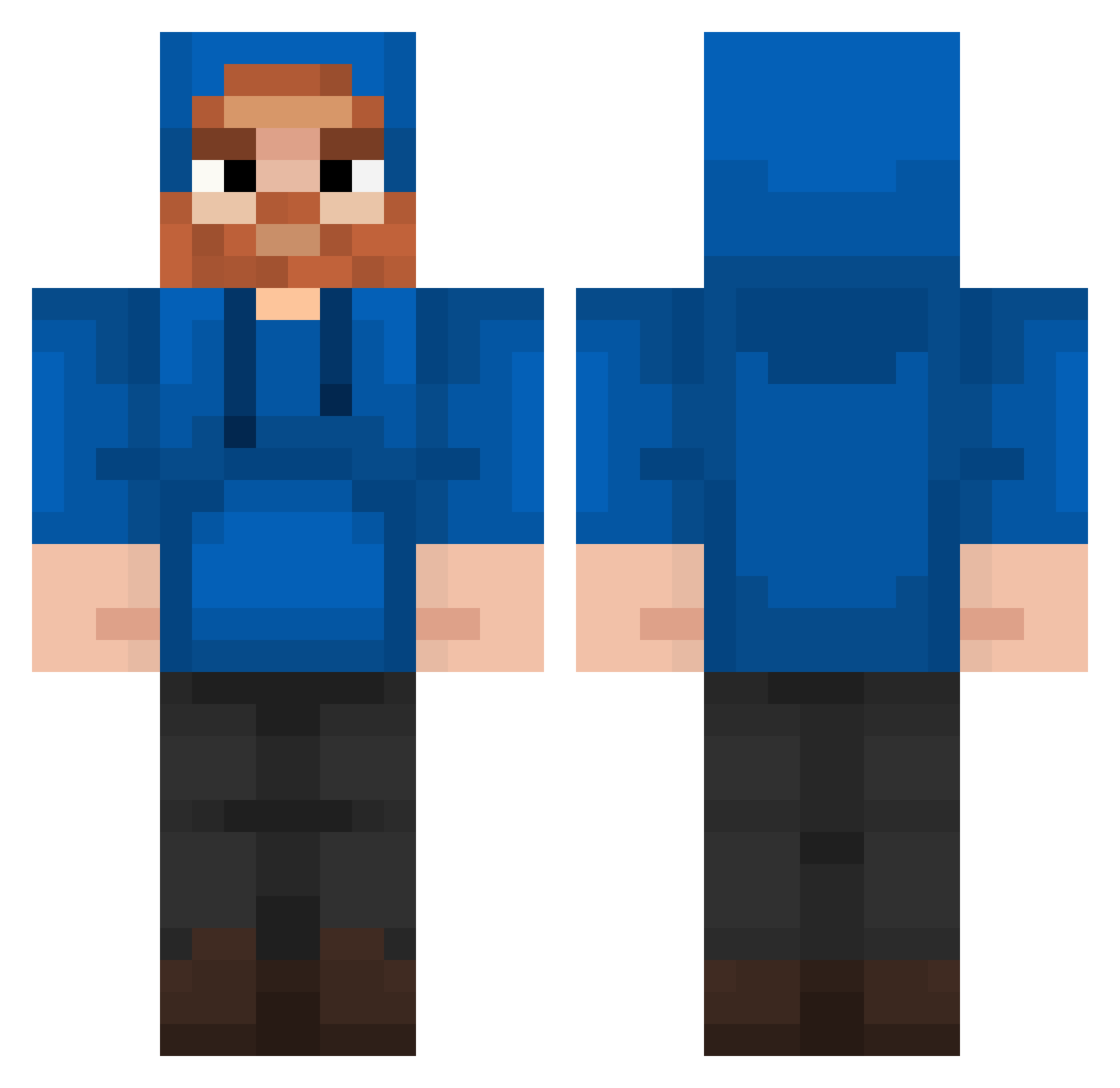
Current Minecraft skin of the player ThomasTdizzle, loaded from the official Mojang API. Rotate the 3D model with your mouse or finger, then download the skin as a PNG file and use it in Minecraft: Bedrock Edition or Java Edition for free. When ThomasTdizzle changes their skin, this page updates automatically and the old skin stays in the history below.
Other players with this skin (202)
ThomasTdizzle was the 119th player we have seen with this skin, first spotted on 26.09.2026. The same skin was seen on these players. Open a nickname to see their current skin and skin history.
 SweetTea5799 IamXstorm myboy2211 fluffydolphin46 TaylorCakes0418 Kimber773102808 MahsteelG YouDied00 Stro0pwafel fortniterunna PTr1X ADPlay29 __Slicedbread__ LazyPesto superm3k S4iny tenmillion Teddie36 BananaMatt_08 TickleMEelmo003 JohnnyD12 Dabosszxc mrpoggers018 FresherToaster Newilkiwi Tailsfan103 oxyto1 Tuck11 MrMook92 AlexPlayGame976 luvbarackobama69 An1r00th RattlyRecord859 pinguino070 Simo11ICE GemKing1 Gruby_MC KieferTwoSix alondramartinez1 TakedownBook23 anyiii Goob1209 KyrexOnSpunkware Chris431 CaseOhBurger TomMiaTom xImWeird FatTin21 Mistha_Nick hoovygaming2 Mathalex13 Tiffany2004 MCzombo tubergonyt Namor_RN Mrslushy232 Viperjr1 wolffann hvaccarezza qkrwngus5138
More Beard Minecraft skins
How to install the ThomasTdizzle skin
- Press the Download button above to save the skin as a PNG file.
- Minecraft: Bedrock Edition (PE): open the Dressing Room from the main menu (or tap your character → Edit Character), go to Classic Skins → Owned, press the + (new skin) button, choose the downloaded PNG and pick the Classic (Steve) model. Works on PC and mobile; consoles cannot import custom skins.
- Minecraft: Java Edition: open the Minecraft Launcher, go to the Skins tab, click New Skin, load the PNG, pick the Classic (Steve) model and press Save & Use. You can also upload it at minecraft.net → Profile → Change Skin.
The skin does not show up after import - what should I do?
Restart Minecraft and open the Dressing Room again - imported skins sometimes appear only after a restart. Also make sure you selected the imported skin and picked the Classic (Steve) model.
Which model should I choose, Classic or Slim?
This skin is designed for the Classic (Steve) model. If you pick the wrong model, the arms of the skin will look stretched or squeezed.
Is the skin of ThomasTdizzle free to download?
Yes. Press Download, save the PNG file and use it in Minecraft: Bedrock Edition or Java Edition - no payment or registration needed. The skin also works on multiplayer servers and Realms.
More skins
Looking for more? Go back to all Minecraft skins and check the top skins of the week, month and all time, or find any player's skin by nickname.