
ThomasM1 - Minecraft Skins & Skin History
Current Minecraft skin of the player ThomasM1, loaded from the official Mojang API. Rotate the 3D model with your mouse or finger, then download the skin as a PNG file and use it in Minecraft: Bedrock Edition or Java Edition for free. When ThomasM1 changes their skin, this page updates automatically and the old skin stays in the history below.
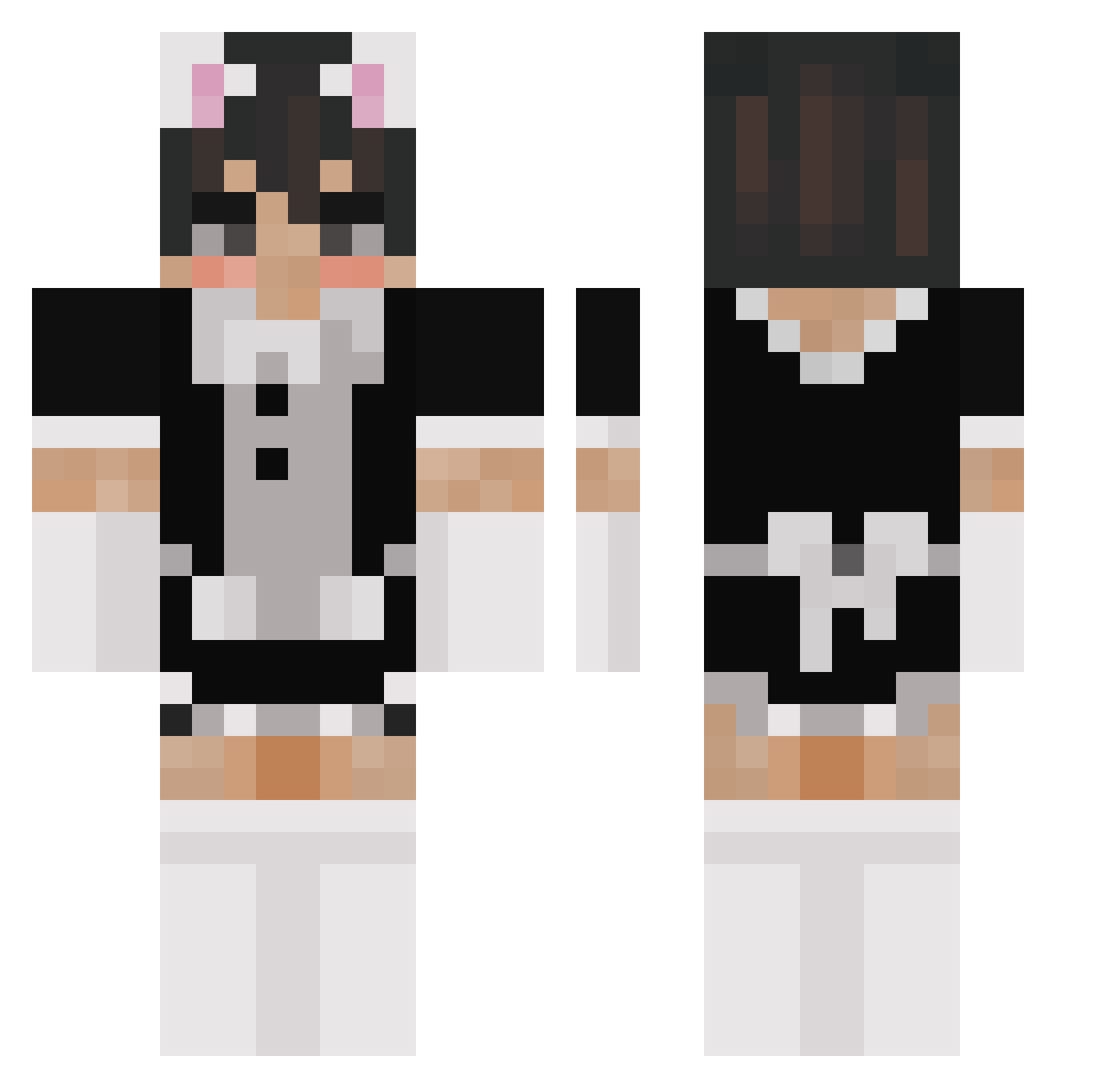
Other players with this skin (183)
ThomasM1 was the 30th player we have seen with this skin, first spotted on 09.08.2026. The same skin was seen on these players. Open a nickname to see their current skin and skin history.
 ZzSnuked KingKai1002 _Hiryuu_ rowan1614 Lostyzinho IlCarretto
 haralduwu gaIactic Xx_ST41K3R_xX StateDread18432 UwUTangClan Burningskull44 Gokkesovs C15H10ClN3O3_ Mapol333 PePeIPog 4rchieeee whateew MassiveCuck Trex2201 drporkchop81 vareszin Pikachubenz TDPommes Nizlobin RomasSshka anjfqhk05 iloveyouuuuuuu fruitart Jiggzey14 cloun1xxx kitkat2060 bearbear4641 sizzlesuave WalmexZ BleachLuvsMC YukiSakurai loverlux simplygael_ Tigerowl1 kaykury GoodGuyAZN Meda_Lol catballz Rxmzil argentumlaw
 imslamuwu BL40 Dashisuki Dawid21D SuperMicle Bubba_Narwhale Just_AYUMU
 Z3R0F4M3 mcwrap2115 _MaSt_ Rileyfraser123 LilXanXan ZonGoYT Weirdpianodude
More Femboy Minecraft skins
How to install the ThomasM1 skin
- Press the Download button above to save the skin as a PNG file.
- Minecraft: Bedrock Edition (PE): open the Dressing Room from the main menu (or tap your character → Edit Character), go to Classic Skins → Owned, press the + (new skin) button, choose the downloaded PNG and pick the Classic (Steve) model. Works on PC and mobile; consoles cannot import custom skins.
- Minecraft: Java Edition: open the Minecraft Launcher, go to the Skins tab, click New Skin, load the PNG, pick the Classic (Steve) model and press Save & Use. You can also upload it at minecraft.net → Profile → Change Skin.
The skin does not show up after import - what should I do?
Restart Minecraft and open the Dressing Room again - imported skins sometimes appear only after a restart. Also make sure you selected the imported skin and picked the Classic (Steve) model.
Which model should I choose, Classic or Slim?
This skin is designed for the Classic (Steve) model. If you pick the wrong model, the arms of the skin will look stretched or squeezed.
Is the skin of ThomasM1 free to download?
Yes. Press Download, save the PNG file and use it in Minecraft: Bedrock Edition or Java Edition - no payment or registration needed. The skin also works on multiplayer servers and Realms.
More skins
Looking for more? Go back to all Minecraft skins and check the top skins of the week, month and all time, or find any player's skin by nickname.