
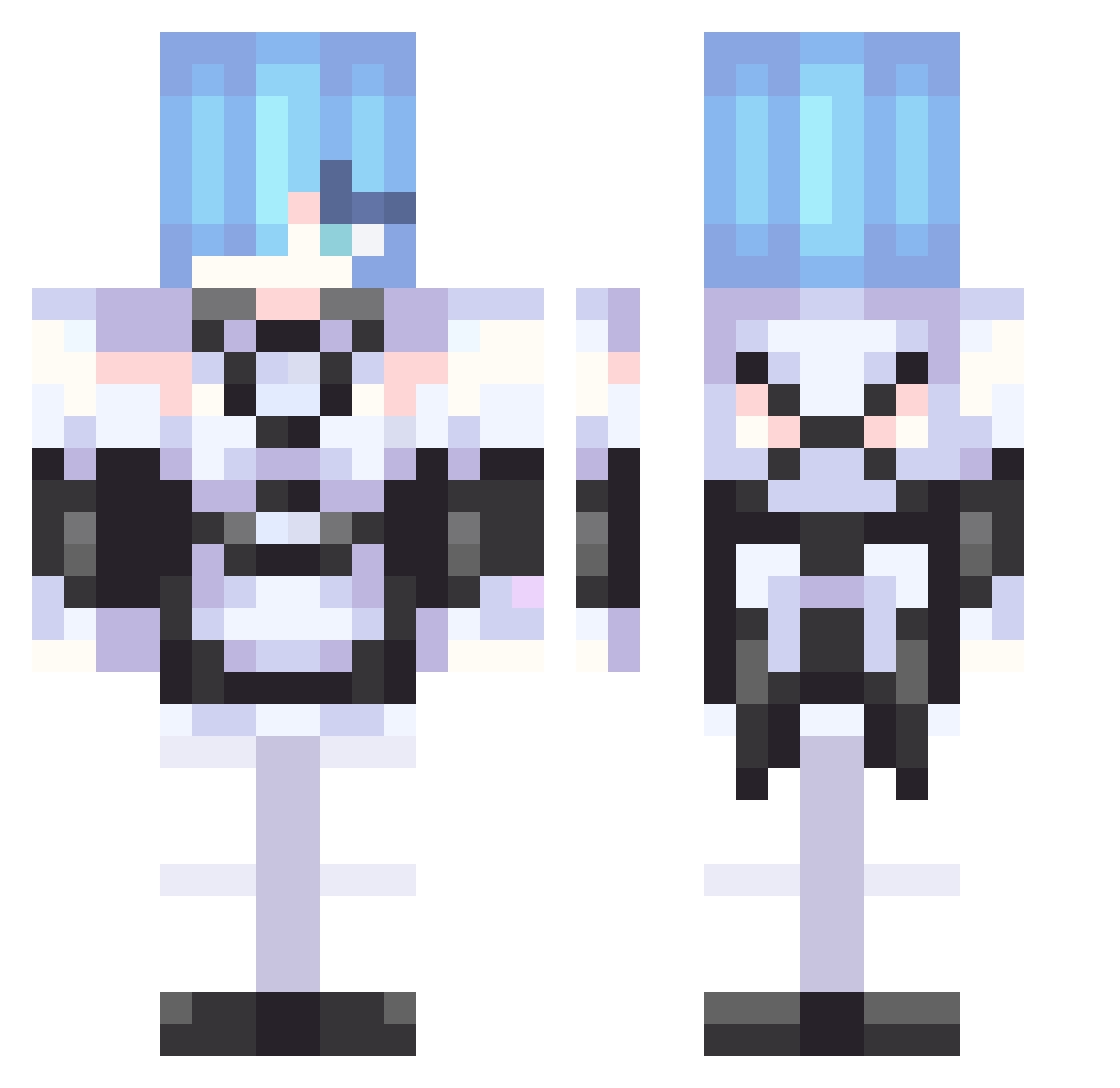
Current Minecraft skin of the player ThisMaddog32, loaded from the official Mojang API. Rotate the 3D model with your mouse or finger, then download the skin as a PNG file and use it in Minecraft: Bedrock Edition or Java Edition for free. When ThisMaddog32 changes their skin, this page updates automatically and the old skin stays in the history below.
Other players with this skin (266)
ThisMaddog32 was the 157th player we have seen with this skin, first spotted on 14.09.2026. The same skin was seen on these players. Open a nickname to see their current skin and skin history.
 Outsiights Elainaa520 Nabin007 Esport_Emax kiet37200 JASON71602 jermified Louppro_12 zxcvector Nav1011 Eswag36 1ncourage toxan18 wacherknight399 nibushini _Tritium lesanya NemoHunterXDie Foid_Lover hyeonzz6 figglebottomjr GSYZZZ Draka012 BADDRAGON_Sahlee asd121212 Matew_MorGat Franciostancio DifferentGod123 Rem_022 yaaaae desolatesword 120Ping60Fps Brallan_360 highking00 Mullet09 Xela51 KAJ_2703 seiga0404 FlyingKittyGirl LMLMWLP Remstingray CarlosMan16 Tanggiap morenspro7 KoH_KiT Fffffasztt yannun501 GabeNugent55 Cromo0o Porandojin_san rogakun OnlySteffi Sterio_IO ilo_iro DinoFab Hadeskaduo Lukandino jjmaiam Rem_013 daisukiasuka
More Rem Minecraft skins
How to install the ThisMaddog32 skin
- Press the Download button above to save the skin as a PNG file.
- Minecraft: Bedrock Edition (PE): open the Dressing Room from the main menu (or tap your character → Edit Character), go to Classic Skins → Owned, press the + (new skin) button, choose the downloaded PNG and pick the Classic (Steve) model. Works on PC and mobile; consoles cannot import custom skins.
- Minecraft: Java Edition: open the Minecraft Launcher, go to the Skins tab, click New Skin, load the PNG, pick the Classic (Steve) model and press Save & Use. You can also upload it at minecraft.net → Profile → Change Skin.
The skin does not show up after import - what should I do?
Restart Minecraft and open the Dressing Room again - imported skins sometimes appear only after a restart. Also make sure you selected the imported skin and picked the Classic (Steve) model.
Which model should I choose, Classic or Slim?
This skin is designed for the Classic (Steve) model. If you pick the wrong model, the arms of the skin will look stretched or squeezed.
Is the skin of ThisMaddog32 free to download?
Yes. Press Download, save the PNG file and use it in Minecraft: Bedrock Edition or Java Edition - no payment or registration needed. The skin also works on multiplayer servers and Realms.
More skins
Looking for more? Go back to all Minecraft skins and check the top skins of the week, month and all time, or find any player's skin by nickname.