
ThisIsZur - Minecraft Skins & Skin History
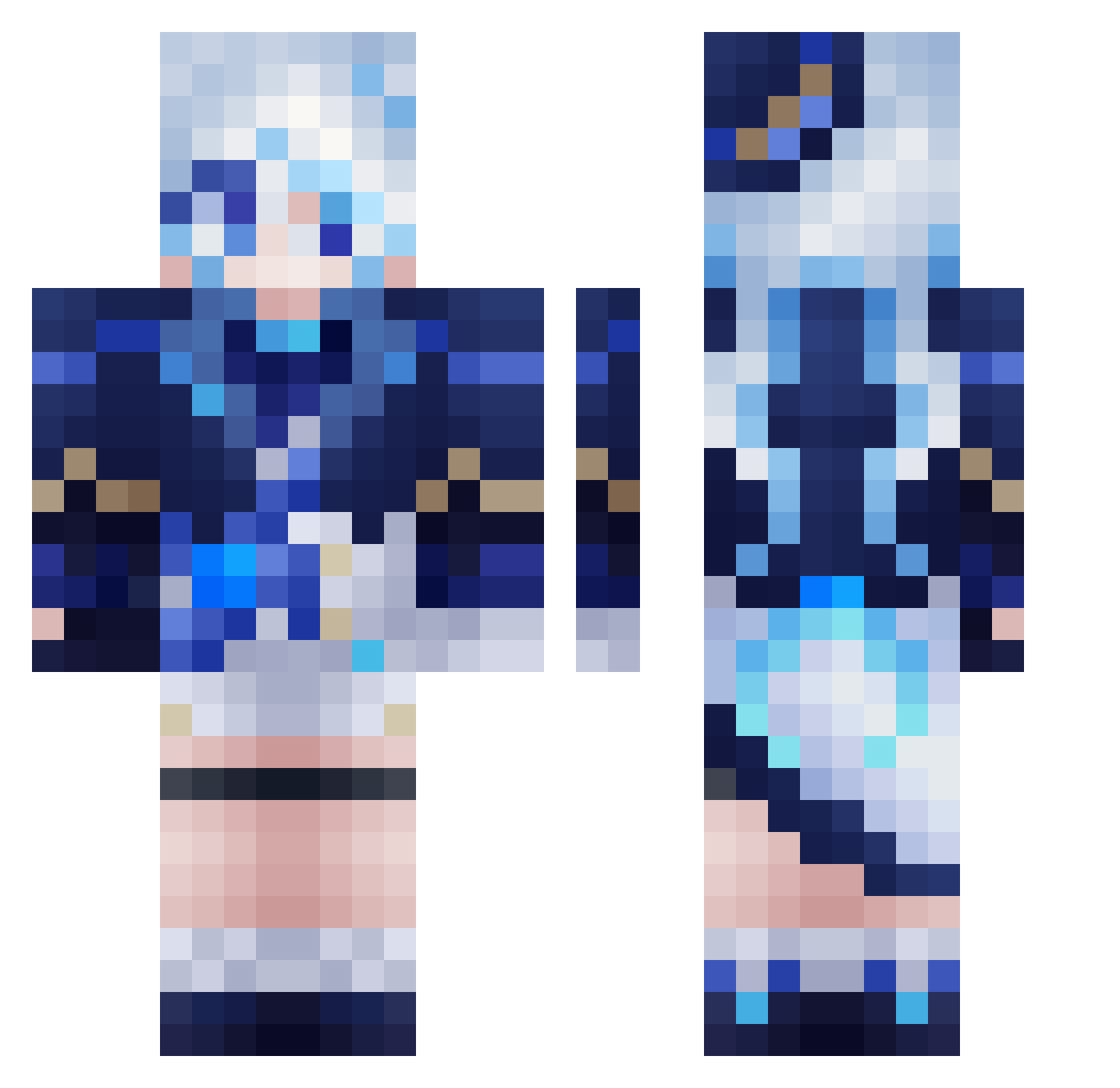
Current Minecraft skin of the player ThisIsZur, loaded from the official Mojang API. Rotate the 3D model with your mouse or finger, then download the skin as a PNG file and use it in Minecraft: Bedrock Edition or Java Edition for free. When ThisIsZur changes their skin, this page updates automatically and the old skin stays in the history below.
Other players with this skin (558)
ThisIsZur was the 526th player we have seen with this skin, first spotted on 27.10.2026. The same skin was seen on these players. Open a nickname to see their current skin and skin history.
 RuyFx anglebisector mvfaria10 GekoNk Eden_Xin _juanluis3000_ Re_Vix sadevlux shiorichyan Billy_king690 sora91742 Evapol NaTTu0710 fufu6 Nellieu SZSY2023 zhiqi2333 DakBunny jeongwooko Shisheng666 baimingw BistecDeMilanesa yuyyves T0kiko_ zhaoyunl Syue_mi Lulu1044 berry0507 tzuyu1016 aaaaa16 Forever_Era Rapp_ ina4178 ChattySushi yuzhiheng yamatoawa1106 biteyfox jellisama rei0813 D4MxdD4Mxd StevensJohnsonO Linyu_Mochi FoldableGunFish PIGEONGGGGGG Elder_Asura Hakarisasaki xiaomi211 PlainCraft_Wu334 universe_77 Theresse Umai1234 penguin_971 MENA0 CooperPotato houzy77 Minmmmm yushone Paper_sama KAMlDESU LOVESDU
More Furina Minecraft skins
How to install the ThisIsZur skin
- Press the Download button above to save the skin as a PNG file.
- Minecraft: Bedrock Edition (PE): open the Dressing Room from the main menu (or tap your character → Edit Character), go to Classic Skins → Owned, press the + (new skin) button, choose the downloaded PNG and pick the Classic (Steve) model. Works on PC and mobile; consoles cannot import custom skins.
- Minecraft: Java Edition: open the Minecraft Launcher, go to the Skins tab, click New Skin, load the PNG, pick the Classic (Steve) model and press Save & Use. You can also upload it at minecraft.net → Profile → Change Skin.
The skin does not show up after import - what should I do?
Restart Minecraft and open the Dressing Room again - imported skins sometimes appear only after a restart. Also make sure you selected the imported skin and picked the Classic (Steve) model.
Which model should I choose, Classic or Slim?
This skin is designed for the Classic (Steve) model. If you pick the wrong model, the arms of the skin will look stretched or squeezed.
Is the skin of ThisIsZur free to download?
Yes. Press Download, save the PNG file and use it in Minecraft: Bedrock Edition or Java Edition - no payment or registration needed. The skin also works on multiplayer servers and Realms.
More skins
Looking for more? Go back to all Minecraft skins and check the top skins of the week, month and all time, or find any player's skin by nickname.