
Thiccflubber - Minecraft Skins & Skin History
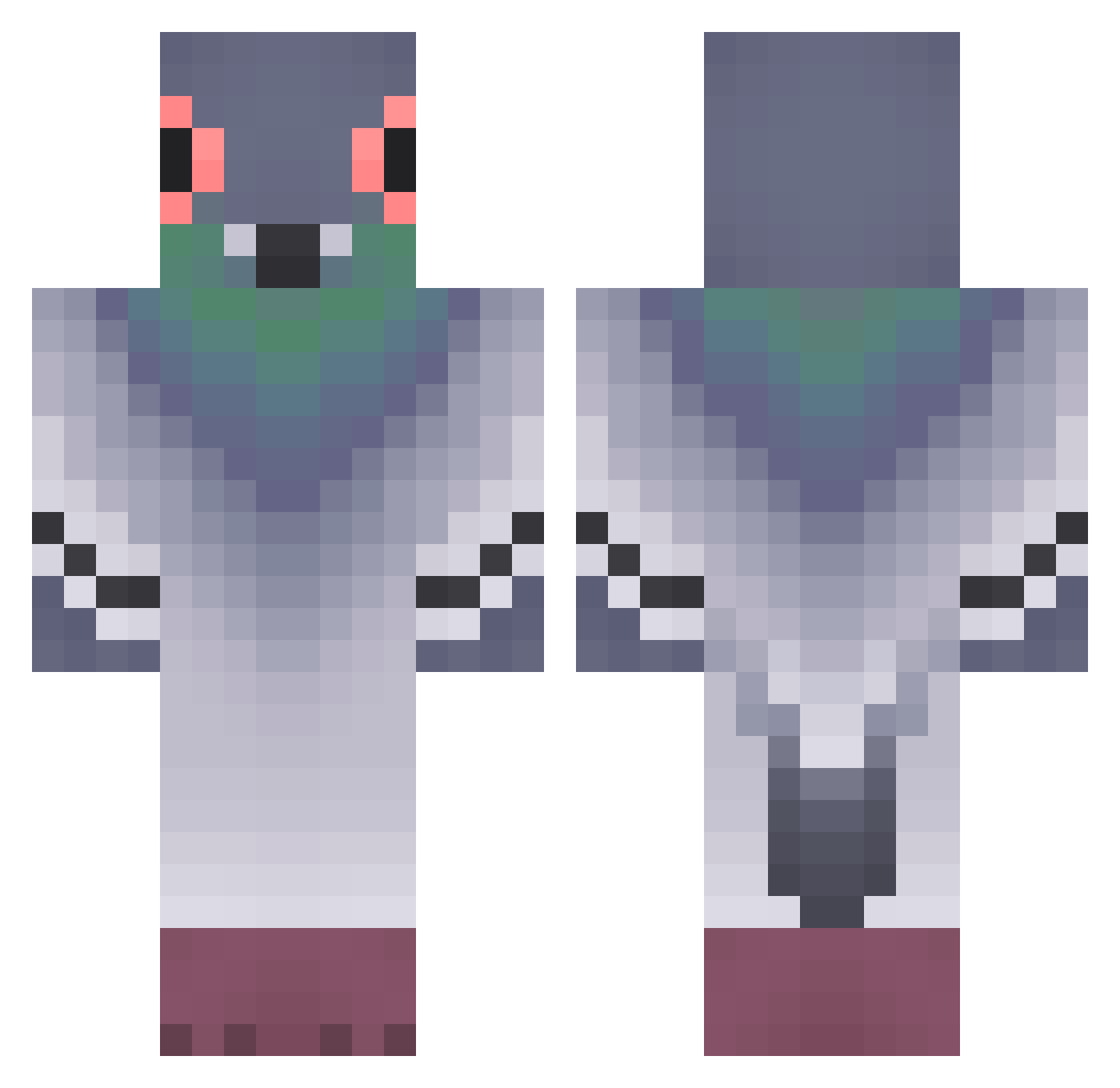
Current Minecraft skin of the player Thiccflubber, loaded from the official Mojang API. Rotate the 3D model with your mouse or finger, then download the skin as a PNG file and use it in Minecraft: Bedrock Edition or Java Edition for free. When Thiccflubber changes their skin, this page updates automatically and the old skin stays in the history below.
Other players with this skin (416)
Thiccflubber was the 378th player we have seen with this skin, first spotted on 02.11.2026. The same skin was seen on these players. Open a nickname to see their current skin and skin history.
 JS_WICK baobeima iblamedark3z sabinocaio IZ_RO capi849 eunjineunjin Botatus ItsXdud HappySheepsheep YellowRodrier Internuncio kavazy bigchicken860 MrSumiks EduardoFVS DerHobbyloseee ppgreen Omega_franc3sco_ Malalll qaws1502 Marco94550 MEKBECT_777 Pigeonmaster437 ExZo999 ThiccMintt oatski MorenR manu_stav Ivarss 99al Piegon9999 DerangedWhales Gollvmer anaastasiaa La_Chiennete bytsjebryk Cabracornio DiFvez garcio929 OceanicTroll69 alhie ToadStep Lulapadre xyhs00 CptOshi MisterLajk plscallmedom stonecrab1028 Spa__ce _liseonok_ Woobeng2 AP0MBA dudooo2 kleerex Tsauria _Farabin_ Lexi_Rivner haRlmeloy Lydimm
More Pigeon Minecraft skins
How to install the Thiccflubber skin
- Press the Download button above to save the skin as a PNG file.
- Minecraft: Bedrock Edition (PE): open the Dressing Room from the main menu (or tap your character → Edit Character), go to Classic Skins → Owned, press the + (new skin) button, choose the downloaded PNG and pick the Classic (Steve) model. Works on PC and mobile; consoles cannot import custom skins.
- Minecraft: Java Edition: open the Minecraft Launcher, go to the Skins tab, click New Skin, load the PNG, pick the Classic (Steve) model and press Save & Use. You can also upload it at minecraft.net → Profile → Change Skin.
The skin does not show up after import - what should I do?
Restart Minecraft and open the Dressing Room again - imported skins sometimes appear only after a restart. Also make sure you selected the imported skin and picked the Classic (Steve) model.
Which model should I choose, Classic or Slim?
This skin is designed for the Classic (Steve) model. If you pick the wrong model, the arms of the skin will look stretched or squeezed.
Is the skin of Thiccflubber free to download?
Yes. Press Download, save the PNG file and use it in Minecraft: Bedrock Edition or Java Edition - no payment or registration needed. The skin also works on multiplayer servers and Realms.
More skins
Looking for more? Go back to all Minecraft skins and check the top skins of the week, month and all time, or find any player's skin by nickname.