
Thewaree - Minecraft Skins & Skin History
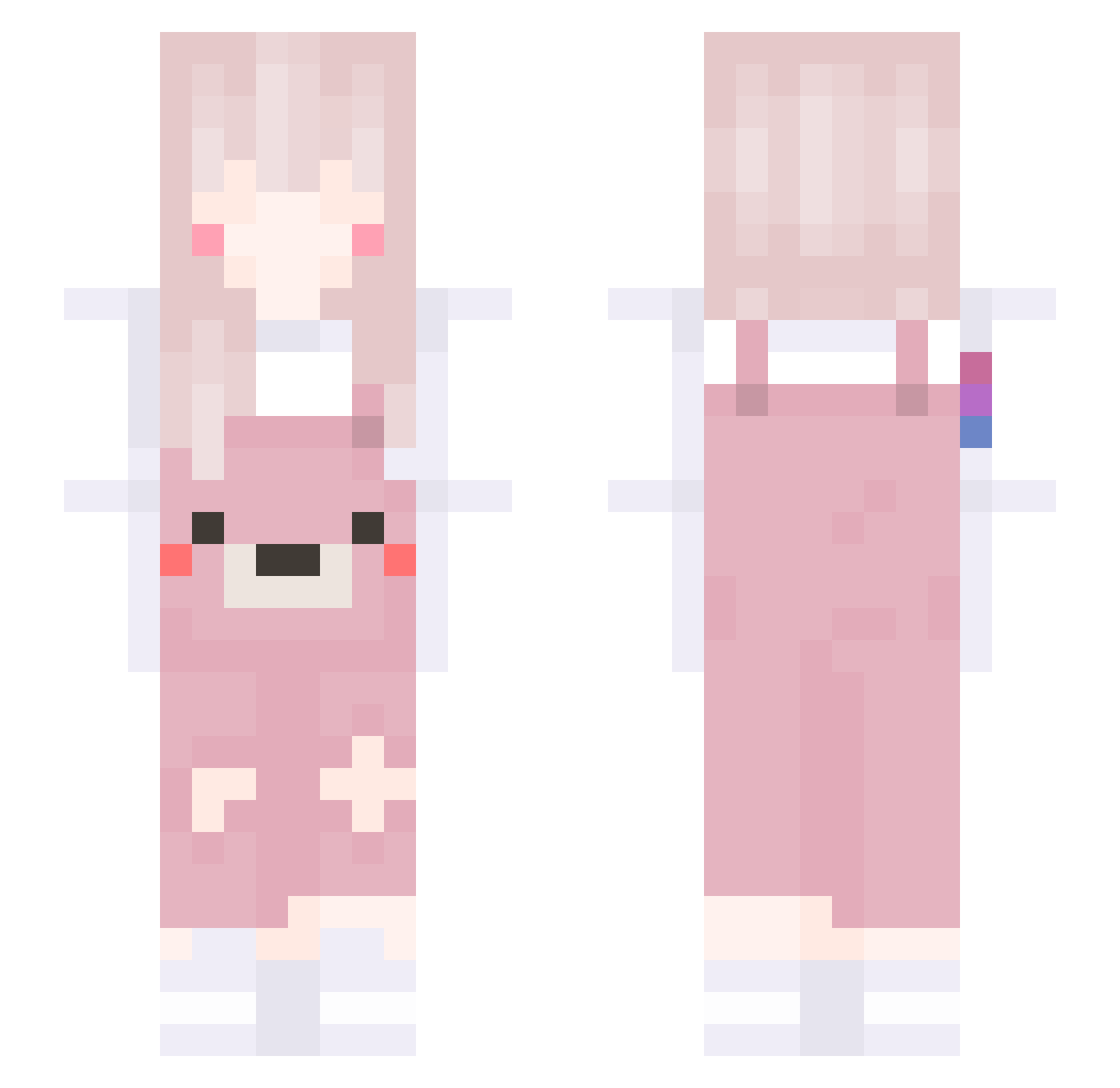
Current Minecraft skin of the player Thewaree, loaded from the official Mojang API. Rotate the 3D model with your mouse or finger, then download the skin as a PNG file and use it in Minecraft: Bedrock Edition or Java Edition for free. When Thewaree changes their skin, this page updates automatically and the old skin stays in the history below.
Other players with this skin (99)
Thewaree was the 74th player we have seen with this skin, first spotted on 20.10.2026. The same skin was seen on these players. Open a nickname to see their current skin and skin history.
 Milly_1x Mr_Silver KKOVOX kissymissy04 _not_nina svzhuzs Nam_Pimkan CO3_CO3 poemii Brighter_Angel Shirinoue JIWON_waifu Liv_Thickums Yakitori__ imlaaau KIO_18 BonoBonono Elysia_lT uuniiii_ AceOmnivore1055 RediSSka23 YOUNGee UUsee dudi2327 Streel SylphietteS2 Dimensionalbees Lun____ Begai Brokepum Sv2_Pulse_ood WaveFudo LucyMoonlight Behemotth GOZell quanh212 peipei520 Charlizzle1993 yoyoyoyoyooyoo kind_milk muna_085 YoungBoy2333 milkyuu Mqx___ TA_KATE SleepYourMomB 5ymi Cigua Foam_Paper Myyyya 5enzawa Syhlint rekinludojad qtsii hyen_0w0 TcKiira AwaKenhan Wizoy lBitterSweet melody1217
More Cute Bear Minecraft skins
How to install the Thewaree skin
- Press the Download button above to save the skin as a PNG file.
- Minecraft: Bedrock Edition (PE): open the Dressing Room from the main menu (or tap your character → Edit Character), go to Classic Skins → Owned, press the + (new skin) button, choose the downloaded PNG and pick the Slim (Alex) model. Works on PC and mobile; consoles cannot import custom skins.
- Minecraft: Java Edition: open the Minecraft Launcher, go to the Skins tab, click New Skin, load the PNG, pick the Slim (Alex) model and press Save & Use. You can also upload it at minecraft.net → Profile → Change Skin.
The skin does not show up after import - what should I do?
Restart Minecraft and open the Dressing Room again - imported skins sometimes appear only after a restart. Also make sure you selected the imported skin and picked the Slim (Alex) model.
Which model should I choose, Classic or Slim?
This skin is designed for the Slim (Alex) model. If you pick the wrong model, the arms of the skin will look stretched or squeezed.
Is the skin of Thewaree free to download?
Yes. Press Download, save the PNG file and use it in Minecraft: Bedrock Edition or Java Edition - no payment or registration needed. The skin also works on multiplayer servers and Realms.
More skins
Looking for more? Go back to all Minecraft skins and check the top skins of the week, month and all time, or find any player's skin by nickname.