
Themansame - Minecraft Skins & Skin History
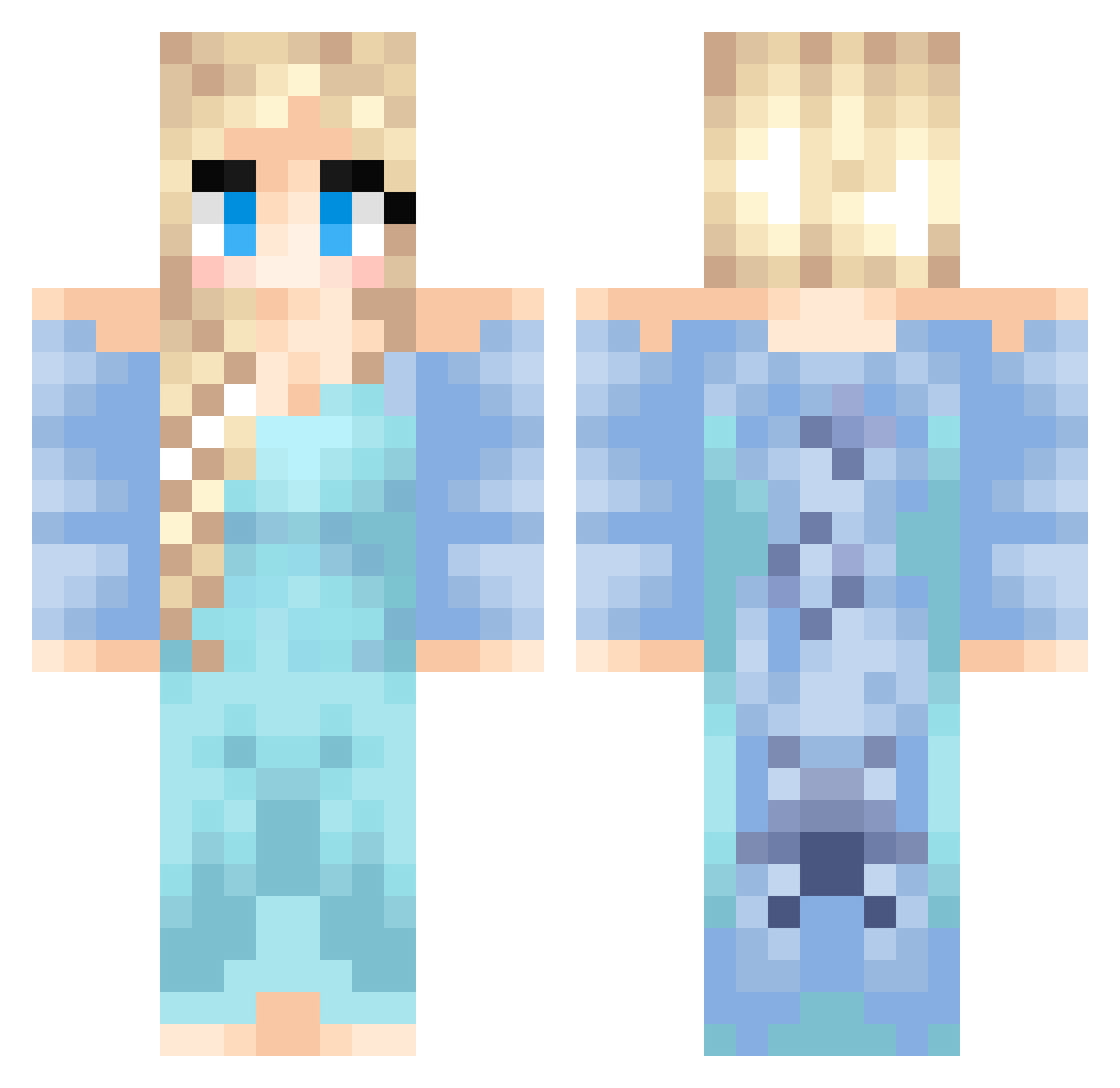
Current Minecraft skin of the player Themansame, loaded from the official Mojang API. Rotate the 3D model with your mouse or finger, then download the skin as a PNG file and use it in Minecraft: Bedrock Edition or Java Edition for free. When Themansame changes their skin, this page updates automatically and the old skin stays in the history below.
Other players with this skin (437)
Themansame was the 350th player we have seen with this skin, first spotted on 15.10.2026. The same skin was seen on these players. Open a nickname to see their current skin and skin history.
 yasie2004 Marthona Sn0wprincess TheHevva AugustElias Baseball40 x0xleahx0x NK133 Little_Gem catluv64 Deconstructor89 sadiesbff FlippetyFlops Awesomediamond84 Princess_M_chan AliasEmber gingerninja77 LiL_LaDie maxikeww islandgirl888 Mia_427 cooperlovespuppy LittleMirai The_Fitzs Queen_Mackenzie Niceeew Mariana_002 bandorskids RunningJack trollet_max Daaarkki Bundaopvp__2 tjdusdnee Abigoogs2153 Emelou123 Julianicke AxeGrinder217 Thuyttt sydneypiper BatBoy49 kwak5102 jessiblah liting KreksterYa TouFast91 Mastergirl45 WhataMeowful Luminosion pinkpup99 EvaG enekho noanoanoa1 Zaripali jacquiqui ffsmanwtf123 Zeera1012 Mille005 Manet360 Hanasukalic fenflipz
More Elsa Minecraft skins
How to install the Themansame skin
- Press the Download button above to save the skin as a PNG file.
- Minecraft: Bedrock Edition (PE): open the Dressing Room from the main menu (or tap your character → Edit Character), go to Classic Skins → Owned, press the + (new skin) button, choose the downloaded PNG and pick the Classic (Steve) model. Works on PC and mobile; consoles cannot import custom skins.
- Minecraft: Java Edition: open the Minecraft Launcher, go to the Skins tab, click New Skin, load the PNG, pick the Classic (Steve) model and press Save & Use. You can also upload it at minecraft.net → Profile → Change Skin.
The skin does not show up after import - what should I do?
Restart Minecraft and open the Dressing Room again - imported skins sometimes appear only after a restart. Also make sure you selected the imported skin and picked the Classic (Steve) model.
Which model should I choose, Classic or Slim?
This skin is designed for the Classic (Steve) model. If you pick the wrong model, the arms of the skin will look stretched or squeezed.
Is the skin of Themansame free to download?
Yes. Press Download, save the PNG file and use it in Minecraft: Bedrock Edition or Java Edition - no payment or registration needed. The skin also works on multiplayer servers and Realms.
More skins
Looking for more? Go back to all Minecraft skins and check the top skins of the week, month and all time, or find any player's skin by nickname.