
Thejaaykay - Minecraft Skins & Skin History
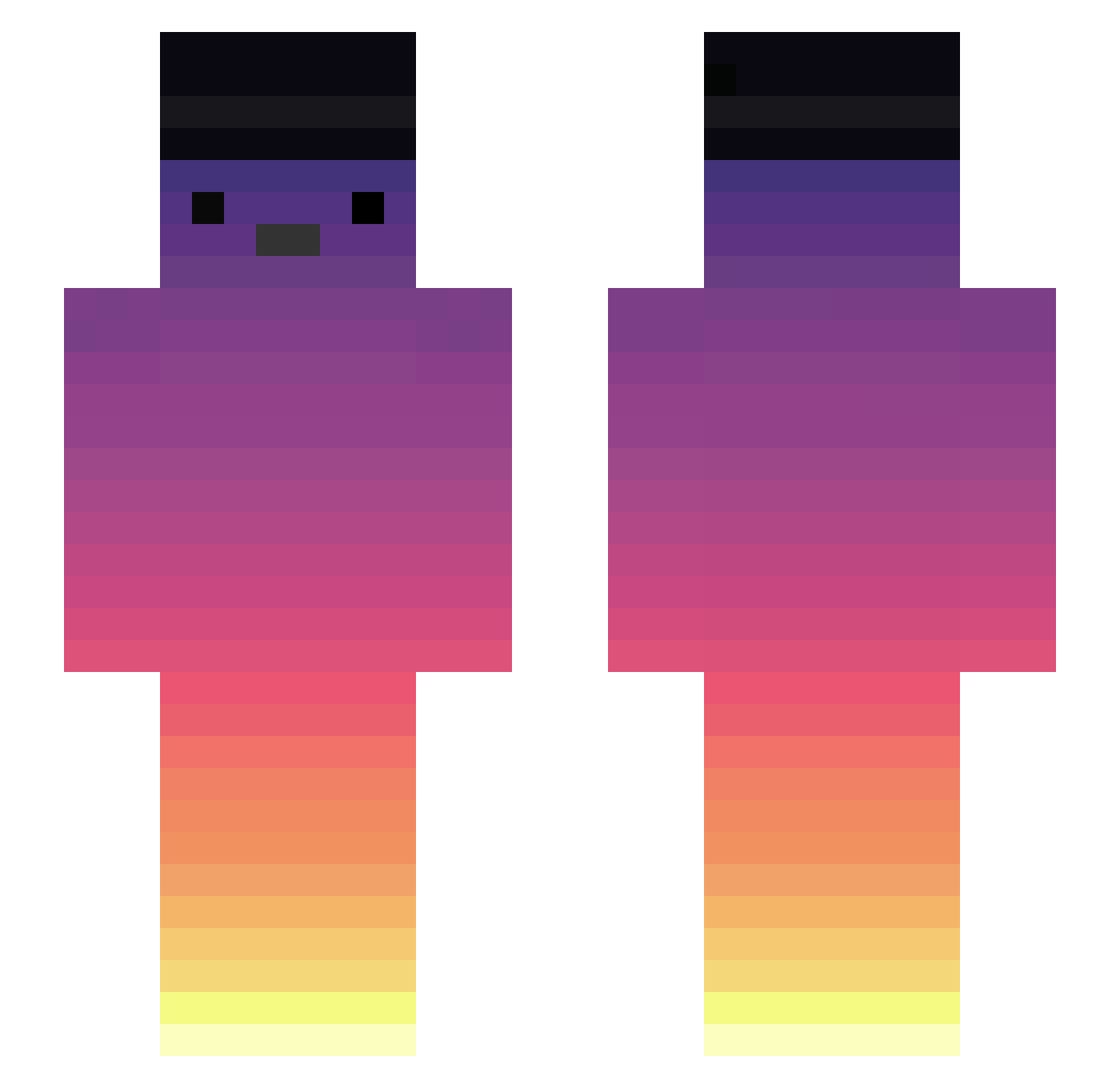
Current Minecraft skin of the player Thejaaykay, loaded from the official Mojang API. Rotate the 3D model with your mouse or finger, then download the skin as a PNG file and use it in Minecraft: Bedrock Edition or Java Edition for free. When Thejaaykay changes their skin, this page updates automatically and the old skin stays in the history below.
Other players with this skin (358)
Thejaaykay was the 342nd player we have seen with this skin, first spotted on 27.10.2026. The same skin was seen on these players. Open a nickname to see their current skin and skin history.
 Debx0 SacoDoPapaiNoel BambangMayer efsanesavas OrangeSweetKZ1 XxNoxin_ zzenoh Skycrxpt _Kamix GabrielGames1227 TheDoctorJohn XpGaming12 Wamasii LILCheesekuchen Green__teaTW ianchineis beresdavid1 Esquerdinha Kenchiz Norax_TW Threatz34 fwxn xhxhc1152 Artrhh_0 Ask0ff Noel1gxr CAN3LINHA Lucaza5143 MonsieurLagent RamberArcade Darkstorm_exe bucetao TAhonj Simplesprog KokuJitsu CHI71 Pech0005 uNcaswee D4rkzera big_sketch Rteam Ace_Tequila Xbox37tiger FLABIILS7 PiorZiiN Szyszeczka4961 juninho045 gil324 Vlaaadd Zyraxy gohannnnnnnn leoooooooooo HocusPocus_ LeonC5 Choraproritimo TheFoxHilL INHO777 SitoSeta Agro_16 ramdn
More Sunset Minecraft skins
How to install the Thejaaykay skin
- Press the Download button above to save the skin as a PNG file.
- Minecraft: Bedrock Edition (PE): open the Dressing Room from the main menu (or tap your character → Edit Character), go to Classic Skins → Owned, press the + (new skin) button, choose the downloaded PNG and pick the Slim (Alex) model. Works on PC and mobile; consoles cannot import custom skins.
- Minecraft: Java Edition: open the Minecraft Launcher, go to the Skins tab, click New Skin, load the PNG, pick the Slim (Alex) model and press Save & Use. You can also upload it at minecraft.net → Profile → Change Skin.
The skin does not show up after import - what should I do?
Restart Minecraft and open the Dressing Room again - imported skins sometimes appear only after a restart. Also make sure you selected the imported skin and picked the Slim (Alex) model.
Which model should I choose, Classic or Slim?
This skin is designed for the Slim (Alex) model. If you pick the wrong model, the arms of the skin will look stretched or squeezed.
Is the skin of Thejaaykay free to download?
Yes. Press Download, save the PNG file and use it in Minecraft: Bedrock Edition or Java Edition - no payment or registration needed. The skin also works on multiplayer servers and Realms.
More skins
Looking for more? Go back to all Minecraft skins and check the top skins of the week, month and all time, or find any player's skin by nickname.