
TheduckLL23 - Minecraft Skins & Skin History
Current Minecraft skin of the player TheduckLL23, loaded from the official Mojang API. Rotate the 3D model with your mouse or finger, then download the skin as a PNG file and use it in Minecraft: Bedrock Edition or Java Edition for free. When TheduckLL23 changes their skin, this page updates automatically and the old skin stays in the history below.
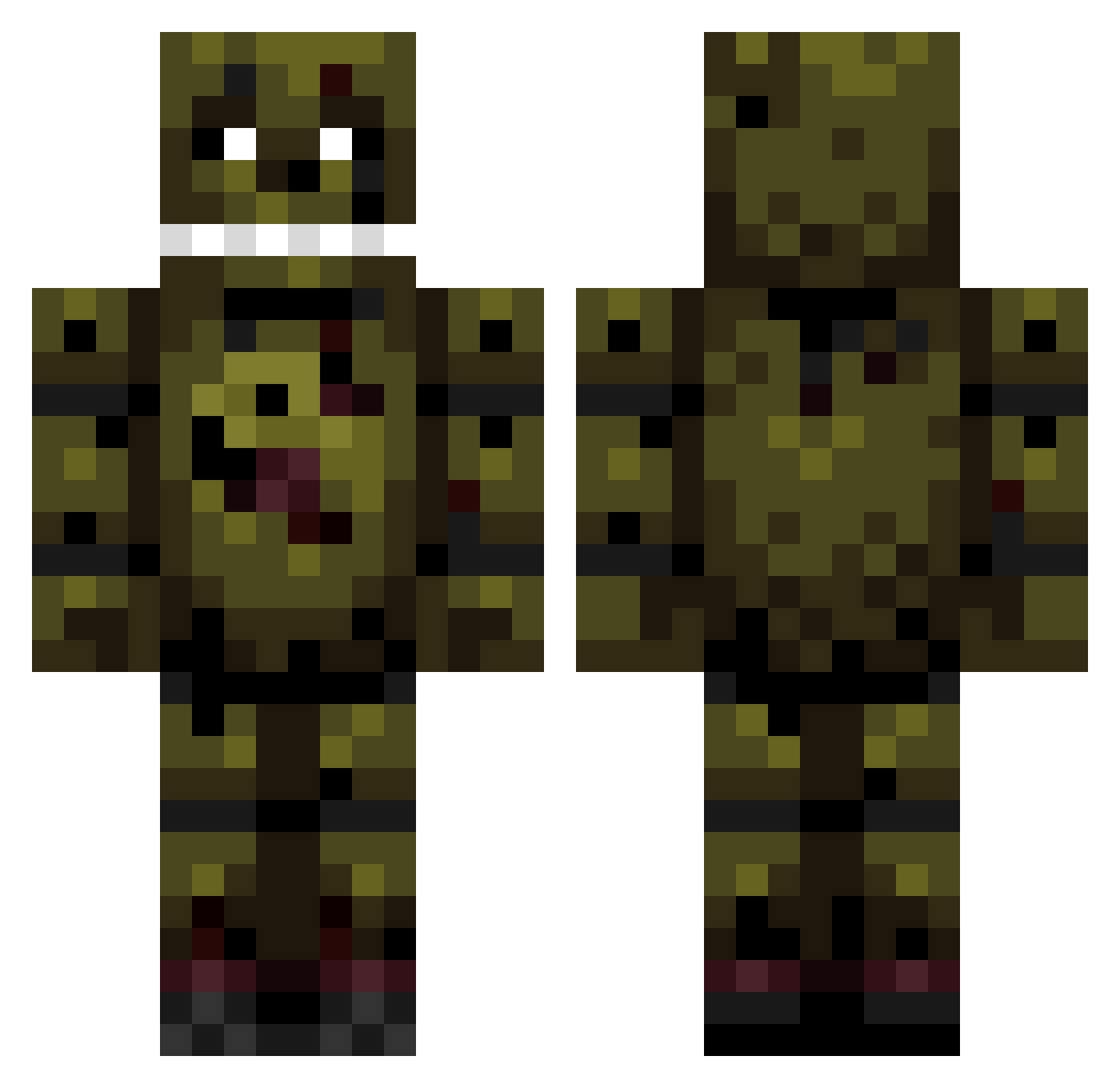
Other players with this skin (160)
TheduckLL23 was the 26th player we have seen with this skin, first spotted on 16.08.2026. The same skin was seen on these players. Open a nickname to see their current skin and skin history.
 thenameis7 unicorn_snow cjbond7 The_Glitcher_2 goldfazbear Shenzi_Khan monkewitjacket TeknoGam3r burstzilla123 naevis_love Evantheghoul odri_ Govsm YoYoni_ Uszatek5 Tryhardpoo xXdakky123Xx Squishy_734 ThyProfessor tan04 PYRRATA tr0nkitten Kivst KingShark0118 BoomBoomCat PetriGrifin Mati172 SaltPot10 Zero_558 Springbonnie244 Nerdikon Justus0207 sadmanseason Picklecatt CamellCat BluePanda334 Redlue21 Noisy312
 Jeffpenguin244 ZeroTester5407 ReekyCowSANTO jarred0909 Mr_Awesome743 ghostavenger006 Dogotorstone paxtinslime Waberin Marcelo_23 rubberduckieee The_boss0701 Vanry_Door meekcrusher99 lavafall345 Jokerclownprice1 tsf810 springtrap_2020 _krqlecc BIGhamse Louisw23 Kandux
More Springtrap Minecraft skins
How to install the TheduckLL23 skin
- Press the Download button above to save the skin as a PNG file.
- Minecraft: Bedrock Edition (PE): open the Dressing Room from the main menu (or tap your character → Edit Character), go to Classic Skins → Owned, press the + (new skin) button, choose the downloaded PNG and pick the Classic (Steve) model. Works on PC and mobile; consoles cannot import custom skins.
- Minecraft: Java Edition: open the Minecraft Launcher, go to the Skins tab, click New Skin, load the PNG, pick the Classic (Steve) model and press Save & Use. You can also upload it at minecraft.net → Profile → Change Skin.
The skin does not show up after import - what should I do?
Restart Minecraft and open the Dressing Room again - imported skins sometimes appear only after a restart. Also make sure you selected the imported skin and picked the Classic (Steve) model.
Which model should I choose, Classic or Slim?
This skin is designed for the Classic (Steve) model. If you pick the wrong model, the arms of the skin will look stretched or squeezed.
Is the skin of TheduckLL23 free to download?
Yes. Press Download, save the PNG file and use it in Minecraft: Bedrock Edition or Java Edition - no payment or registration needed. The skin also works on multiplayer servers and Realms.
More skins
Looking for more? Go back to all Minecraft skins and check the top skins of the week, month and all time, or find any player's skin by nickname.