
Thecakeguy - Minecraft Skins & Skin History
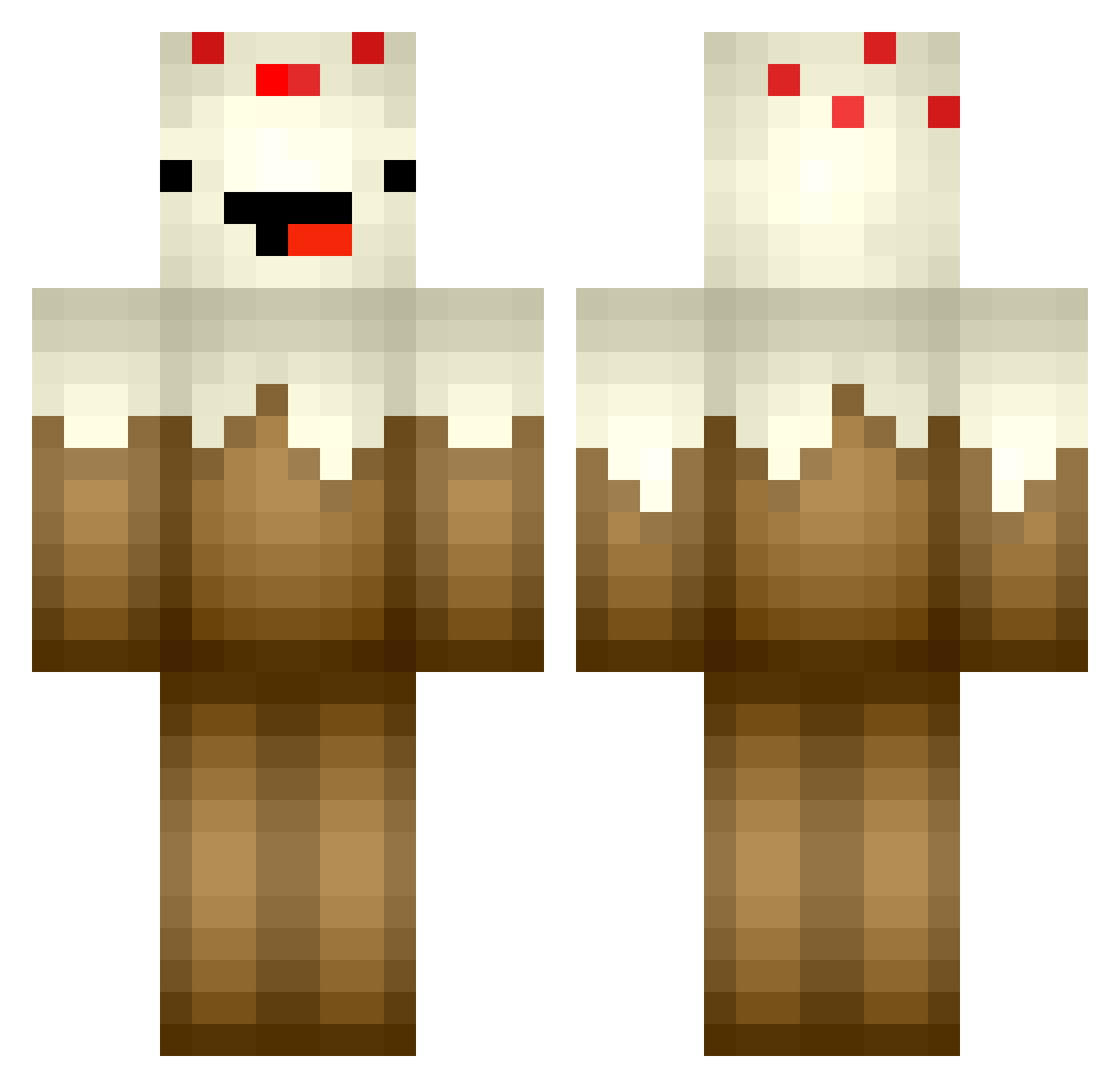
Current Minecraft skin of the player Thecakeguy, loaded from the official Mojang API. Rotate the 3D model with your mouse or finger, then download the skin as a PNG file and use it in Minecraft: Bedrock Edition or Java Edition for free. When Thecakeguy changes their skin, this page updates automatically and the old skin stays in the history below.
Other players with this skin (363)
Thecakeguy was the 260th player we have seen with this skin, first spotted on 05.10.2026. The same skin was seen on these players. Open a nickname to see their current skin and skin history.
 Radaroreilly Piza_Boy Renberget Brackey14 Das_Meh darrentaylor8 MrMine3476 Captain_Gomy Azazelz Speedkillerone Betterrock elliecat22 DarkestSYFY joshb33 Judas_nana 96tsoptihs JDiam98 TheRoseKnowz AlexD1227 nik1309 Riceboxer kula_101 katsokute SebDiff BueNNo HappyPandaMan Gaven92014 ticaboomba DogmanCambo GHOSTSHOTU jannick_123 MKEAILA jcrafter107 CloudxCrushers HOOCHICE Emilylcn Karlogee Hyperbeam823 PiggySara CakeArmy MCSL0Y Schwarz_tee04 3dum Darragh___George moe_bros Sloker4k reinshoj BakerBoy2324 WubaDee AbstractMist SpeedyOwl SmolLucy Hasselnuut lianeee hjwjd XZEDBRAX BEH59 Droide1511 EklipseEcho DMNC
More Cake Minecraft skins
How to install the Thecakeguy skin
- Press the Download button above to save the skin as a PNG file.
- Minecraft: Bedrock Edition (PE): open the Dressing Room from the main menu (or tap your character → Edit Character), go to Classic Skins → Owned, press the + (new skin) button, choose the downloaded PNG and pick the Classic (Steve) model. Works on PC and mobile; consoles cannot import custom skins.
- Minecraft: Java Edition: open the Minecraft Launcher, go to the Skins tab, click New Skin, load the PNG, pick the Classic (Steve) model and press Save & Use. You can also upload it at minecraft.net → Profile → Change Skin.
The skin does not show up after import - what should I do?
Restart Minecraft and open the Dressing Room again - imported skins sometimes appear only after a restart. Also make sure you selected the imported skin and picked the Classic (Steve) model.
Which model should I choose, Classic or Slim?
This skin is designed for the Classic (Steve) model. If you pick the wrong model, the arms of the skin will look stretched or squeezed.
Is the skin of Thecakeguy free to download?
Yes. Press Download, save the PNG file and use it in Minecraft: Bedrock Edition or Java Edition - no payment or registration needed. The skin also works on multiplayer servers and Realms.
More skins
Looking for more? Go back to all Minecraft skins and check the top skins of the week, month and all time, or find any player's skin by nickname.