
The_Rupster - Minecraft Skins & Skin History
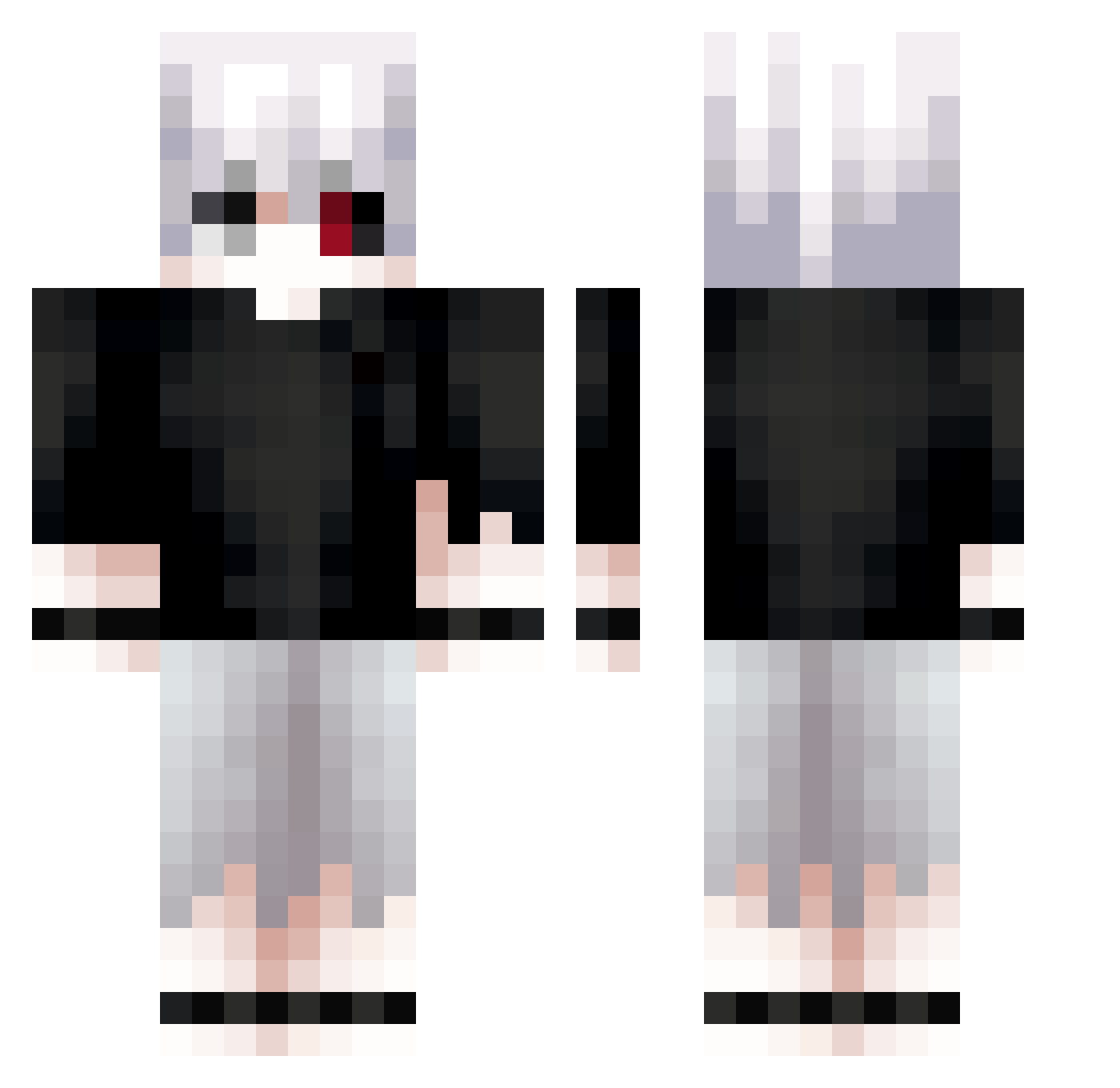
Current Minecraft skin of the player The_Rupster, loaded from the official Mojang API. Rotate the 3D model with your mouse or finger, then download the skin as a PNG file and use it in Minecraft: Bedrock Edition or Java Edition for free. When The_Rupster changes their skin, this page updates automatically and the old skin stays in the history below.
Other players with this skin (681)
The_Rupster was the 621st player we have seen with this skin, first spotted on 23.10.2026. The same skin was seen on these players. Open a nickname to see their current skin and skin history.
 KanekiKKen mnogoznal40 _haise0 REIGNF3 NeuGoga PokeU1 BrodyIsConfused avgcrafter Soorahhh SizerX01 LordKingHD EazyA_ Ken_Kaneki192 gianski0203 xKenmaaa teditinkov Turtlesjk blandfr OllieTheMighty LuchoLOL12 D3dpp hcyy62 Mechanick_ Sanyi7 Leo10012 Kenzzzz02 Toterz NinjaaaNick x11y LZX945 cloaking_spy5541 emptykjk Perll_ krutoi_pasSSonyy Lemcin 7ksx Master_Edger209 __Duarte__ Ozayberk zayzayyy HopyJoCZ Dhisufiora Emeerreh xBlaZe95 Delw Okeytokio Karakurt90 rvssiafan2 VenomousMold419 SilverRecord Rayyyz abdlrehman JaydenIg_ JC9CRT xikoplay Le020 guibacarlos Cappuugino EscoGG Rezsx
More Kaneki Minecraft skins
How to install the The_Rupster skin
- Press the Download button above to save the skin as a PNG file.
- Minecraft: Bedrock Edition (PE): open the Dressing Room from the main menu (or tap your character → Edit Character), go to Classic Skins → Owned, press the + (new skin) button, choose the downloaded PNG and pick the Classic (Steve) model. Works on PC and mobile; consoles cannot import custom skins.
- Minecraft: Java Edition: open the Minecraft Launcher, go to the Skins tab, click New Skin, load the PNG, pick the Classic (Steve) model and press Save & Use. You can also upload it at minecraft.net → Profile → Change Skin.
The skin does not show up after import - what should I do?
Restart Minecraft and open the Dressing Room again - imported skins sometimes appear only after a restart. Also make sure you selected the imported skin and picked the Classic (Steve) model.
Which model should I choose, Classic or Slim?
This skin is designed for the Classic (Steve) model. If you pick the wrong model, the arms of the skin will look stretched or squeezed.
Is the skin of The_Rupster free to download?
Yes. Press Download, save the PNG file and use it in Minecraft: Bedrock Edition or Java Edition - no payment or registration needed. The skin also works on multiplayer servers and Realms.
More skins
Looking for more? Go back to all Minecraft skins and check the top skins of the week, month and all time, or find any player's skin by nickname.