
TheYoDude3000 - Minecraft Skins & Skin History
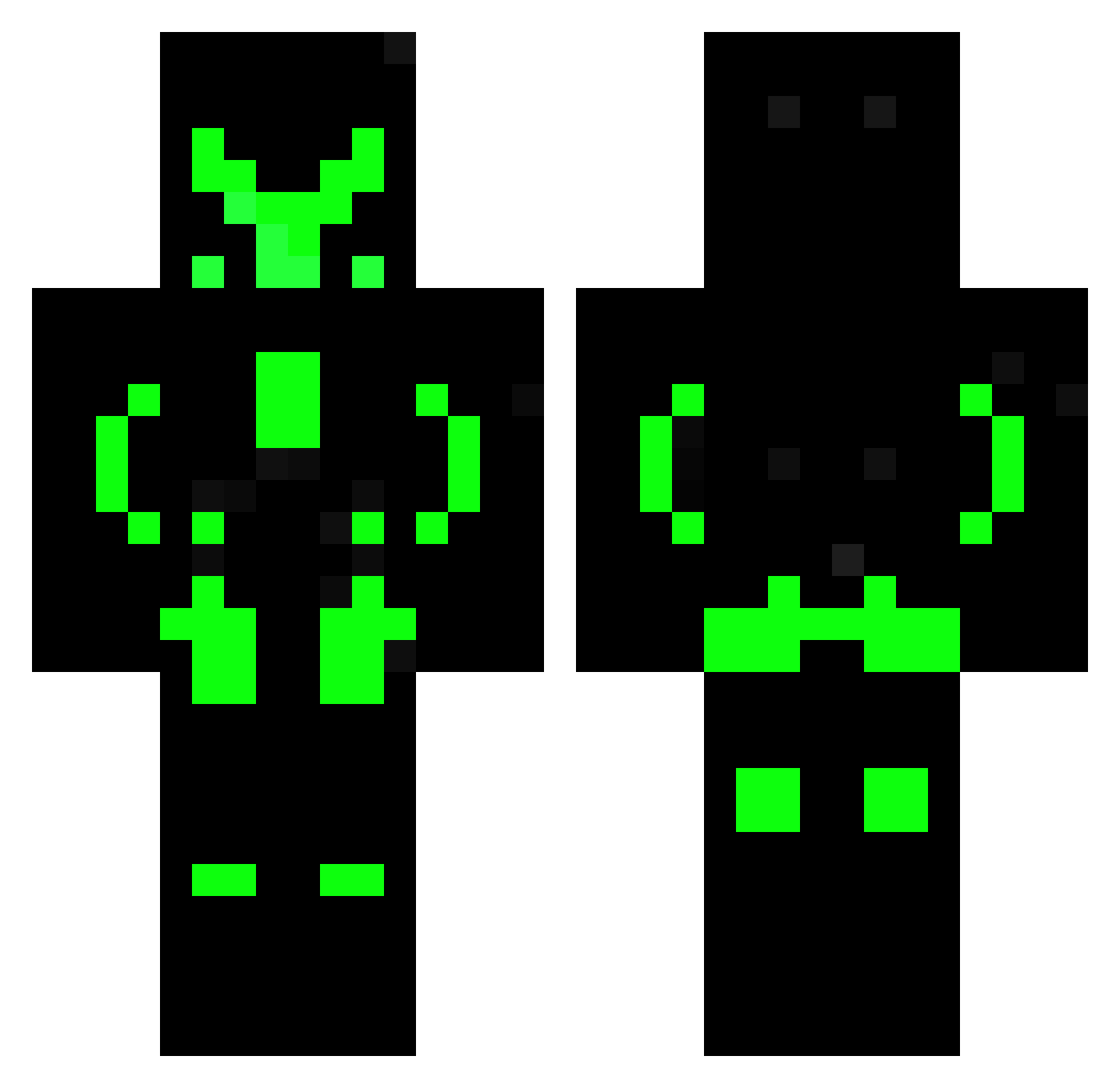
Current Minecraft skin of the player TheYoDude3000, loaded from the official Mojang API. Rotate the 3D model with your mouse or finger, then download the skin as a PNG file and use it in Minecraft: Bedrock Edition or Java Edition for free. When TheYoDude3000 changes their skin, this page updates automatically and the old skin stays in the history below.
Other players with this skin (129)
TheYoDude3000 was the 64th player we have seen with this skin, first spotted on 08.09.2026. The same skin was seen on these players. Open a nickname to see their current skin and skin history.
 Bartolo MrFlashxD PitiStar TERMINATOR_T1001 Zephron007 superpixel42 gcpl CURRY90714 froude__ ArthurSteyer numan208 KOKODl Gender_Apache chrisee187 Kneeko websplay Mathismonster Nerox107 mrwafflez054 Bro1305 Kenta09 Grug11 GlittermekaiN NorZok MikaRupp MiniAlmai_DAB monpeti Guerty2007 VRBEE ThePet_Y Marcioou_1313 TRT_Justin asgardol longminecraft74 BlackNinja0804 vek80 PEGGASUSGAMER Eulenkrieger Breckendy freddyhd10 Kaviar1915 therealcactusguy 11_Ph_11 currymc2003 Nopm GTA5Zocker Seledor103 1999janek Narakium Slayer071205 ShadowJoker132 ReaLSteeL125 mickzemad KarsonPlayz_ ICONICFROSTY rastafari04 GJO03 Nowikoo CosmosLight dat7124
More Glow Minecraft skins
How to install the TheYoDude3000 skin
- Press the Download button above to save the skin as a PNG file.
- Minecraft: Bedrock Edition (PE): open the Dressing Room from the main menu (or tap your character → Edit Character), go to Classic Skins → Owned, press the + (new skin) button, choose the downloaded PNG and pick the Classic (Steve) model. Works on PC and mobile; consoles cannot import custom skins.
- Minecraft: Java Edition: open the Minecraft Launcher, go to the Skins tab, click New Skin, load the PNG, pick the Classic (Steve) model and press Save & Use. You can also upload it at minecraft.net → Profile → Change Skin.
The skin does not show up after import - what should I do?
Restart Minecraft and open the Dressing Room again - imported skins sometimes appear only after a restart. Also make sure you selected the imported skin and picked the Classic (Steve) model.
Which model should I choose, Classic or Slim?
This skin is designed for the Classic (Steve) model. If you pick the wrong model, the arms of the skin will look stretched or squeezed.
Is the skin of TheYoDude3000 free to download?
Yes. Press Download, save the PNG file and use it in Minecraft: Bedrock Edition or Java Edition - no payment or registration needed. The skin also works on multiplayer servers and Realms.
More skins
Looking for more? Go back to all Minecraft skins and check the top skins of the week, month and all time, or find any player's skin by nickname.