
TheSkelllet - Minecraft Skins & Skin History
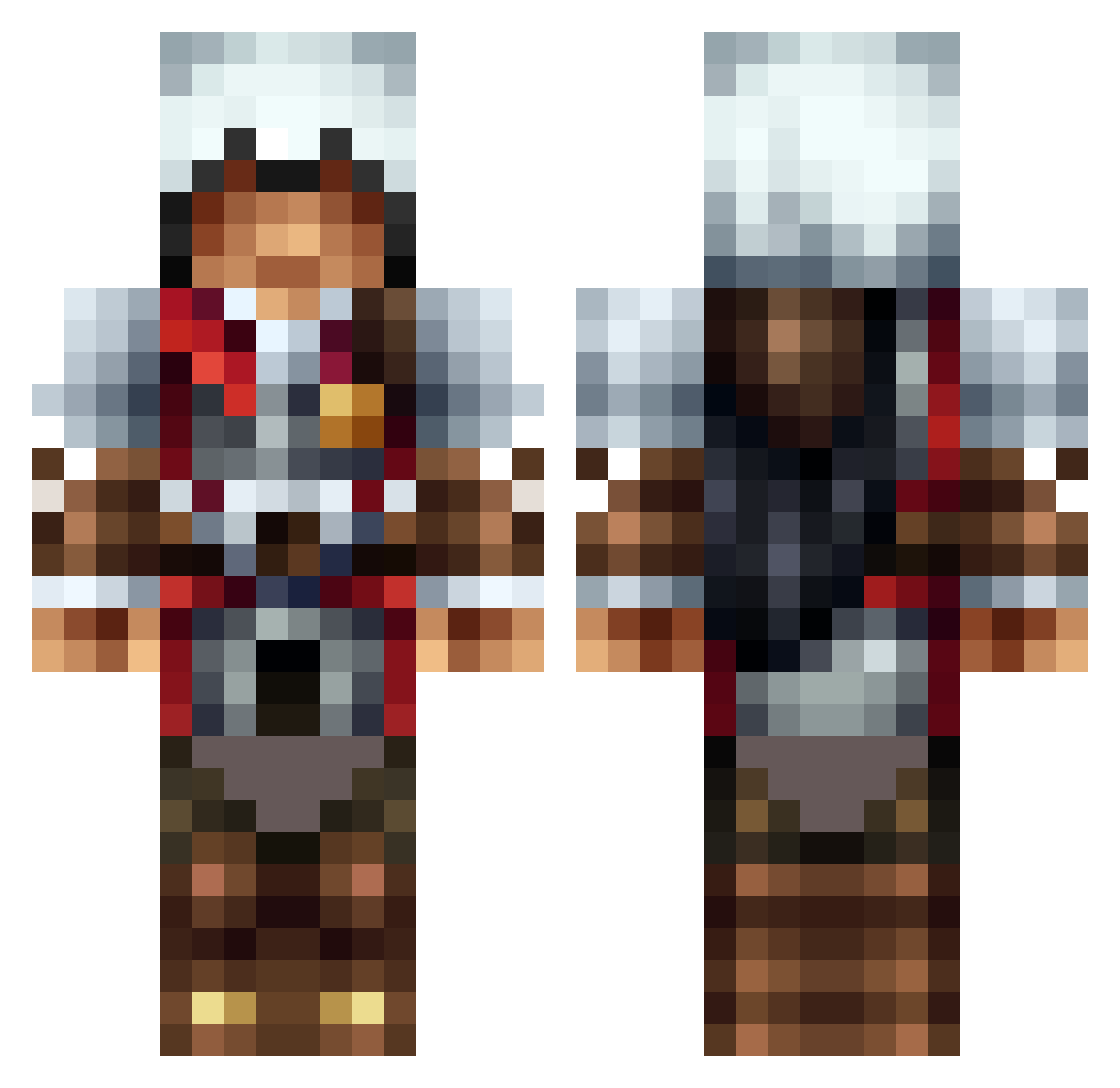
Current Minecraft skin of the player TheSkelllet, loaded from the official Mojang API. Rotate the 3D model with your mouse or finger, then download the skin as a PNG file and use it in Minecraft: Bedrock Edition or Java Edition for free. When TheSkelllet changes their skin, this page updates automatically and the old skin stays in the history below.
Other players with this skin (1315)
TheSkelllet was the 735th player we have seen with this skin, first spotted on 28.09.2026. The same skin was seen on these players. Open a nickname to see their current skin and skin history.
 pvpgott1 Isaac21ist shearmong slimmeroakel minotaure777 urbano145 TomXelite xXaLLPrOsWaGXx lLatedl BananaHaze69 ButtCrafter420 HiTherePerson triforce3link xKRIXUSx Inssane_Shots SOURMAN66 InMyCave RoflcopterEli fartass12 apez1022 Elite__Gamer Jaxen_The_Man aZyPa Recklssly Sadranato Chill1211 lukemoss Troner360 SlashImmortal EnderPig213 lachlan75 jigsawl35 jub_jab abl2887 codyrjensen RigRat1 Eldenhell amnz238 maurman41 Hystanic Robflash Squiggles482 Pro_Pig_Assassin UglyDidi ESPjackson mike02_dh itchigoslayer96 Skaterboy866 wakkowarner XviMonkey kyleginsburg spartan1204 MattheBatman BrokenSkunk AstreonGP AndrewSmith930 TCMYankee Schobal2012 SuperNarwhal1 roadhogx3
More Altair Minecraft skins
How to install the TheSkelllet skin
- Press the Download button above to save the skin as a PNG file.
- Minecraft: Bedrock Edition (PE): open the Dressing Room from the main menu (or tap your character → Edit Character), go to Classic Skins → Owned, press the + (new skin) button, choose the downloaded PNG and pick the Classic (Steve) model. Works on PC and mobile; consoles cannot import custom skins.
- Minecraft: Java Edition: open the Minecraft Launcher, go to the Skins tab, click New Skin, load the PNG, pick the Classic (Steve) model and press Save & Use. You can also upload it at minecraft.net → Profile → Change Skin.
The skin does not show up after import - what should I do?
Restart Minecraft and open the Dressing Room again - imported skins sometimes appear only after a restart. Also make sure you selected the imported skin and picked the Classic (Steve) model.
Which model should I choose, Classic or Slim?
This skin is designed for the Classic (Steve) model. If you pick the wrong model, the arms of the skin will look stretched or squeezed.
Is the skin of TheSkelllet free to download?
Yes. Press Download, save the PNG file and use it in Minecraft: Bedrock Edition or Java Edition - no payment or registration needed. The skin also works on multiplayer servers and Realms.
More skins
Looking for more? Go back to all Minecraft skins and check the top skins of the week, month and all time, or find any player's skin by nickname.