
TheRayKid - Minecraft Skins & Skin History
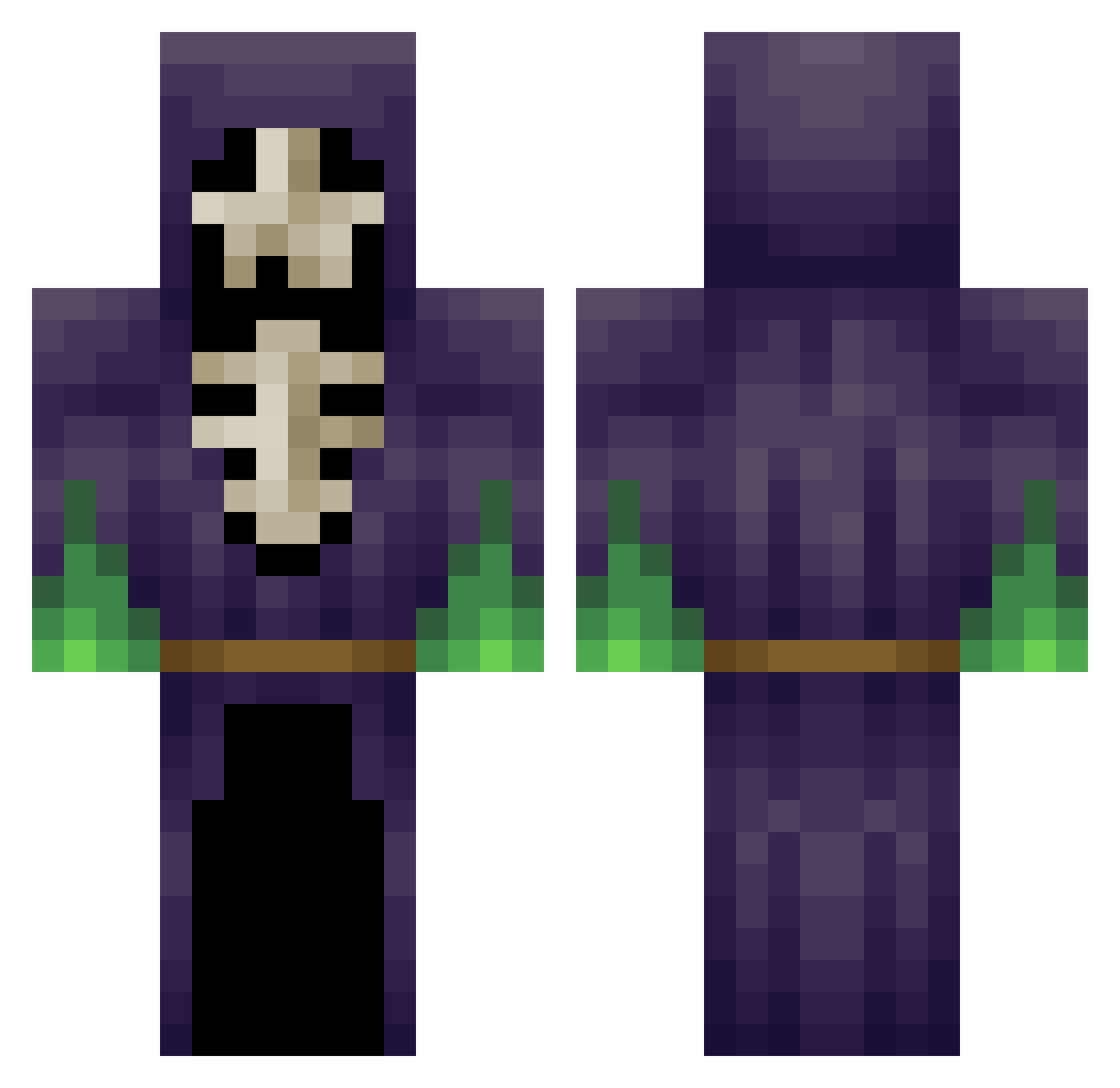
Current Minecraft skin of the player TheRayKid, loaded from the official Mojang API. Rotate the 3D model with your mouse or finger, then download the skin as a PNG file and use it in Minecraft: Bedrock Edition or Java Edition for free. When TheRayKid changes their skin, this page updates automatically and the old skin stays in the history below.
Other players with this skin (348)
TheRayKid was the 153rd player we have seen with this skin, first spotted on 10.09.2026. The same skin was seen on these players. Open a nickname to see their current skin and skin history.
 Mezoriss Tristigo PhillipFry14 Jackers_05 ArgentinianDuck dennisslomp nekdo3000 Reykiko Assasinmax1337 TheMcBoss95 MAGENOOB RAZZEL2 red_omegah amh0316 melanit0 jammylion Dissko_ suckapunch DreaminButterfly oscarpricenet Ladibuterr Juli1810 obsessivearies IsadoraMoraes Shad0w_Kn1ghtxX STEYN320 andreasrigby Fallofdemons RainbowJewPlayz Aionsaurio GooLife willoyeah MetaFunBoy MrZiman ScurvyDogga PaulRemake ElKowalus Rory_Mcllroy phoenickai87 Lurzen Groeft ZockerOhneSkill dododoman Zinoxate ElementalKing CreatorDEAN sizzoul tanemum MrFarce Slow_d0ge Mysticmuzz RenegadeSun holh05 Deschia bob_allcroft _nazu_ Neung1111 tntmasterjake slipwing sk1ll0rz
More Necromancer Minecraft skins
How to install the TheRayKid skin
- Press the Download button above to save the skin as a PNG file.
- Minecraft: Bedrock Edition (PE): open the Dressing Room from the main menu (or tap your character → Edit Character), go to Classic Skins → Owned, press the + (new skin) button, choose the downloaded PNG and pick the Classic (Steve) model. Works on PC and mobile; consoles cannot import custom skins.
- Minecraft: Java Edition: open the Minecraft Launcher, go to the Skins tab, click New Skin, load the PNG, pick the Classic (Steve) model and press Save & Use. You can also upload it at minecraft.net → Profile → Change Skin.
The skin does not show up after import - what should I do?
Restart Minecraft and open the Dressing Room again - imported skins sometimes appear only after a restart. Also make sure you selected the imported skin and picked the Classic (Steve) model.
Which model should I choose, Classic or Slim?
This skin is designed for the Classic (Steve) model. If you pick the wrong model, the arms of the skin will look stretched or squeezed.
Is the skin of TheRayKid free to download?
Yes. Press Download, save the PNG file and use it in Minecraft: Bedrock Edition or Java Edition - no payment or registration needed. The skin also works on multiplayer servers and Realms.
More skins
Looking for more? Go back to all Minecraft skins and check the top skins of the week, month and all time, or find any player's skin by nickname.