
TheQwertyuiop6 - Minecraft Skins & Skin History
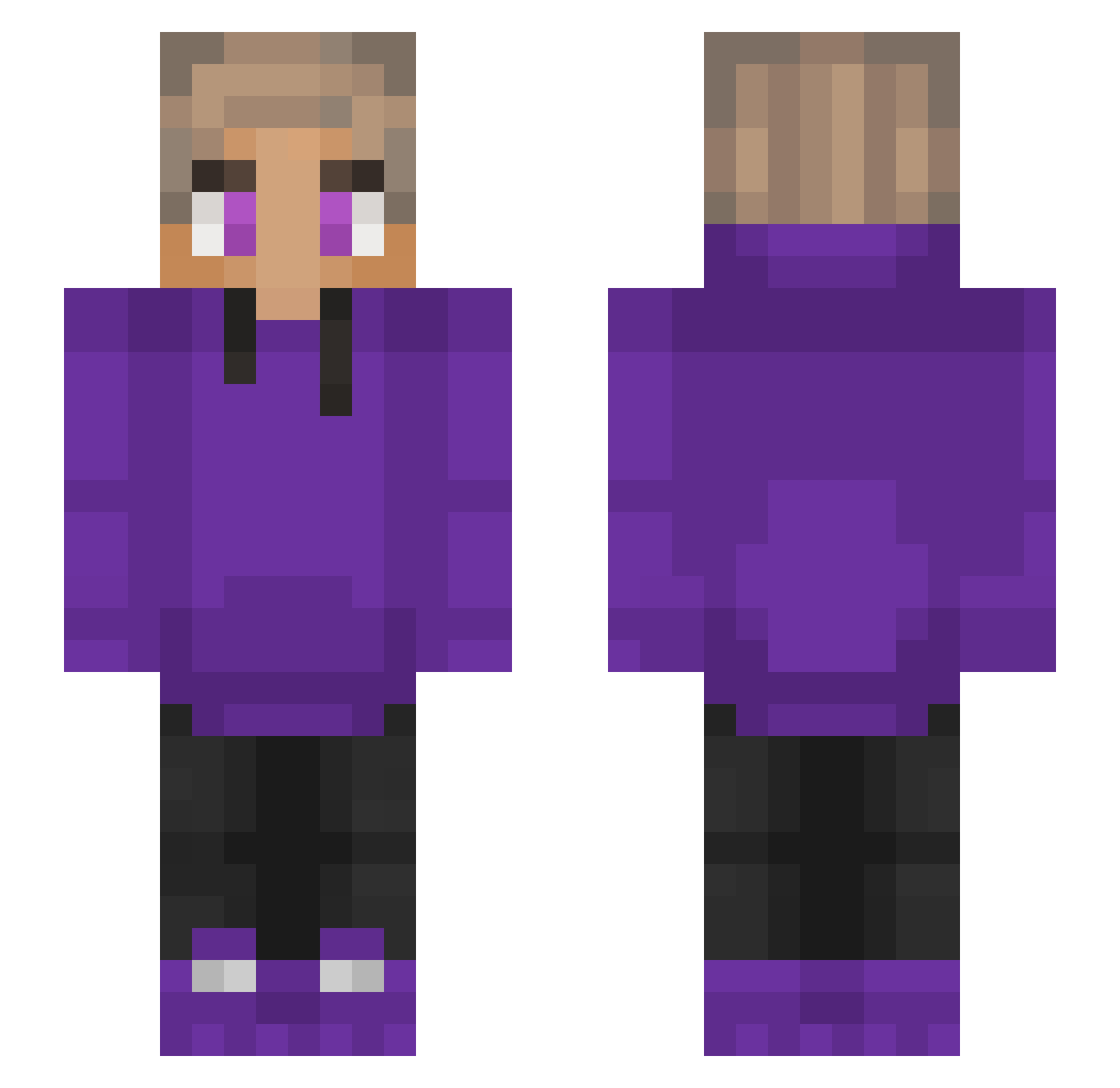
Current Minecraft skin of the player TheQwertyuiop6, loaded from the official Mojang API. Rotate the 3D model with your mouse or finger, then download the skin as a PNG file and use it in Minecraft: Bedrock Edition or Java Edition for free. When TheQwertyuiop6 changes their skin, this page updates automatically and the old skin stays in the history below.
Other players with this skin (230)
TheQwertyuiop6 was the 163rd player we have seen with this skin, first spotted on 07.10.2026. The same skin was seen on these players. Open a nickname to see their current skin and skin history.
 Xeno1a jickson Biggiebtw KaZProductionZ L1v1ngL3g3nd frostedflakes98 iAspect SpaceManGaming EpicThe11 TRICLOPSx Khxizerrr TheGaffar518 Dreamz1 m54frightening61 _porst Harooleo JvPenin waspatronik OPreverse Sparkz123 Dan589490 AC0Z_ pugsassy NickedPurpled Armunus IanThePanda OperatedFern155 LeemashTV ArdaTR4 HereGrain360268 Storm_RG Bananaplays1543 Woody_MC Hustoo_ cezinn BenjiboiDK vnxxrz __itzNeil__ Sky_Whisper LavenderOrc4146 Nviv Simplik alebox JahhYT Masterdjian spongeebob_19 JohnChelle Wellez2002 ollieboy12341 lucacaca42 LemraHD MeLeK_ZeRgRuSh Arturek_ Mr_wYDi BumbleKat 6543ac purplehood112 Eggis06 itsEEF Dreamerky
How to install the TheQwertyuiop6 skin
- Press the Download button above to save the skin as a PNG file.
- Minecraft: Bedrock Edition (PE): open the Dressing Room from the main menu (or tap your character → Edit Character), go to Classic Skins → Owned, press the + (new skin) button, choose the downloaded PNG and pick the Slim (Alex) model. Works on PC and mobile; consoles cannot import custom skins.
- Minecraft: Java Edition: open the Minecraft Launcher, go to the Skins tab, click New Skin, load the PNG, pick the Slim (Alex) model and press Save & Use. You can also upload it at minecraft.net → Profile → Change Skin.
The skin does not show up after import - what should I do?
Restart Minecraft and open the Dressing Room again - imported skins sometimes appear only after a restart. Also make sure you selected the imported skin and picked the Slim (Alex) model.
Which model should I choose, Classic or Slim?
This skin is designed for the Slim (Alex) model. If you pick the wrong model, the arms of the skin will look stretched or squeezed.
Is the skin of TheQwertyuiop6 free to download?
Yes. Press Download, save the PNG file and use it in Minecraft: Bedrock Edition or Java Edition - no payment or registration needed. The skin also works on multiplayer servers and Realms.
More skins
Looking for more? Go back to all Minecraft skins and check the top skins of the week, month and all time, or find any player's skin by nickname.