
TheOnlyJulio - Minecraft Skins & Skin History
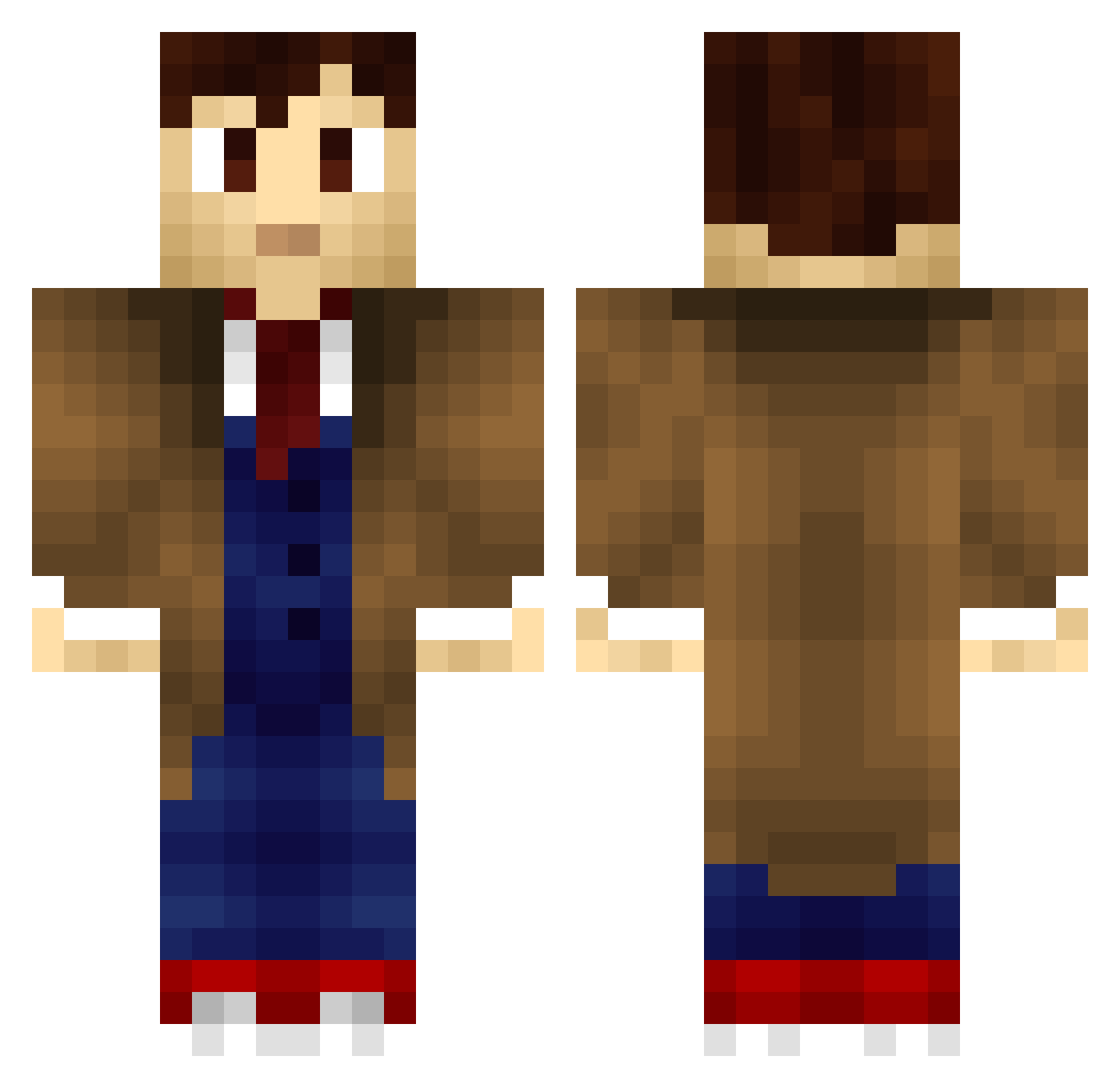
Current Minecraft skin of the player TheOnlyJulio, loaded from the official Mojang API. Rotate the 3D model with your mouse or finger, then download the skin as a PNG file and use it in Minecraft: Bedrock Edition or Java Edition for free. When TheOnlyJulio changes their skin, this page updates automatically and the old skin stays in the history below.
Other players with this skin (859)
TheOnlyJulio was the 773rd player we have seen with this skin, first spotted on 09.11.2026. The same skin was seen on these players. Open a nickname to see their current skin and skin history.
 DrWho346 saberclawz BlueBraceletChic MythicalFox benkavak Aben_Zin emptyeyed JaydonLee Thue500 ItsWineTime Titor_John davidnolan13 BigDub10 Kricer tigray0311 PratikG Avegantemos Somar89 RJdanielle Neverling SilverRhyme anikin512 jjcure1015 Grag Cavalier_Tex apocalyptiica Silver_Dust91 shortyspur35 samwatterson ah_cheese Renneken Rafferty11 maegiu frenchllama enaylor cale250 thefree34 KratosClown BamfBacker T1ld3n Kaitlyn_Mines pedro_c Phoenix749 Arkham_Castle Knighthawk81 Methos91 nookred deaththekid6245 jjanghm0827 lavaboy11 RentonThunder Jesse7174 Borthwick24 misser1978 JulesLuv Mf011_ UltraRed55 Swarley092 Descantos ryan0204
More Timelord Minecraft skins
How to install the TheOnlyJulio skin
- Press the Download button above to save the skin as a PNG file.
- Minecraft: Bedrock Edition (PE): open the Dressing Room from the main menu (or tap your character → Edit Character), go to Classic Skins → Owned, press the + (new skin) button, choose the downloaded PNG and pick the Classic (Steve) model. Works on PC and mobile; consoles cannot import custom skins.
- Minecraft: Java Edition: open the Minecraft Launcher, go to the Skins tab, click New Skin, load the PNG, pick the Classic (Steve) model and press Save & Use. You can also upload it at minecraft.net → Profile → Change Skin.
The skin does not show up after import - what should I do?
Restart Minecraft and open the Dressing Room again - imported skins sometimes appear only after a restart. Also make sure you selected the imported skin and picked the Classic (Steve) model.
Which model should I choose, Classic or Slim?
This skin is designed for the Classic (Steve) model. If you pick the wrong model, the arms of the skin will look stretched or squeezed.
Is the skin of TheOnlyJulio free to download?
Yes. Press Download, save the PNG file and use it in Minecraft: Bedrock Edition or Java Edition - no payment or registration needed. The skin also works on multiplayer servers and Realms.
More skins
Looking for more? Go back to all Minecraft skins and check the top skins of the week, month and all time, or find any player's skin by nickname.