
TheNovemberMan24 - Minecraft Skins & Skin History
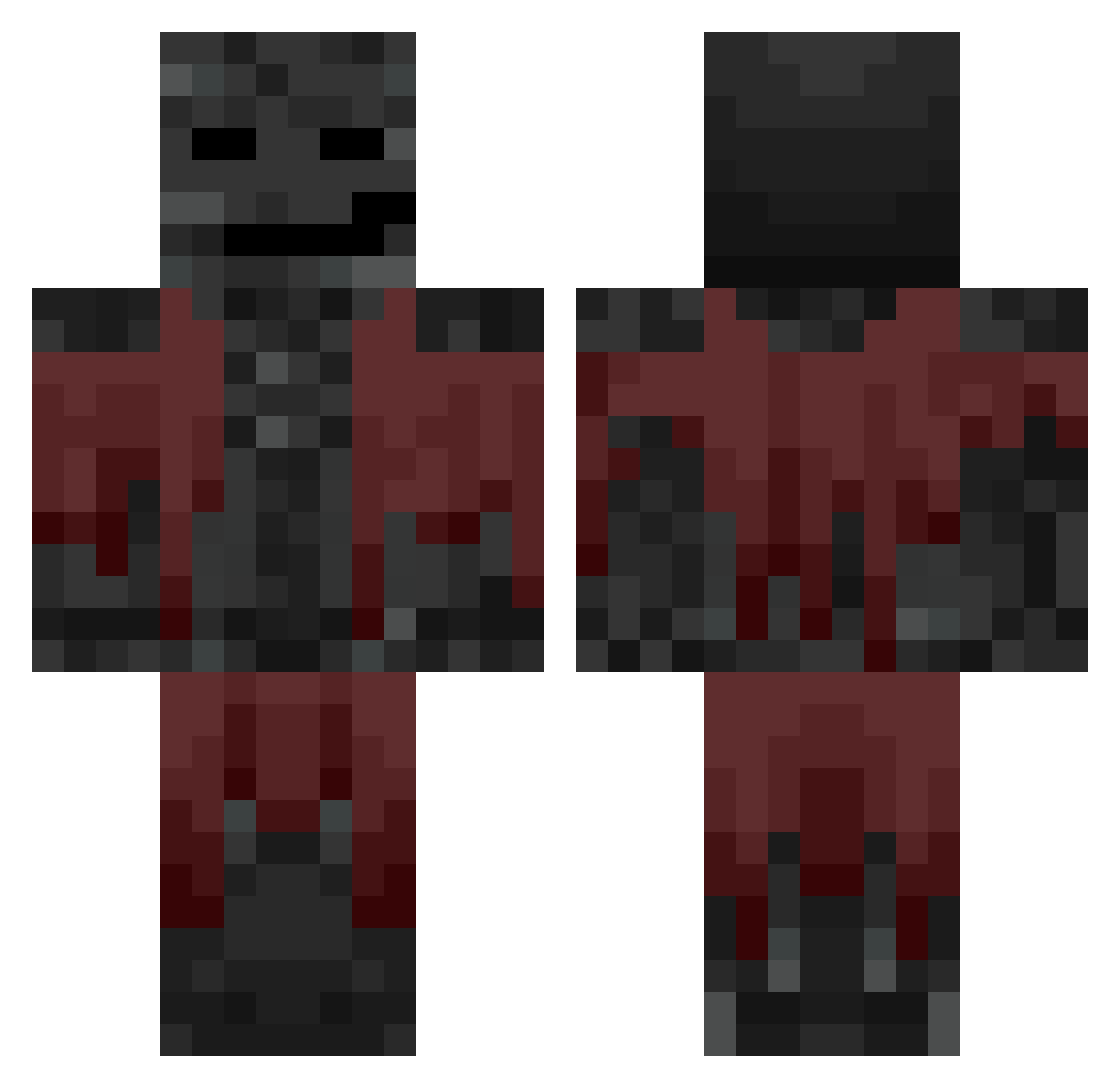
Current Minecraft skin of the player TheNovemberMan24, loaded from the official Mojang API. Rotate the 3D model with your mouse or finger, then download the skin as a PNG file and use it in Minecraft: Bedrock Edition or Java Edition for free. When TheNovemberMan24 changes their skin, this page updates automatically and the old skin stays in the history below.
Other players with this skin (714)
TheNovemberMan24 was the 336th player we have seen with this skin, first spotted on 17.09.2026. The same skin was seen on these players. Open a nickname to see their current skin and skin history.
 Sv2Iceorc JuanJoMaster Epperdepep Crouchyboy_ AR771 Frenyxx why_a_username The_Bridges69 tomaatti112 Rmnaz Lightsaber2312 BLINKI1234UWULOL Prideust Kidinthebasket SplayKetchup714 AnthonyKzk vanvan1431 ffwr2008 Magerlohn Bsa0506 Berre_2016 Midi123Abc _S_P_E_C_I_A_ Ale_100 LaRayyan Loophead3 Anaid789 Wadi_4 Nonfall3510 Neoncraze111 NandiVOKXd Chichachic TheDarkFears Chirurgas FireNation08 Lynchador BarWil Suburban vChxmp Muckmann123 MEEEJCIOR X7Napoles RespectableMan JuliaDeCarolis Sergio41 kubamo candlezxzxzxz Chryzp Discripter dontaviousllxd Aldi3310 urba284 GodProjet bilinmeyenisim flowqer Pretzel_Person24 iPixls Aspirey_ the_rizz_lord420 Peoples_Champ952
More Wither Minecraft skins
How to install the TheNovemberMan24 skin
- Press the Download button above to save the skin as a PNG file.
- Minecraft: Bedrock Edition (PE): open the Dressing Room from the main menu (or tap your character → Edit Character), go to Classic Skins → Owned, press the + (new skin) button, choose the downloaded PNG and pick the Classic (Steve) model. Works on PC and mobile; consoles cannot import custom skins.
- Minecraft: Java Edition: open the Minecraft Launcher, go to the Skins tab, click New Skin, load the PNG, pick the Classic (Steve) model and press Save & Use. You can also upload it at minecraft.net → Profile → Change Skin.
The skin does not show up after import - what should I do?
Restart Minecraft and open the Dressing Room again - imported skins sometimes appear only after a restart. Also make sure you selected the imported skin and picked the Classic (Steve) model.
Which model should I choose, Classic or Slim?
This skin is designed for the Classic (Steve) model. If you pick the wrong model, the arms of the skin will look stretched or squeezed.
Is the skin of TheNovemberMan24 free to download?
Yes. Press Download, save the PNG file and use it in Minecraft: Bedrock Edition or Java Edition - no payment or registration needed. The skin also works on multiplayer servers and Realms.
More skins
Looking for more? Go back to all Minecraft skins and check the top skins of the week, month and all time, or find any player's skin by nickname.