
TheNameIsNux - Minecraft Skins & Skin History
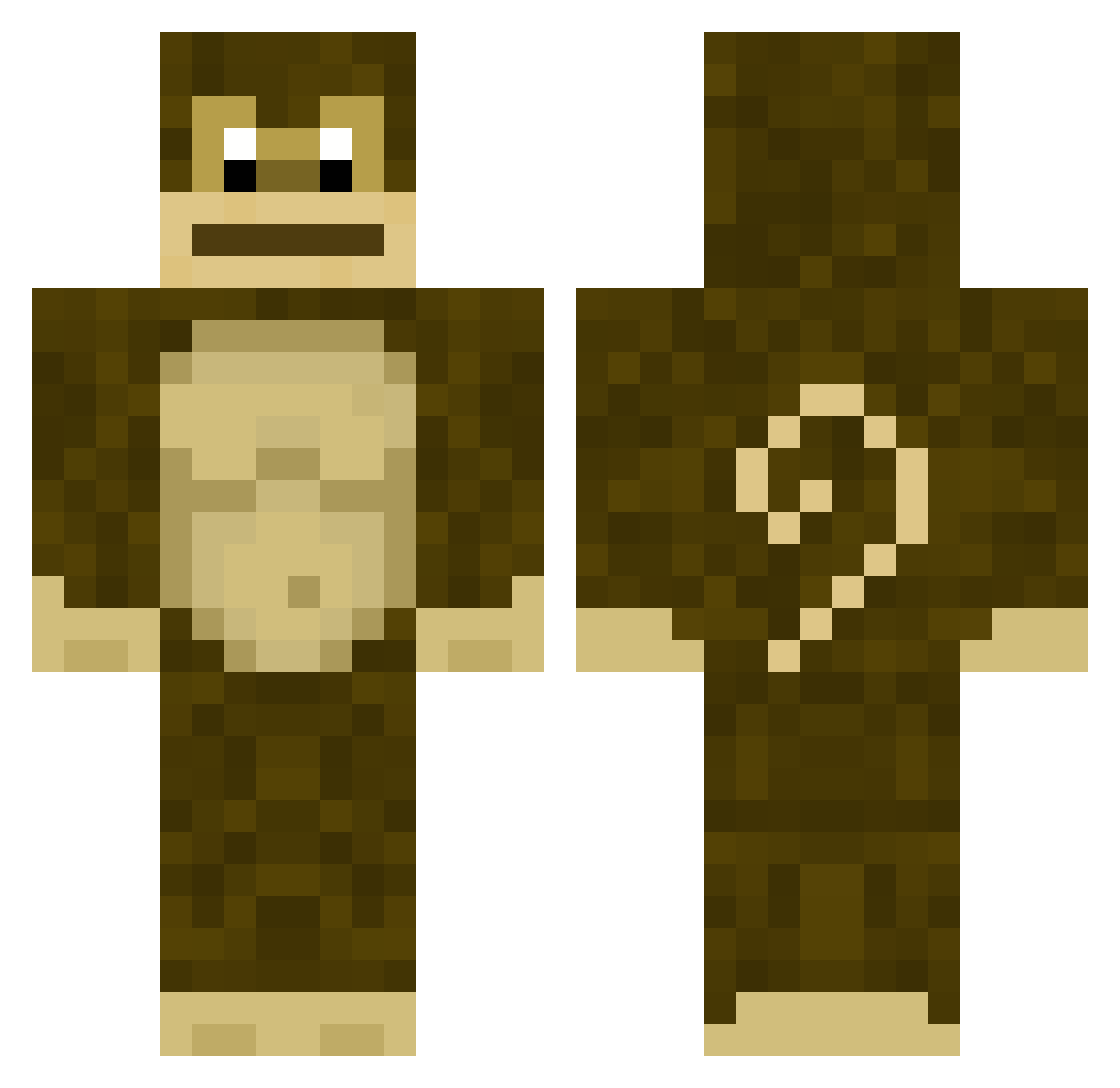
Current Minecraft skin of the player TheNameIsNux, loaded from the official Mojang API. Rotate the 3D model with your mouse or finger, then download the skin as a PNG file and use it in Minecraft: Bedrock Edition or Java Edition for free. When TheNameIsNux changes their skin, this page updates automatically and the old skin stays in the history below.
Other players with this skin (251)
TheNameIsNux was the 231st player we have seen with this skin, first spotted on 28.10.2026. The same skin was seen on these players. Open a nickname to see their current skin and skin history.
 LEXEX me_m0nk3y thegoat50 Jax_Max vaneog Hollanas CHOWDAHHEAD420 LG_Dishwasher TrujilloPendejo Monmky DoughDom Luckybunky ReggieLikesBoys nugaah hamdownn nlo21 RubiRosee monkyclimb farteed Apenkop Fungy yolojerbear schmopp GoofyPants_ Bo0meer SmellyMerlin HeavyNachinGun SCOOBY513 co1in_ VladdyBrowski Shuttleking Jsend GoMama13 Daggle cowboyworm KingRomirIII Zodwar HAMISHKEMP FailWhale35 TooSquishie _wheat d3vyce Char4047 oldcomb xXLord_VoxelXx thelizzle02 LickMyNip LoggedIn13 Snemil Jakenlikesbacon AmoebaSoup yakupcmert AdmiralSJC Zyrakia ramchamp Vap0r_ G00SES Yamagami_ oyr mikeysfuneral
More Gorilla Minecraft skins
How to install the TheNameIsNux skin
- Press the Download button above to save the skin as a PNG file.
- Minecraft: Bedrock Edition (PE): open the Dressing Room from the main menu (or tap your character → Edit Character), go to Classic Skins → Owned, press the + (new skin) button, choose the downloaded PNG and pick the Classic (Steve) model. Works on PC and mobile; consoles cannot import custom skins.
- Minecraft: Java Edition: open the Minecraft Launcher, go to the Skins tab, click New Skin, load the PNG, pick the Classic (Steve) model and press Save & Use. You can also upload it at minecraft.net → Profile → Change Skin.
The skin does not show up after import - what should I do?
Restart Minecraft and open the Dressing Room again - imported skins sometimes appear only after a restart. Also make sure you selected the imported skin and picked the Classic (Steve) model.
Which model should I choose, Classic or Slim?
This skin is designed for the Classic (Steve) model. If you pick the wrong model, the arms of the skin will look stretched or squeezed.
Is the skin of TheNameIsNux free to download?
Yes. Press Download, save the PNG file and use it in Minecraft: Bedrock Edition or Java Edition - no payment or registration needed. The skin also works on multiplayer servers and Realms.
More skins
Looking for more? Go back to all Minecraft skins and check the top skins of the week, month and all time, or find any player's skin by nickname.