
TheMelina - Minecraft Skins & Skin History
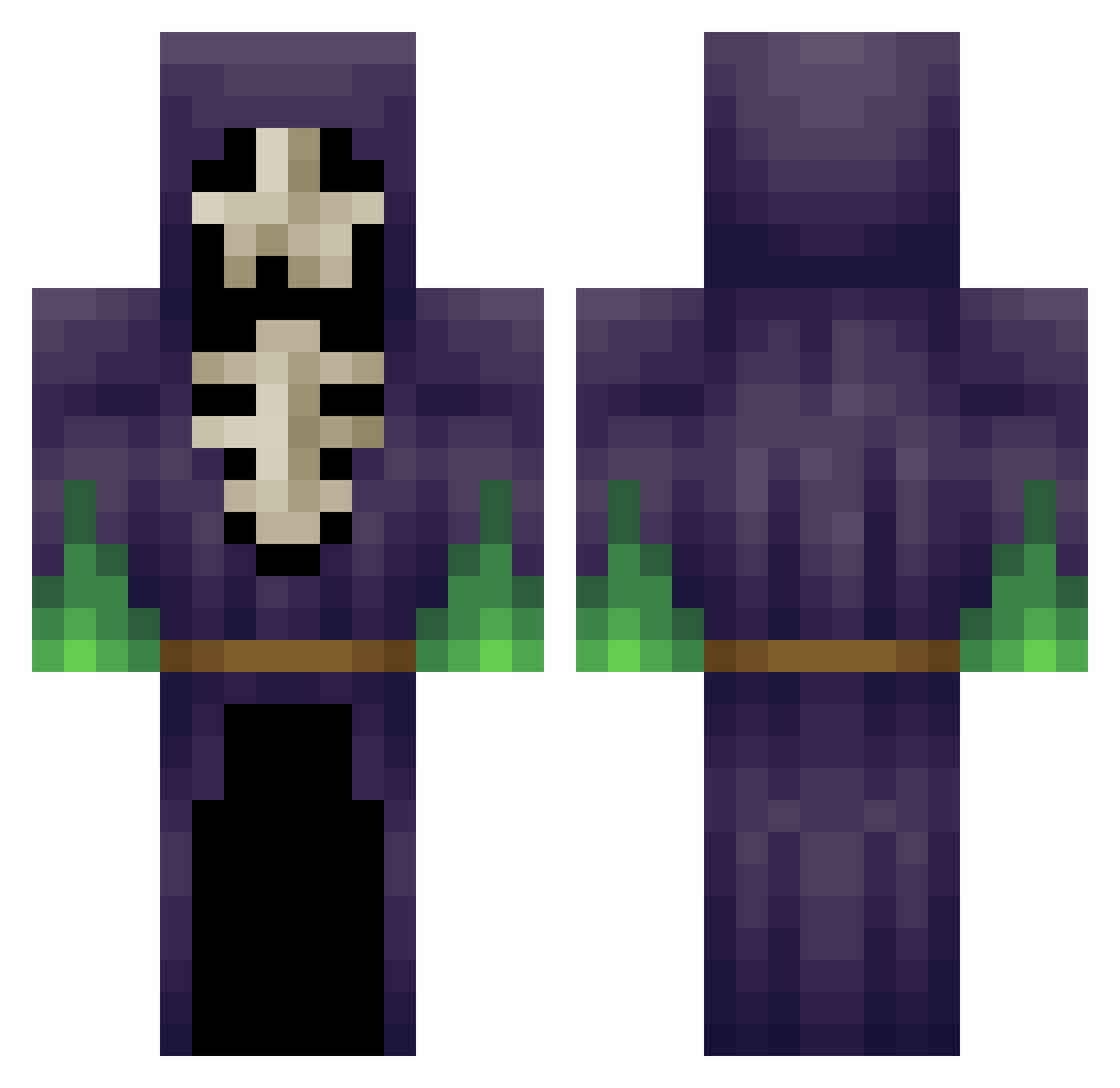
Current Minecraft skin of the player TheMelina, loaded from the official Mojang API. Rotate the 3D model with your mouse or finger, then download the skin as a PNG file and use it in Minecraft: Bedrock Edition or Java Edition for free. When TheMelina changes their skin, this page updates automatically and the old skin stays in the history below.
Other players with this skin (265)
TheMelina was the 19th player we have seen with this skin, first spotted on 05.08.2026. The same skin was seen on these players. Open a nickname to see their current skin and skin history.
 KPsbb WubbzUk NorthhKing ChoroGuarda Nafterona Napleton SamLE773 xXb3r1cCl1nt0nXx srminej RobertRBA zhipeng Goofy_47 lolistol NoodlesDoodly
 Fustoop Gozduma Bojenob Dizzzzza TalkingTom2012 Ogamaoh ghostminer2002 Antony69 Rophia KovatsisMC cyberagent DomtheSMIFF ChrisThompsun LoopingArtist162 zmuscle EnbyNecro daggerdraco zyoulater OrblivionJess MuNKy6x ST0MPER33 RemoteMoss Laserlegolas Asmozel luzheqi SoapyWolf KingSkelly221 Hugokerh jpierson86 Jael158G Vaati_Ghoul ForEulaLawrence HSMJ1412 ValeraKing YoungDreas Trinidadison Chen_Zimo Time_Master5789 JACKBRO420 Rancotski jordan_137 T0hru_ Dannewiggen Skeleton_Mage RadgeG4 AwsomePaxter
More Necromancer Minecraft skins
How to install the TheMelina skin
- Press the Download button above to save the skin as a PNG file.
- Minecraft: Bedrock Edition (PE): open the Dressing Room from the main menu (or tap your character → Edit Character), go to Classic Skins → Owned, press the + (new skin) button, choose the downloaded PNG and pick the Classic (Steve) model. Works on PC and mobile; consoles cannot import custom skins.
- Minecraft: Java Edition: open the Minecraft Launcher, go to the Skins tab, click New Skin, load the PNG, pick the Classic (Steve) model and press Save & Use. You can also upload it at minecraft.net → Profile → Change Skin.
The skin does not show up after import - what should I do?
Restart Minecraft and open the Dressing Room again - imported skins sometimes appear only after a restart. Also make sure you selected the imported skin and picked the Classic (Steve) model.
Which model should I choose, Classic or Slim?
This skin is designed for the Classic (Steve) model. If you pick the wrong model, the arms of the skin will look stretched or squeezed.
Is the skin of TheMelina free to download?
Yes. Press Download, save the PNG file and use it in Minecraft: Bedrock Edition or Java Edition - no payment or registration needed. The skin also works on multiplayer servers and Realms.
More skins
Looking for more? Go back to all Minecraft skins and check the top skins of the week, month and all time, or find any player's skin by nickname.