
TheLivingEmber - Minecraft Skins & Skin History
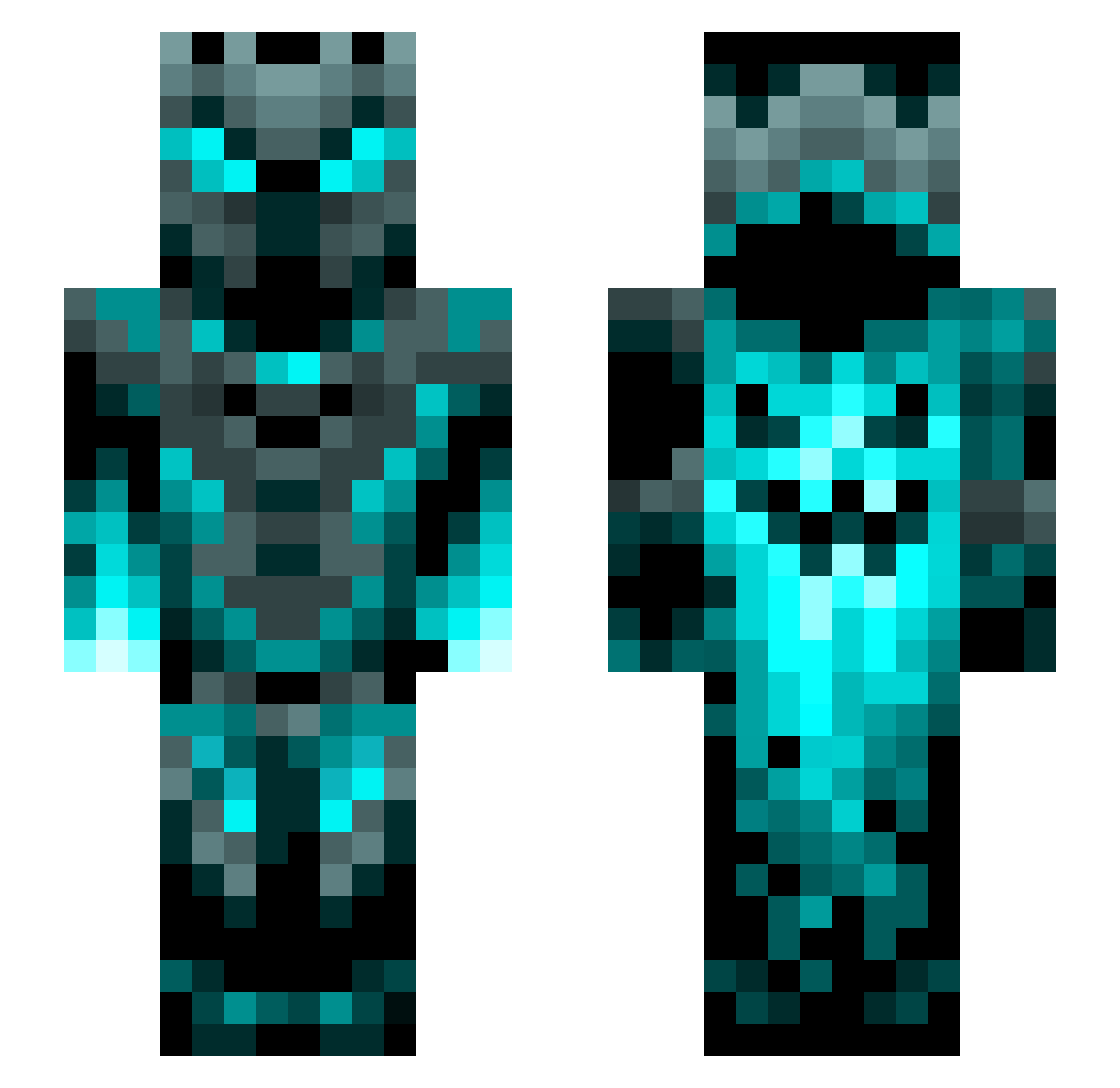
Current Minecraft skin of the player TheLivingEmber, loaded from the official Mojang API. Rotate the 3D model with your mouse or finger, then download the skin as a PNG file and use it in Minecraft: Bedrock Edition or Java Edition for free. When TheLivingEmber changes their skin, this page updates automatically and the old skin stays in the history below.
Other players with this skin (1452)
TheLivingEmber was the 1352nd player we have seen with this skin, first spotted on 11.11.2026. The same skin was seen on these players. Open a nickname to see their current skin and skin history.
 CharlieFoot NileTitan 2kgod111 INCBB LuckyLuc010705 kkboogeyman Baka31 enzelon Lizard_Hunter warden_knight_ LordJoker69 peco111 JGilliweed KwispyKangaroo YatonHamoshiie _The25thNight_ ML401 The_SpookyMango GeleeVida Shortboi1415 Wolfsbande31 Wanderer02 duckprince024 SADBOYJR DT23199 Marche3003 Ahrkain wizardlord28 Kathrel DireClock310813 Benny1902 Uppercrash Hiszpanska NameisTakenlol MarasPDW RanchRamer pullepvpmerd EnVySpartan19 Carlop13 Missore CriticalCandy38 adXDreaper Miitsuha Tetris0399 Impsc durzoblindaje AceSlayer505 oBati5a Lexkozd Konfuzius_v1 mozzatecnic333 TheNalen PhoenixGamer1121 DaHunta808 IronWarrior115 Allebasi215 Catfonne Gabocr95 xellex727 almostmatt
More Phantom Minecraft skins
How to install the TheLivingEmber skin
- Press the Download button above to save the skin as a PNG file.
- Minecraft: Bedrock Edition (PE): open the Dressing Room from the main menu (or tap your character → Edit Character), go to Classic Skins → Owned, press the + (new skin) button, choose the downloaded PNG and pick the Slim (Alex) model. Works on PC and mobile; consoles cannot import custom skins.
- Minecraft: Java Edition: open the Minecraft Launcher, go to the Skins tab, click New Skin, load the PNG, pick the Slim (Alex) model and press Save & Use. You can also upload it at minecraft.net → Profile → Change Skin.
The skin does not show up after import - what should I do?
Restart Minecraft and open the Dressing Room again - imported skins sometimes appear only after a restart. Also make sure you selected the imported skin and picked the Slim (Alex) model.
Which model should I choose, Classic or Slim?
This skin is designed for the Slim (Alex) model. If you pick the wrong model, the arms of the skin will look stretched or squeezed.
Is the skin of TheLivingEmber free to download?
Yes. Press Download, save the PNG file and use it in Minecraft: Bedrock Edition or Java Edition - no payment or registration needed. The skin also works on multiplayer servers and Realms.
More skins
Looking for more? Go back to all Minecraft skins and check the top skins of the week, month and all time, or find any player's skin by nickname.