
TheLightrex1 - Minecraft Skins & Skin History
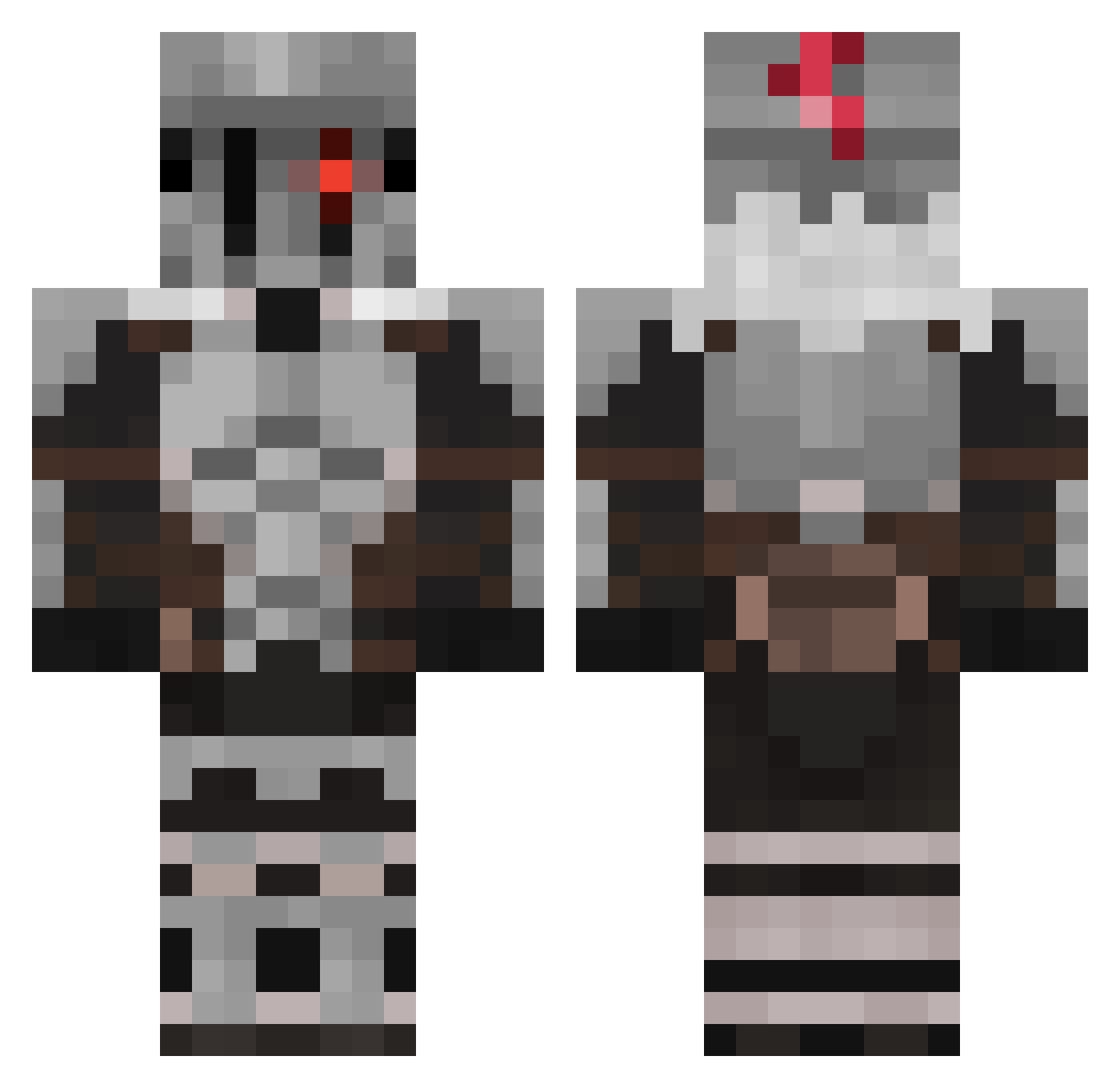
Current Minecraft skin of the player TheLightrex1, loaded from the official Mojang API. Rotate the 3D model with your mouse or finger, then download the skin as a PNG file and use it in Minecraft: Bedrock Edition or Java Edition for free. When TheLightrex1 changes their skin, this page updates automatically and the old skin stays in the history below.
Other players with this skin (512)
TheLightrex1 was the 352nd player we have seen with this skin, first spotted on 01.10.2026. The same skin was seen on these players. Open a nickname to see their current skin and skin history.
 Keke_F Alfa381 Cardescycle SoL_ResT 8BitLegacy Gonpachira LAXUS1999 MBerro ONAImpulse Arcamo Luffy_MMO EzeR20 EnderMan234566 l3ackLotus rRoshell GoblinSly Henrythepuppet epicgavinator9 Hiruma23 Soulfish64 CanivoreX BeastlySlayer 1M4SS4CR3S mikey_pie Siefried Andrew_AG DockDc Cythraul RopeRoblox MMunstoppable RyanLykos saturan0s Silver_272k ispro1998 Lone_Slayer zentiatt Le_suspence OdinSon_1774 TheHunter273 Lrobot00100100 Skys34 Rhys_NightCourt Giammy04 StimmelVibes SIMCREATER OctaviusWhite PureVessel_777 Santo97435 Wataw Xenogelion Wodster JasonDF2002 Aycone BOSSATRONIAL tijn57 Eldroreamon Aincra dreadnought_riot Bulleus Drinsanity
More Goblin Slayer Minecraft skins
See all 31 Goblin Slayer skins
How to install the TheLightrex1 skin
- Press the Download button above to save the skin as a PNG file.
- Minecraft: Bedrock Edition (PE): open the Dressing Room from the main menu (or tap your character → Edit Character), go to Classic Skins → Owned, press the + (new skin) button, choose the downloaded PNG and pick the Classic (Steve) model. Works on PC and mobile; consoles cannot import custom skins.
- Minecraft: Java Edition: open the Minecraft Launcher, go to the Skins tab, click New Skin, load the PNG, pick the Classic (Steve) model and press Save & Use. You can also upload it at minecraft.net → Profile → Change Skin.
The skin does not show up after import - what should I do?
Restart Minecraft and open the Dressing Room again - imported skins sometimes appear only after a restart. Also make sure you selected the imported skin and picked the Classic (Steve) model.
Which model should I choose, Classic or Slim?
This skin is designed for the Classic (Steve) model. If you pick the wrong model, the arms of the skin will look stretched or squeezed.
Is the skin of TheLightrex1 free to download?
Yes. Press Download, save the PNG file and use it in Minecraft: Bedrock Edition or Java Edition - no payment or registration needed. The skin also works on multiplayer servers and Realms.
More skins
Looking for more? Go back to all Minecraft skins and check the top skins of the week, month and all time, or find any player's skin by nickname.