
TheHaramBomber - Minecraft Skins & Skin History
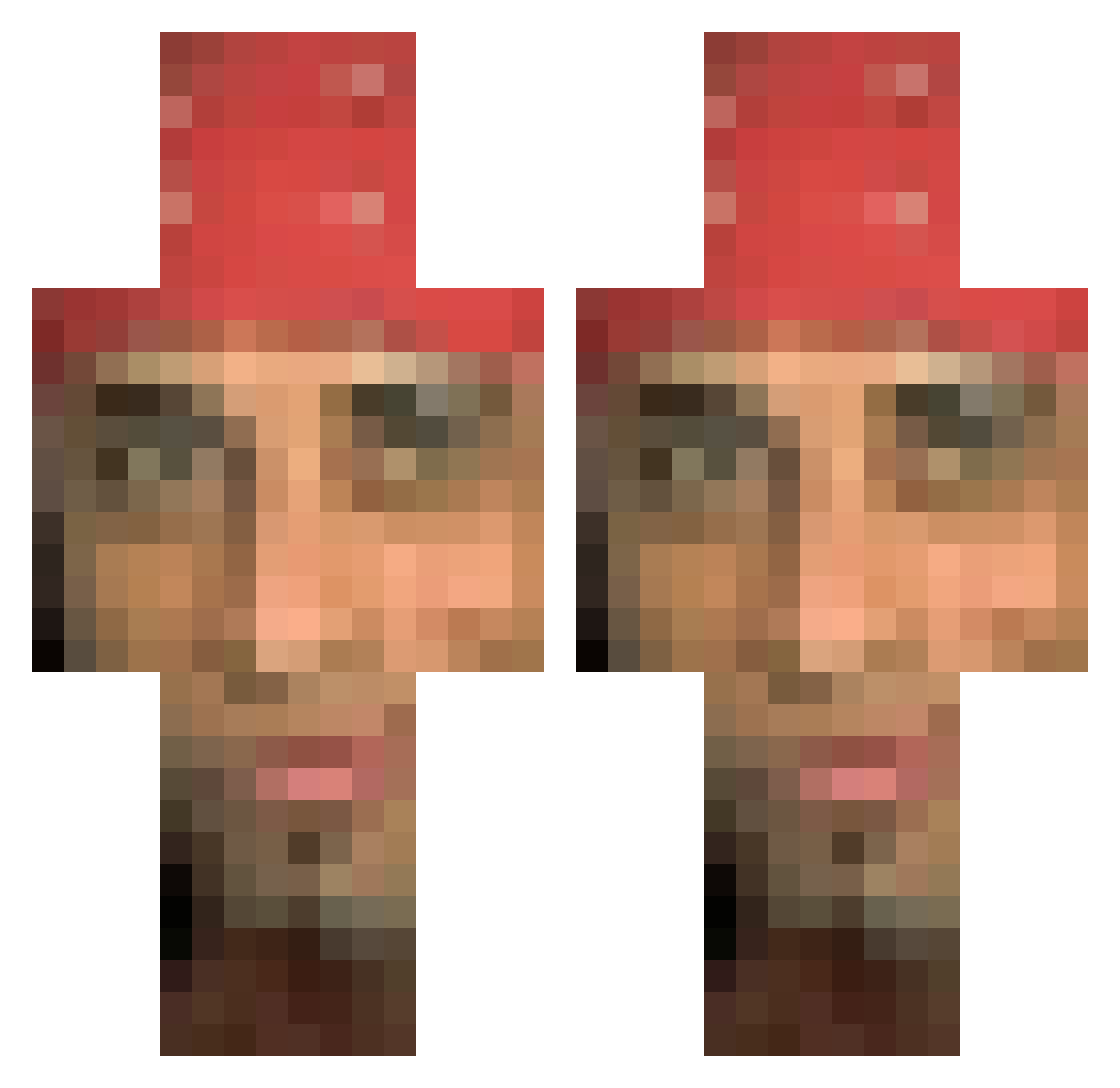
Current Minecraft skin of the player TheHaramBomber, loaded from the official Mojang API. Rotate the 3D model with your mouse or finger, then download the skin as a PNG file and use it in Minecraft: Bedrock Edition or Java Edition for free. When TheHaramBomber changes their skin, this page updates automatically and the old skin stays in the history below.
Other players with this skin (129)
TheHaramBomber was the 96th player we have seen with this skin, first spotted on 27.10.2026. The same skin was seen on these players. Open a nickname to see their current skin and skin history.
 junjin_1414 MarvonWang Elzamo123 Red1010 zezin6969 Yeard dannyshim BakedDonut Judje_Holden BigDaddyKvlt edw1ge sjs03 Nightmare_227 Avulsion Overstream2016 morten_jensen73 zebi_la_mouche77 Bampers MommsenHDx Ilyina_qwq VM0109 TheCereal oregaos pbaris rossomalpel0 ChineseJanis Taar_yeah dawid_pasieka m0rganbr0wn Kidoseq2010 SeductiveUser cariasn wtfrickdude Gwitem kubinek69 Bo_is_bo Buddhism AlmaMarcelaS1lva Gulien_Dam HUE_Huehacz12 Moowke lazzu Sominomeme Los_Braydos UXEN arussss GregAzh TECHNIKP Pawciosigma ILoveSmokingWeed RePeach JuiceTeeth ogsanttii Mhoyd enzxs fuzos Paty2004 ageds Pjbruv Rich_Mich
More Nicolas Cage Minecraft skins
How to install the TheHaramBomber skin
- Press the Download button above to save the skin as a PNG file.
- Minecraft: Bedrock Edition (PE): open the Dressing Room from the main menu (or tap your character → Edit Character), go to Classic Skins → Owned, press the + (new skin) button, choose the downloaded PNG and pick the Classic (Steve) model. Works on PC and mobile; consoles cannot import custom skins.
- Minecraft: Java Edition: open the Minecraft Launcher, go to the Skins tab, click New Skin, load the PNG, pick the Classic (Steve) model and press Save & Use. You can also upload it at minecraft.net → Profile → Change Skin.
The skin does not show up after import - what should I do?
Restart Minecraft and open the Dressing Room again - imported skins sometimes appear only after a restart. Also make sure you selected the imported skin and picked the Classic (Steve) model.
Which model should I choose, Classic or Slim?
This skin is designed for the Classic (Steve) model. If you pick the wrong model, the arms of the skin will look stretched or squeezed.
Is the skin of TheHaramBomber free to download?
Yes. Press Download, save the PNG file and use it in Minecraft: Bedrock Edition or Java Edition - no payment or registration needed. The skin also works on multiplayer servers and Realms.
More skins
Looking for more? Go back to all Minecraft skins and check the top skins of the week, month and all time, or find any player's skin by nickname.