
TheHangingSheep - Minecraft Skins & Skin History
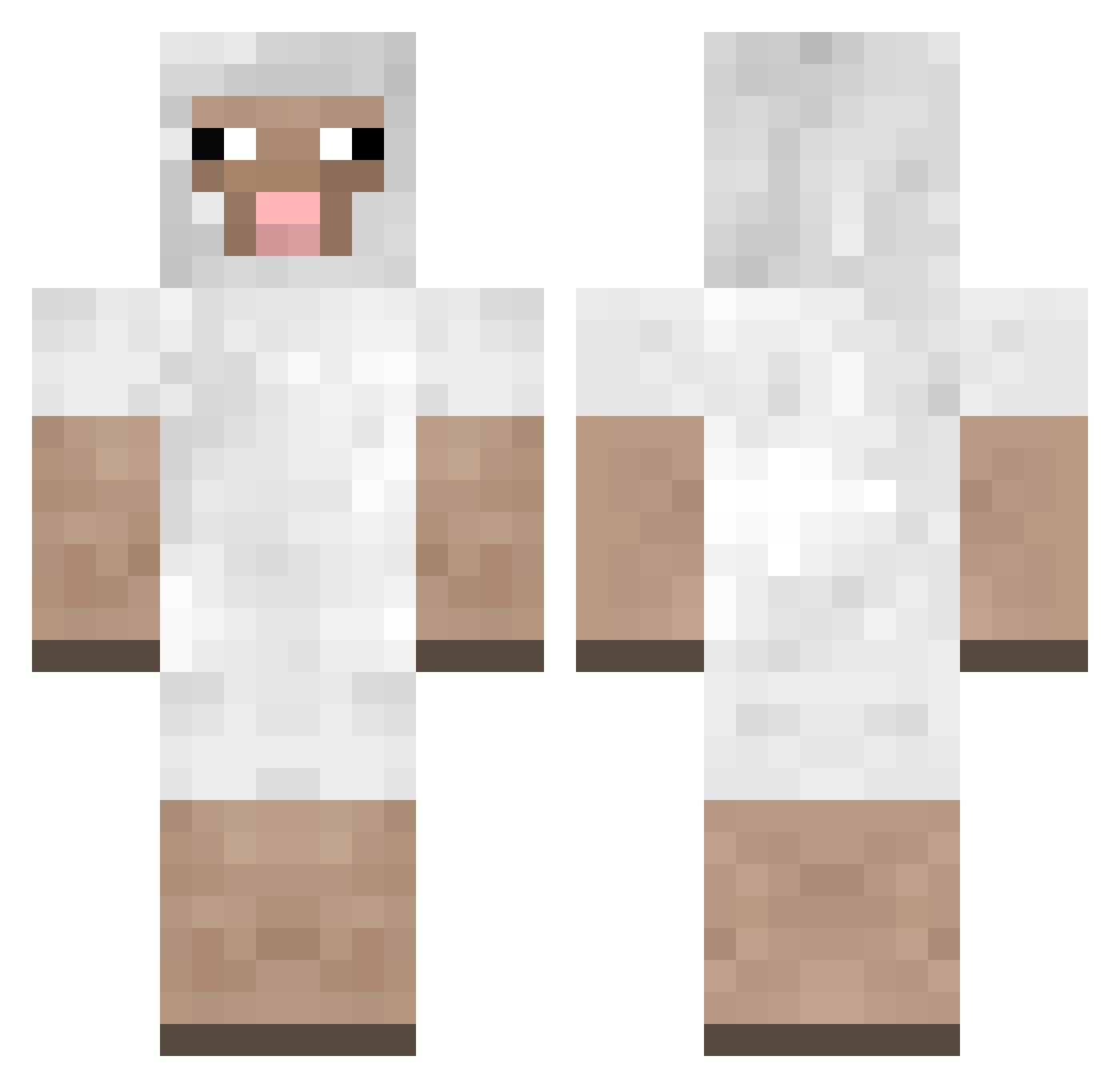
Current Minecraft skin of the player TheHangingSheep, loaded from the official Mojang API. Rotate the 3D model with your mouse or finger, then download the skin as a PNG file and use it in Minecraft: Bedrock Edition or Java Edition for free. When TheHangingSheep changes their skin, this page updates automatically and the old skin stays in the history below.
Other players with this skin (300)
TheHangingSheep was the 261st player we have seen with this skin, first spotted on 06.11.2026. The same skin was seen on these players. Open a nickname to see their current skin and skin history.
 SybsybHero feeve pleff99 Ramkahen II_Zach_II fly12123 graybird1111 qooert Fintan_ soyunjodidofriki natanoj1999 AlohaFluffy4321 Loop_Lupin Bregd Sk8_ sproman thatfox605 BindingDead wtfud9e ThePassingShadow LyingSheep dcx09 FuRizZ masikaa Oelvinter paulito700 Goblin01 TLSBS vogueboy1 emosheep199 sheepattack156 Hatchiss Araves __daybreak__ TheMightyDudeko elithegoat Kraniak sr2264 Mortenrhys buddahs3rdnipple Sh3ep_ SheepiiHD wangDD kayleigh_louise Altoscroll Foretshaun Yi_Xue233 catherineev 32Jackson crann JoelTheElephant Harken terrificthomas2 Moezy AubreyM2017 scoulas iSheppHD jonnypoopsondog Watten01 Zoee28
More Sheep Minecraft skins
How to install the TheHangingSheep skin
- Press the Download button above to save the skin as a PNG file.
- Minecraft: Bedrock Edition (PE): open the Dressing Room from the main menu (or tap your character → Edit Character), go to Classic Skins → Owned, press the + (new skin) button, choose the downloaded PNG and pick the Classic (Steve) model. Works on PC and mobile; consoles cannot import custom skins.
- Minecraft: Java Edition: open the Minecraft Launcher, go to the Skins tab, click New Skin, load the PNG, pick the Classic (Steve) model and press Save & Use. You can also upload it at minecraft.net → Profile → Change Skin.
The skin does not show up after import - what should I do?
Restart Minecraft and open the Dressing Room again - imported skins sometimes appear only after a restart. Also make sure you selected the imported skin and picked the Classic (Steve) model.
Which model should I choose, Classic or Slim?
This skin is designed for the Classic (Steve) model. If you pick the wrong model, the arms of the skin will look stretched or squeezed.
Is the skin of TheHangingSheep free to download?
Yes. Press Download, save the PNG file and use it in Minecraft: Bedrock Edition or Java Edition - no payment or registration needed. The skin also works on multiplayer servers and Realms.
More skins
Looking for more? Go back to all Minecraft skins and check the top skins of the week, month and all time, or find any player's skin by nickname.