
TheGuyWhoBuilds - Minecraft Skins & Skin History
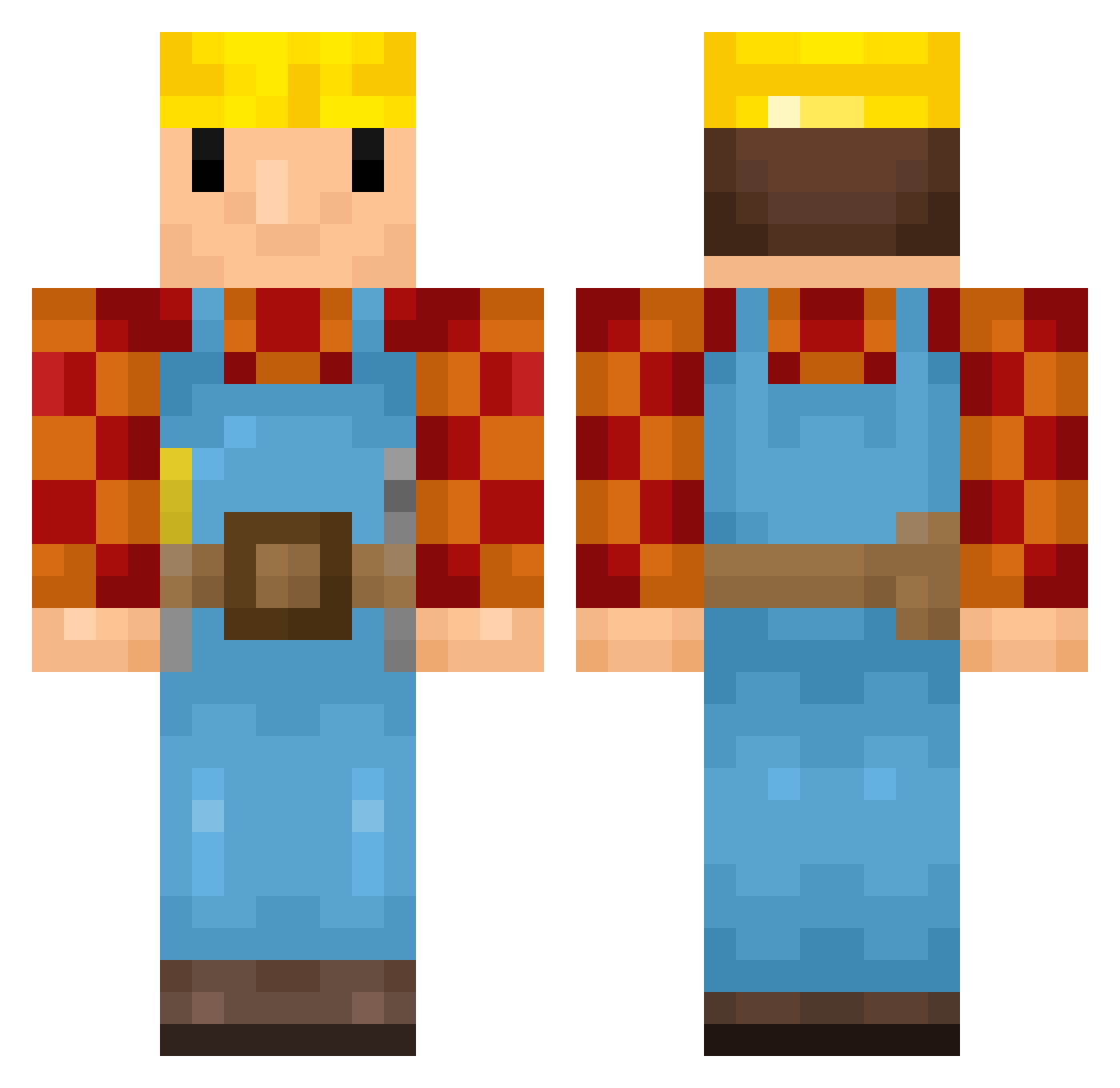
Current Minecraft skin of the player TheGuyWhoBuilds, loaded from the official Mojang API. Rotate the 3D model with your mouse or finger, then download the skin as a PNG file and use it in Minecraft: Bedrock Edition or Java Edition for free. When TheGuyWhoBuilds changes their skin, this page updates automatically and the old skin stays in the history below.
Other players with this skin (345)
TheGuyWhoBuilds was the 296th player we have seen with this skin, first spotted on 08.10.2026. The same skin was seen on these players. Open a nickname to see their current skin and skin history.
 Logjy AyyItsTom slexray ZekronX7 ilianibumbus Fatality569 hajesse Benito1 theshoemakahh RainSad ToTheDegree kaljukits RFM25 wakeupnatan michaj Mr_Vakman Ragerdoom Isicooly cfox44 Luki2801 KHashman BVP125 No_Kizza GerardF17 ELECgrave GinjaNinja6 johanmyhren2005 LaCroix8269 robie568 IAMWILL15 WJDGHK07 RKK31 quynjie Benjiowl NixsuBro Steven08001 Tomo256_ Tacogrande247 British_Canadian Mobeerg bussinnn LOTTAzor elz_L57 Naptime_ harryexp16 _bobthebuilder_5 wouterzwan5 Barteloww fmorais byggarebob87 Plex238 matze1993 GeorgeTheMonkeyy Kishon davidlopes1 ZenonDrabiniarz Johannanasen Afterprayer BlutB4rt NMcH05
More Bob The Builder Minecraft skins
See all 65 Bob The Builder skins
How to install the TheGuyWhoBuilds skin
- Press the Download button above to save the skin as a PNG file.
- Minecraft: Bedrock Edition (PE): open the Dressing Room from the main menu (or tap your character → Edit Character), go to Classic Skins → Owned, press the + (new skin) button, choose the downloaded PNG and pick the Classic (Steve) model. Works on PC and mobile; consoles cannot import custom skins.
- Minecraft: Java Edition: open the Minecraft Launcher, go to the Skins tab, click New Skin, load the PNG, pick the Classic (Steve) model and press Save & Use. You can also upload it at minecraft.net → Profile → Change Skin.
The skin does not show up after import - what should I do?
Restart Minecraft and open the Dressing Room again - imported skins sometimes appear only after a restart. Also make sure you selected the imported skin and picked the Classic (Steve) model.
Which model should I choose, Classic or Slim?
This skin is designed for the Classic (Steve) model. If you pick the wrong model, the arms of the skin will look stretched or squeezed.
Is the skin of TheGuyWhoBuilds free to download?
Yes. Press Download, save the PNG file and use it in Minecraft: Bedrock Edition or Java Edition - no payment or registration needed. The skin also works on multiplayer servers and Realms.
More skins
Looking for more? Go back to all Minecraft skins and check the top skins of the week, month and all time, or find any player's skin by nickname.