
TheGhostRider25 - Minecraft Skins & Skin History
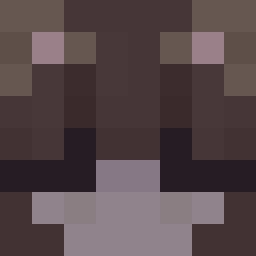
Current Minecraft skin of the player TheGhostRider25, loaded from the official Mojang API. Rotate the 3D model with your mouse or finger, then download the skin as a PNG file and use it in Minecraft: Bedrock Edition or Java Edition for free. When TheGhostRider25 changes their skin, this page updates automatically and the old skin stays in the history below.

Other players with this skin (342)
TheGhostRider25 was the 117th player we have seen with this skin, first spotted on 29.08.2026. The same skin was seen on these players. Open a nickname to see their current skin and skin history.
 won0111 Itz_XiaoLong_TW BananaSplit0008 Nofr ef2003 IFozZaI CheesusChris OZ3N_ TenDad Veith
 Pxnts Osssssss HOJIN21 JK_P_opp Zfweu Marioelvro Desend_ xLagoon_ warden14 JohnnyJuice_ Kun_is_Ah_Goose AsuToT kntl_ Pa8370 YUME4 TUTo975 Bacha_ RosarioBruh Yere01 Dario_386 miataguy1 xXnafinXx Reachboy123 benson1707 Gabriel13 N9BS _eg0 gloostik Gujana PROS_09 hagesh1 comedordebct RoboMelon1 Razev6 AirBallAiden grzmocio_pl changwww BearnIsBack Anobaly State10 C1sco unique09
 ItsFalcon_ Akitsune_ Rxvers TheThinShadowMan spookyko _Kubson___ Sincronizer Tosterito_Ez
More Minecraft Creepypasta Minecraft skins
See all 23 Minecraft Creepypasta skins
How to install the TheGhostRider25 skin
- Press the Download button above to save the skin as a PNG file.
- Minecraft: Bedrock Edition (PE): open the Dressing Room from the main menu (or tap your character → Edit Character), go to Classic Skins → Owned, press the + (new skin) button, choose the downloaded PNG and pick the Classic (Steve) model. Works on PC and mobile; consoles cannot import custom skins.
- Minecraft: Java Edition: open the Minecraft Launcher, go to the Skins tab, click New Skin, load the PNG, pick the Classic (Steve) model and press Save & Use. You can also upload it at minecraft.net → Profile → Change Skin.
The skin does not show up after import - what should I do?
Restart Minecraft and open the Dressing Room again - imported skins sometimes appear only after a restart. Also make sure you selected the imported skin and picked the Classic (Steve) model.
Which model should I choose, Classic or Slim?
This skin is designed for the Classic (Steve) model. If you pick the wrong model, the arms of the skin will look stretched or squeezed.
Is the skin of TheGhostRider25 free to download?
Yes. Press Download, save the PNG file and use it in Minecraft: Bedrock Edition or Java Edition - no payment or registration needed. The skin also works on multiplayer servers and Realms.
More skins
Looking for more? Go back to all Minecraft skins and check the top skins of the week, month and all time, or find any player's skin by nickname.