
TheGamer84 - Minecraft Skins & Skin History
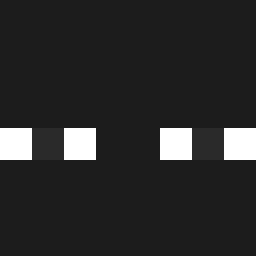
Current Minecraft skin of the player TheGamer84, loaded from the official Mojang API. Rotate the 3D model with your mouse or finger, then download the skin as a PNG file and use it in Minecraft: Bedrock Edition or Java Edition for free. When TheGamer84 changes their skin, this page updates automatically and the old skin stays in the history below.

Other players with this skin (1416)
TheGamer84 was the 1285th player we have seen with this skin, first spotted on 07.11.2026. The same skin was seen on these players. Open a nickname to see their current skin and skin history.
 Egzorc Th3Jhon Freito_ DikmonrGame LeVraiLedaaaa Zasky23 Trembalaa DarekQ18 undervoid123 NeeWest gyubin0802 Frexyyyy dl_tkd_dbs Yapensu 08Victor A_andy IamDxmz DICESHARD OturanBoa Semrick zongzi1323 QHR12138 Diego1280 Gypo668 D3vd_999 ThePentagon_Zero wiq_tor Superfreccia2009 EduardoBenini21 PendaGoat Saabers Not_BLok Virtu007 BrezenX neyufx xXalegmXx __Skrills__ O_voidd BlaMelone rusticthread IamOmars Miracle_Man14 Icelime24 Jude715blue ND_Quicker Andrew26228 SunBatako smjnb SwishyX4 woodenman WanYagami RandomGuyAlt Alexander_Maxim Luki_Mausi YingyingX MAGUISTICO kendou_g janekk1233 KxhritoxxLP vtorr
How to install the TheGamer84 skin
- Press the Download button above to save the skin as a PNG file.
- Minecraft: Bedrock Edition (PE): open the Dressing Room from the main menu (or tap your character → Edit Character), go to Classic Skins → Owned, press the + (new skin) button, choose the downloaded PNG and pick the Classic (Steve) model. Works on PC and mobile; consoles cannot import custom skins.
- Minecraft: Java Edition: open the Minecraft Launcher, go to the Skins tab, click New Skin, load the PNG, pick the Classic (Steve) model and press Save & Use. You can also upload it at minecraft.net → Profile → Change Skin.
The skin does not show up after import - what should I do?
Restart Minecraft and open the Dressing Room again - imported skins sometimes appear only after a restart. Also make sure you selected the imported skin and picked the Classic (Steve) model.
Which model should I choose, Classic or Slim?
This skin is designed for the Classic (Steve) model. If you pick the wrong model, the arms of the skin will look stretched or squeezed.
Is the skin of TheGamer84 free to download?
Yes. Press Download, save the PNG file and use it in Minecraft: Bedrock Edition or Java Edition - no payment or registration needed. The skin also works on multiplayer servers and Realms.
More skins
Looking for more? Go back to all Minecraft skins and check the top skins of the week, month and all time, or find any player's skin by nickname.