
TheFarisS - Minecraft Skins & Skin History
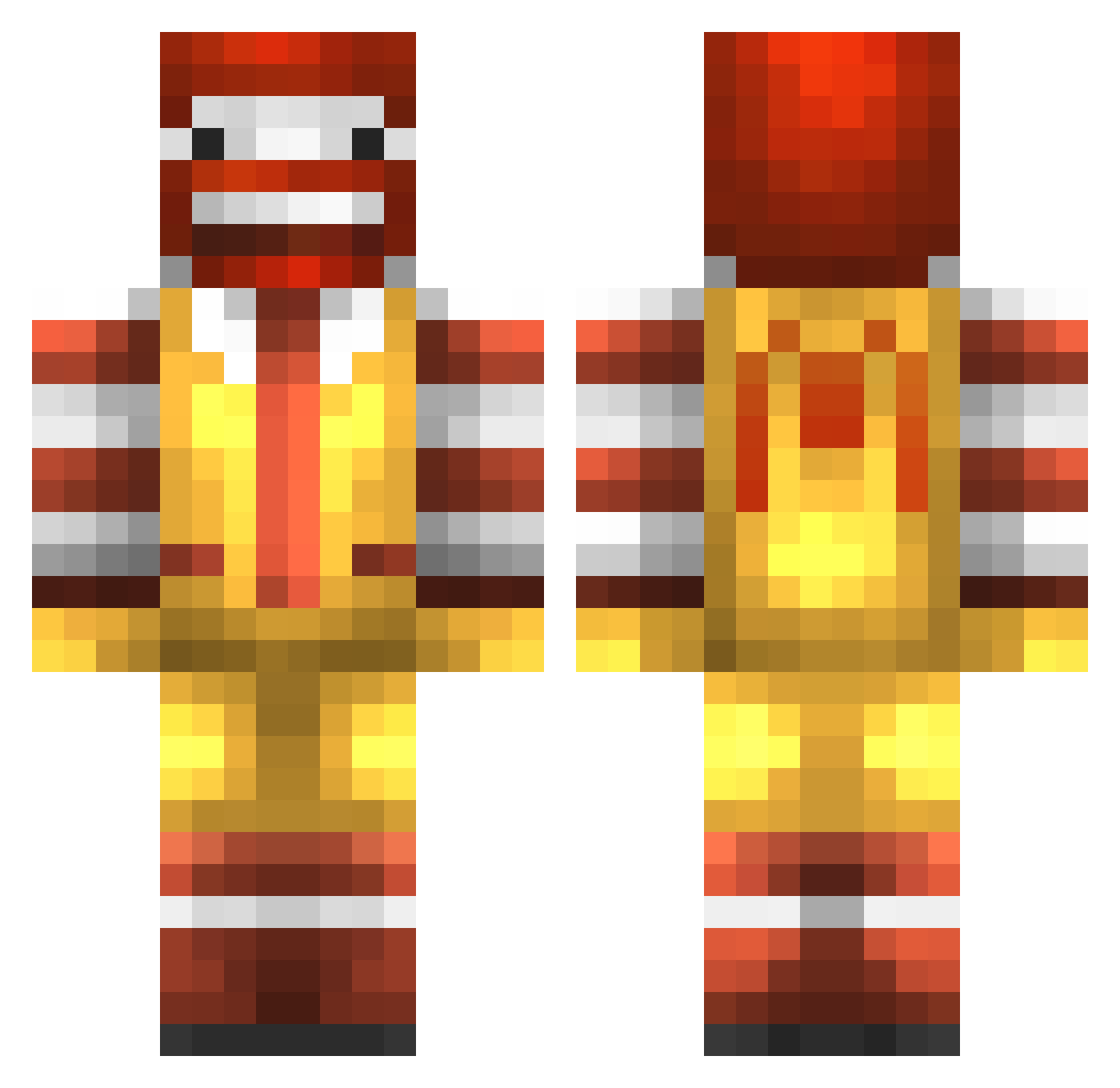
Current Minecraft skin of the player TheFarisS, loaded from the official Mojang API. Rotate the 3D model with your mouse or finger, then download the skin as a PNG file and use it in Minecraft: Bedrock Edition or Java Edition for free. When TheFarisS changes their skin, this page updates automatically and the old skin stays in the history below.
Other players with this skin (989)
TheFarisS was the 815th player we have seen with this skin, first spotted on 25.10.2026. The same skin was seen on these players. Open a nickname to see their current skin and skin history.
 kermit_minecrfat GoldenGaming360 RustyUS vindicactus skers20 NorthernStars43 rich00117 DoctorSkylan __SkyWalker__ jArmalis Yo_Save_The_Bees PlasmaCake KYR_T3DDY zcsund1234 IVIaybe SuNam2 damien19legrand StealtyNinja44 plbn Muffler_swe Madluke9 marine1981 Jeremy1318 joellypols wettest_boy PutMeDown 3idvet Baverick007 Xavierxjr amasian_ Mattaus1328 Gameatron5000 seedlessgrapes86 thecurlywarrior McDonaldsPing nvj26 mathieu06500 mibsang69 MAX1833 hyoroty OMGMRSNOWMAN polanskiii Vyssea xWhiteMidgetx ManlyWongBurger Kamiinari ExcusezMonTalent PigeonJovial Happie13 elliotl1 LiLJetLe ElMatthew231 Kaganstien JkeenTke epicwimpykid01 FlippinSwitchez Vampire_Dian NumbWinter231 wesa___99 pustunchik
More Ronald Mcdonald Minecraft skins
See all 139 Ronald Mcdonald skins
How to install the TheFarisS skin
- Press the Download button above to save the skin as a PNG file.
- Minecraft: Bedrock Edition (PE): open the Dressing Room from the main menu (or tap your character → Edit Character), go to Classic Skins → Owned, press the + (new skin) button, choose the downloaded PNG and pick the Classic (Steve) model. Works on PC and mobile; consoles cannot import custom skins.
- Minecraft: Java Edition: open the Minecraft Launcher, go to the Skins tab, click New Skin, load the PNG, pick the Classic (Steve) model and press Save & Use. You can also upload it at minecraft.net → Profile → Change Skin.
The skin does not show up after import - what should I do?
Restart Minecraft and open the Dressing Room again - imported skins sometimes appear only after a restart. Also make sure you selected the imported skin and picked the Classic (Steve) model.
Which model should I choose, Classic or Slim?
This skin is designed for the Classic (Steve) model. If you pick the wrong model, the arms of the skin will look stretched or squeezed.
Is the skin of TheFarisS free to download?
Yes. Press Download, save the PNG file and use it in Minecraft: Bedrock Edition or Java Edition - no payment or registration needed. The skin also works on multiplayer servers and Realms.
More skins
Looking for more? Go back to all Minecraft skins and check the top skins of the week, month and all time, or find any player's skin by nickname.