
TheCwaf - Minecraft Skins & Skin History
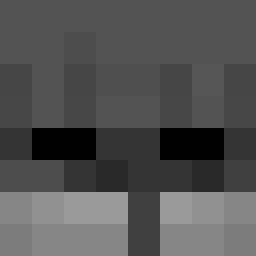
Current Minecraft skin of the player TheCwaf, loaded from the official Mojang API. Rotate the 3D model with your mouse or finger, then download the skin as a PNG file and use it in Minecraft: Bedrock Edition or Java Edition for free. When TheCwaf changes their skin, this page updates automatically and the old skin stays in the history below.
Other players with this skin (213)
TheCwaf was the 131st player we have seen with this skin, first spotted on 24.09.2026. The same skin was seen on these players. Open a nickname to see their current skin and skin history.
 Slepster slxr0 muffin1108 ELEDUS maa0no xqaxh _Meww_ Tehoxis PRIME_day_one Kaeigiui DeckyyAU souGap Z1LV4 KeyvinGdtdu2 simperry DripFrog2K tmothyy VerfixPL Desslert sox1223 VizeSNC VanquishForever Cosmiclyzed kokatylen_ Ni_Tr_Oo New732 HELLO5564 BigBocconcino jeongju07 Tea_ZaY R1L3Y0_0 M1strull TrArda Plum0s_ JackZuo mb_thehung Dominicio318 Butt3rfly_Knife ITz_zxqon ioveal cpvptjstn RaxLy31 santana72 D1Xvan Chalits Liaset
 rodstats Talahon_Gamer Spadezyy7322 sleep_groove hoan323 TerenceHsu Tentativelin XiaoEr8521 hillyrrr HMiro Plume__ Asun666 Pulsar1989 KIM_HYEBIN
How to install the TheCwaf skin
- Press the Download button above to save the skin as a PNG file.
- Minecraft: Bedrock Edition (PE): open the Dressing Room from the main menu (or tap your character → Edit Character), go to Classic Skins → Owned, press the + (new skin) button, choose the downloaded PNG and pick the Slim (Alex) model. Works on PC and mobile; consoles cannot import custom skins.
- Minecraft: Java Edition: open the Minecraft Launcher, go to the Skins tab, click New Skin, load the PNG, pick the Slim (Alex) model and press Save & Use. You can also upload it at minecraft.net → Profile → Change Skin.
The skin does not show up after import - what should I do?
Restart Minecraft and open the Dressing Room again - imported skins sometimes appear only after a restart. Also make sure you selected the imported skin and picked the Slim (Alex) model.
Which model should I choose, Classic or Slim?
This skin is designed for the Slim (Alex) model. If you pick the wrong model, the arms of the skin will look stretched or squeezed.
Is the skin of TheCwaf free to download?
Yes. Press Download, save the PNG file and use it in Minecraft: Bedrock Edition or Java Edition - no payment or registration needed. The skin also works on multiplayer servers and Realms.
More skins
Looking for more? Go back to all Minecraft skins and check the top skins of the week, month and all time, or find any player's skin by nickname.