
ThatGuyYash - Minecraft Skins & Skin History
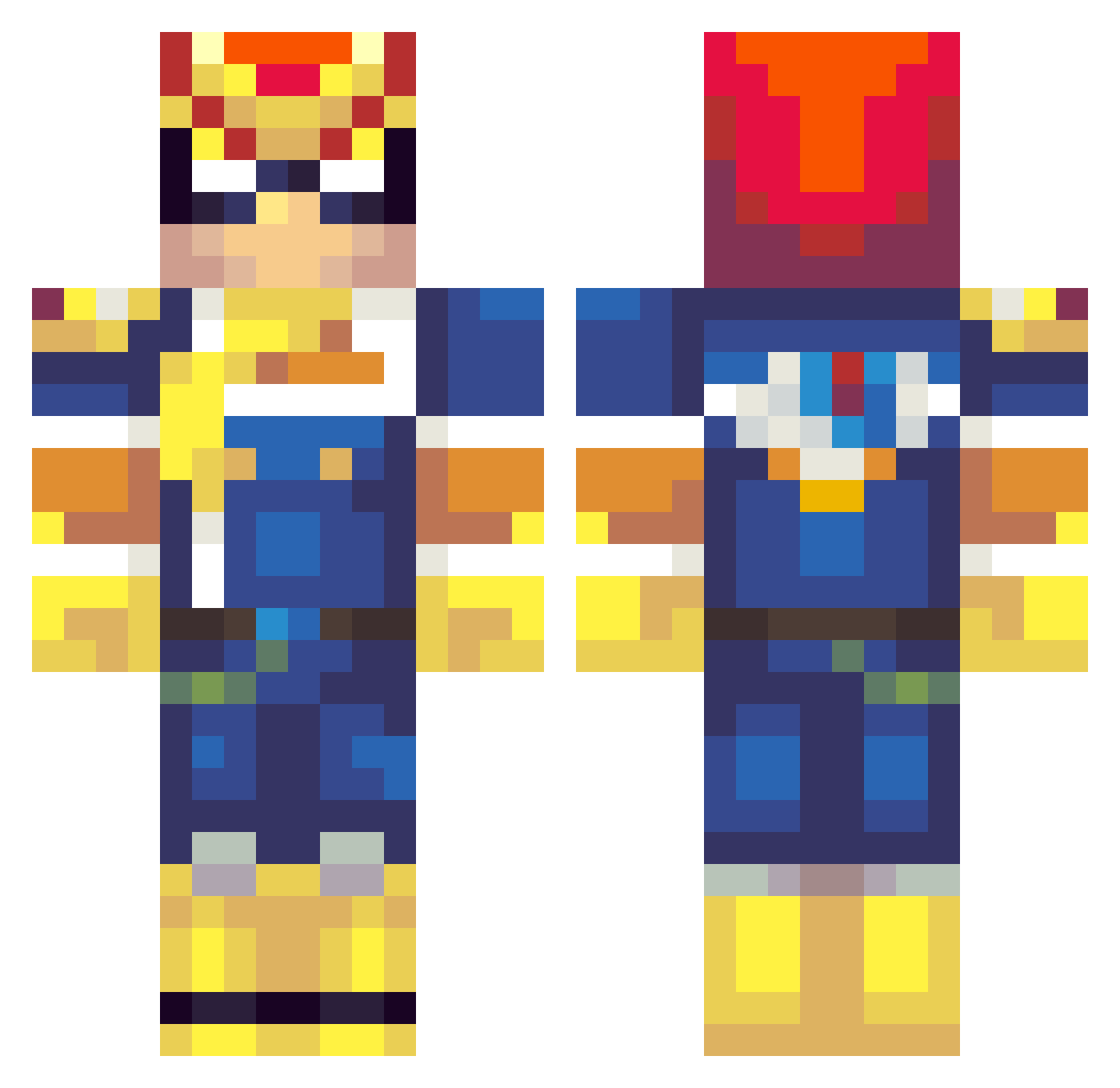
Current Minecraft skin of the player ThatGuyYash, loaded from the official Mojang API. Rotate the 3D model with your mouse or finger, then download the skin as a PNG file and use it in Minecraft: Bedrock Edition or Java Edition for free. When ThatGuyYash changes their skin, this page updates automatically and the old skin stays in the history below.
Other players with this skin (189)
ThatGuyYash was the 154th player we have seen with this skin, first spotted on 16.10.2026. The same skin was seen on these players. Open a nickname to see their current skin and skin history.
 Brakiel mGalante Ticking_away Hayrack DirtyDaveDong kalashnikov108 benjewmin RISE_LLion AlexBeChillin katawasome AndrewBend Icy_Ramen BugJonesiscool celotex BausensLaw Zorrino Zenokai Sebgaming5 The_Capt_Falcon scroht Frandel25 jeremiah14 Devilucious Jink0 Ponchog FatalFalcon77 Diet_Agua25 Alecadia VIRULEA Aeri_8820 Arondashi FakersZed ImmaculateThighs Marmollowski Moogoooose tgmYellow Yufovni PeeksTheKorok MrSangheili Radiboi Dono25 DingoDingo72 LeitorRV Fridgemonkey23 SavcyRN FatJagras PurplePansy53 Rdubb205 ShadStaysFloss Ieatlotsofbread Maxi_Maximus plazema SturmBolt ZingerAlt1 CptFalco ParTeeRock yueleishen Snrubbs JAJNecromancer rauh04
More F-Zero Minecraft skins
How to install the ThatGuyYash skin
- Press the Download button above to save the skin as a PNG file.
- Minecraft: Bedrock Edition (PE): open the Dressing Room from the main menu (or tap your character → Edit Character), go to Classic Skins → Owned, press the + (new skin) button, choose the downloaded PNG and pick the Classic (Steve) model. Works on PC and mobile; consoles cannot import custom skins.
- Minecraft: Java Edition: open the Minecraft Launcher, go to the Skins tab, click New Skin, load the PNG, pick the Classic (Steve) model and press Save & Use. You can also upload it at minecraft.net → Profile → Change Skin.
The skin does not show up after import - what should I do?
Restart Minecraft and open the Dressing Room again - imported skins sometimes appear only after a restart. Also make sure you selected the imported skin and picked the Classic (Steve) model.
Which model should I choose, Classic or Slim?
This skin is designed for the Classic (Steve) model. If you pick the wrong model, the arms of the skin will look stretched or squeezed.
Is the skin of ThatGuyYash free to download?
Yes. Press Download, save the PNG file and use it in Minecraft: Bedrock Edition or Java Edition - no payment or registration needed. The skin also works on multiplayer servers and Realms.
More skins
Looking for more? Go back to all Minecraft skins and check the top skins of the week, month and all time, or find any player's skin by nickname.