
Tha_Than - Minecraft Skins & Skin History
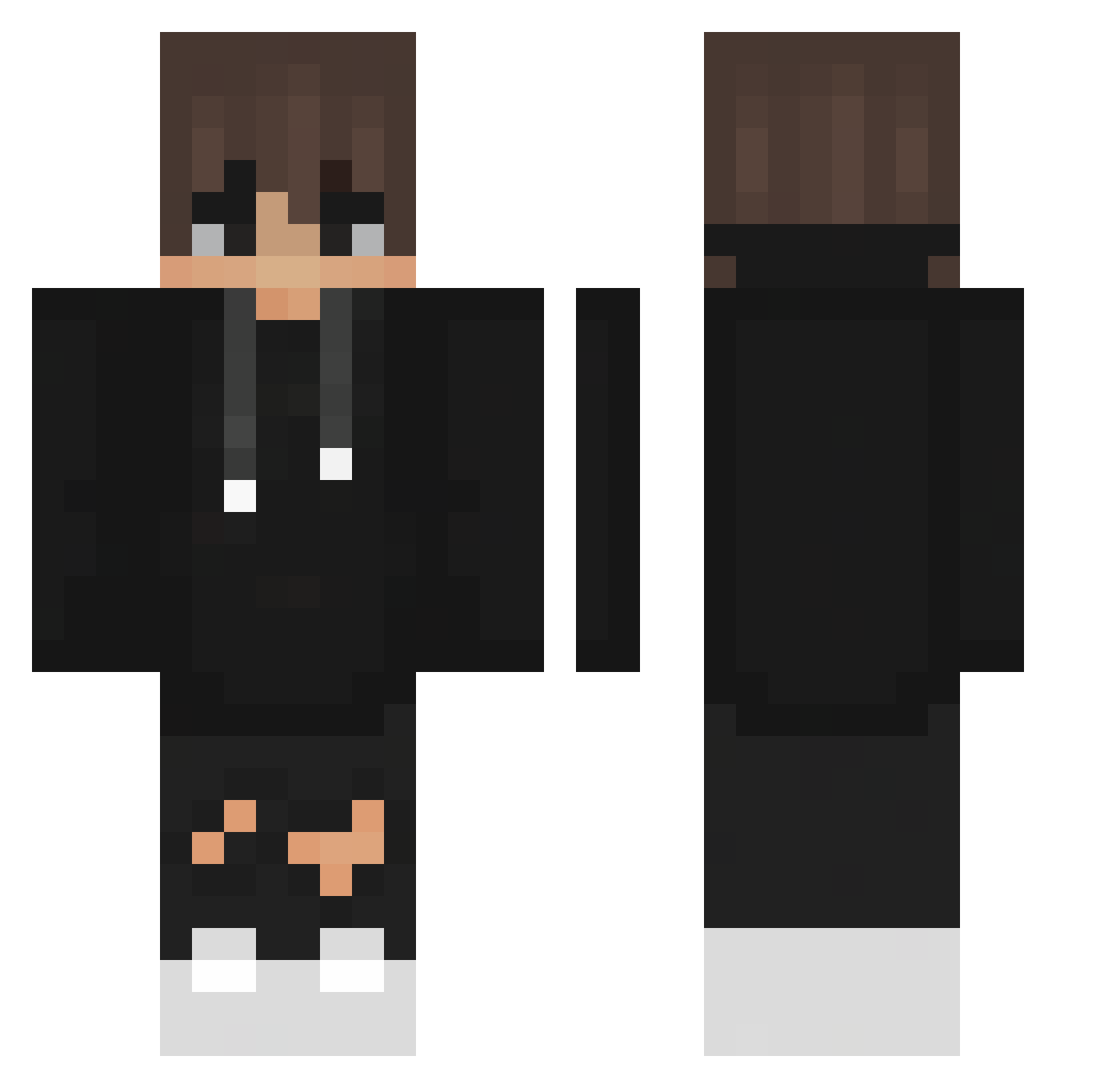
Current Minecraft skin of the player Tha_Than, loaded from the official Mojang API. Rotate the 3D model with your mouse or finger, then download the skin as a PNG file and use it in Minecraft: Bedrock Edition or Java Edition for free. When Tha_Than changes their skin, this page updates automatically and the old skin stays in the history below.
Other players with this skin (439)
Tha_Than was the 340th player we have seen with this skin, first spotted on 18.10.2026. The same skin was seen on these players. Open a nickname to see their current skin and skin history.
 Henriique_Siilva S4Killua oGalci JayJayBestPlayer krasserbo vfx_vortex T0M3K__ ValidNubby jjcnc BagToChase MergolXPompa grading_kat 0merl murilimn flcwin iTzzKiwii Theglowline JudgeFred13 P_alstn JulienMonAmour kaaazuuu1212 TexoMc GoofBape samuelgdog ItzzDenis104 remcov99 zachuce Envy2231 ninaad69 PepinosAmigos Myxhics OwOMikey Riccimetschman Totti0712 SchweizerMessser xiaoran7322 JksJustinSavage zacksl Edorfile denisreall Farbecca2007 Dubeck Hacker_Change softbori ShogunOnPC BucidFr Irrigations shivarijal GwenKatten Lil_Trouble10 teteudocapa ItsDark_OG L05tOff TemkaWilson S4ltiq TxmsBank Specki_HD ilyaFIREgo Unsungchiken Dailieska
How to install the Tha_Than skin
- Press the Download button above to save the skin as a PNG file.
- Minecraft: Bedrock Edition (PE): open the Dressing Room from the main menu (or tap your character → Edit Character), go to Classic Skins → Owned, press the + (new skin) button, choose the downloaded PNG and pick the Classic (Steve) model. Works on PC and mobile; consoles cannot import custom skins.
- Minecraft: Java Edition: open the Minecraft Launcher, go to the Skins tab, click New Skin, load the PNG, pick the Classic (Steve) model and press Save & Use. You can also upload it at minecraft.net → Profile → Change Skin.
The skin does not show up after import - what should I do?
Restart Minecraft and open the Dressing Room again - imported skins sometimes appear only after a restart. Also make sure you selected the imported skin and picked the Classic (Steve) model.
Which model should I choose, Classic or Slim?
This skin is designed for the Classic (Steve) model. If you pick the wrong model, the arms of the skin will look stretched or squeezed.
Is the skin of Tha_Than free to download?
Yes. Press Download, save the PNG file and use it in Minecraft: Bedrock Edition or Java Edition - no payment or registration needed. The skin also works on multiplayer servers and Realms.
More skins
Looking for more? Go back to all Minecraft skins and check the top skins of the week, month and all time, or find any player's skin by nickname.