
TetrisGod21 - Minecraft Skins & Skin History
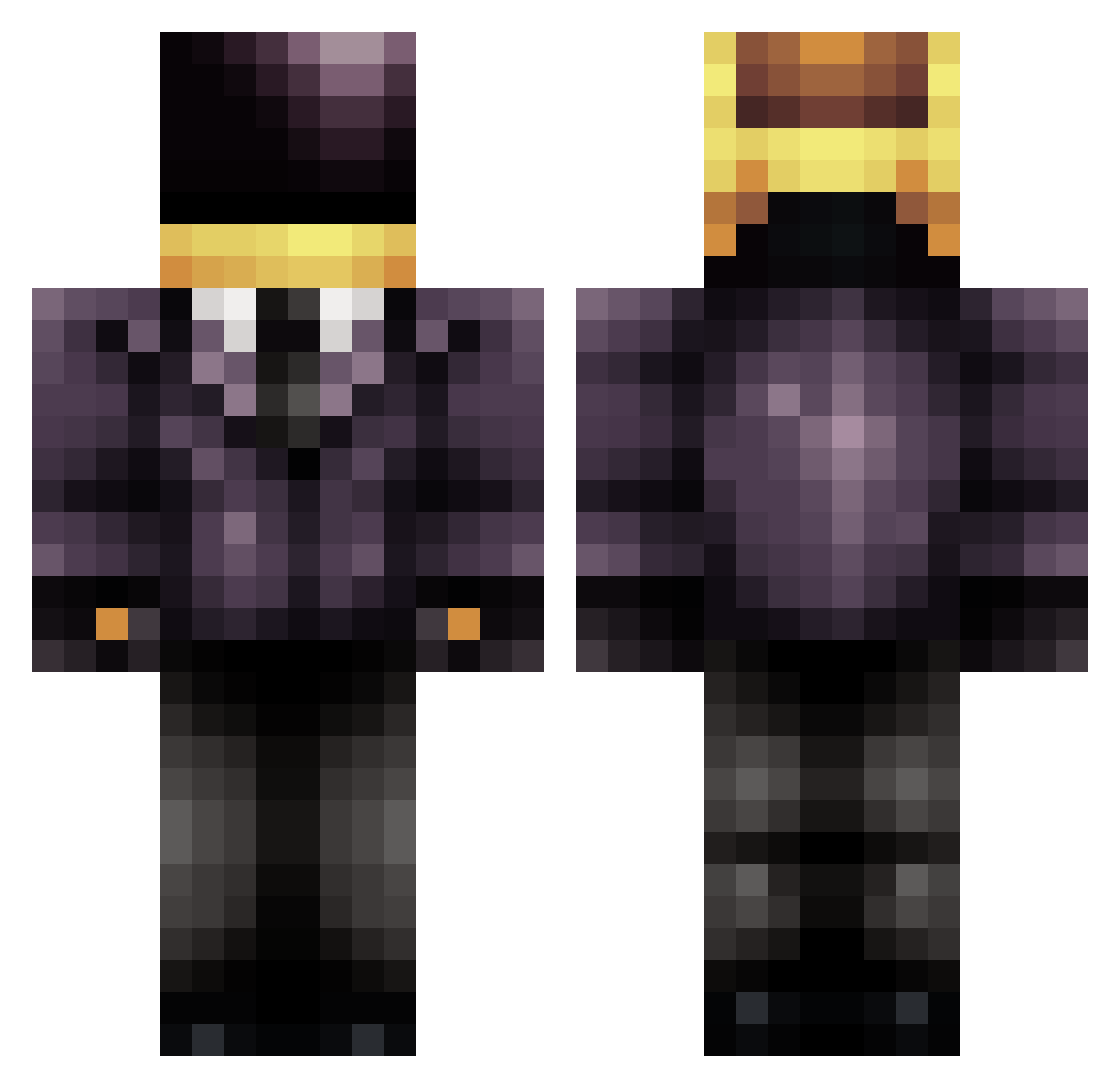
Current Minecraft skin of the player TetrisGod21, loaded from the official Mojang API. Rotate the 3D model with your mouse or finger, then download the skin as a PNG file and use it in Minecraft: Bedrock Edition or Java Edition for free. When TetrisGod21 changes their skin, this page updates automatically and the old skin stays in the history below.
Other players with this skin (709)
TetrisGod21 was the 359th player we have seen with this skin, first spotted on 23.09.2026. The same skin was seen on these players. Open a nickname to see their current skin and skin history.
 _JizzyBox_ ImmaBirdMF MrSmith00500 scruffMCswaggins kaf11 angonese KAKANOOTES reconlive2012 Jonathan_n FlorianBauer33 Pranzzz employee451 ThaInferno lljk KilliConCarne burnout243 Exervus Un1c0rN0fSp4d3s Atl1as CapsSonz Mr_Tenno DaftPunk4Life muffinma42 Hectorcrush American_Reject xXBigBangBroXx TheTinyKitsune GeeZee_Top LimRicker In_Depth AAthatcher gabrielsantiagos Muscovey knts ThorZHansen samu2604 TurtleSquad1 Ninja_2004_ 1coke IAMR_Alt MadMan21779 Robins6 obocchan FlipsAndBloopers WaveyJules acejoe Cailloupi mikeal76 Lightening5558 Winxorz OsamaBinLagger tpalomo Legendary_Epic Lethamyr HaktanSenses Dr_Defanus SoulWheaties Alonsoelpr0 jimmythefly12 DaimonTrig
More Daft Punk Minecraft skins
How to install the TetrisGod21 skin
- Press the Download button above to save the skin as a PNG file.
- Minecraft: Bedrock Edition (PE): open the Dressing Room from the main menu (or tap your character → Edit Character), go to Classic Skins → Owned, press the + (new skin) button, choose the downloaded PNG and pick the Classic (Steve) model. Works on PC and mobile; consoles cannot import custom skins.
- Minecraft: Java Edition: open the Minecraft Launcher, go to the Skins tab, click New Skin, load the PNG, pick the Classic (Steve) model and press Save & Use. You can also upload it at minecraft.net → Profile → Change Skin.
The skin does not show up after import - what should I do?
Restart Minecraft and open the Dressing Room again - imported skins sometimes appear only after a restart. Also make sure you selected the imported skin and picked the Classic (Steve) model.
Which model should I choose, Classic or Slim?
This skin is designed for the Classic (Steve) model. If you pick the wrong model, the arms of the skin will look stretched or squeezed.
Is the skin of TetrisGod21 free to download?
Yes. Press Download, save the PNG file and use it in Minecraft: Bedrock Edition or Java Edition - no payment or registration needed. The skin also works on multiplayer servers and Realms.
More skins
Looking for more? Go back to all Minecraft skins and check the top skins of the week, month and all time, or find any player's skin by nickname.