
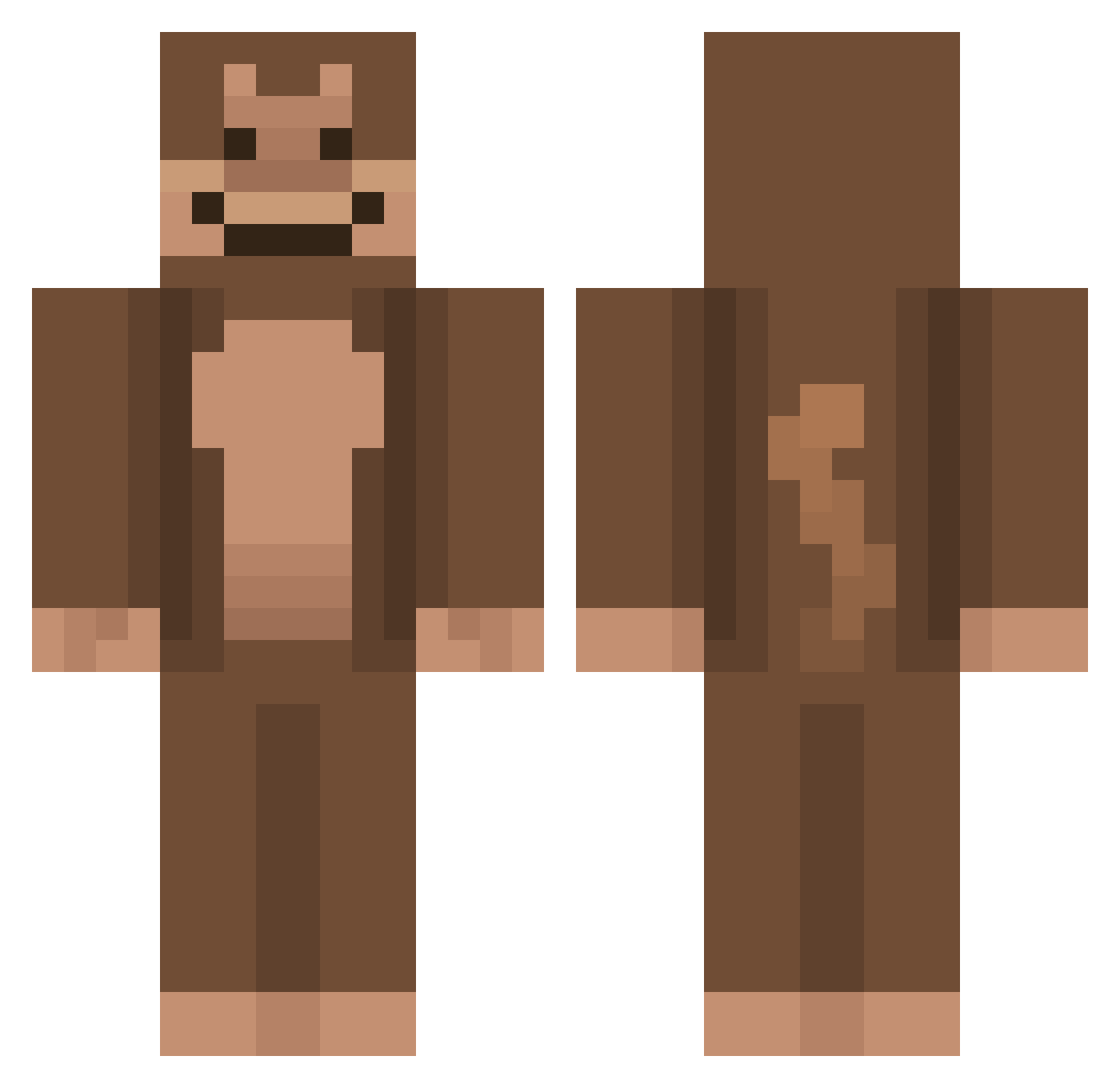
Current Minecraft skin of the player Teshk, loaded from the official Mojang API. Rotate the 3D model with your mouse or finger, then download the skin as a PNG file and use it in Minecraft: Bedrock Edition or Java Edition for free. When Teshk changes their skin, this page updates automatically and the old skin stays in the history below.
Other players with this skin (564)
Teshk was the 52nd player we have seen with this skin, first spotted on 31.07.2026. The same skin was seen on these players. Open a nickname to see their current skin and skin history.
 peacechasen sunnybaked O6K7s4 DestruktivBunny Nut1y zenti303 MrPotato1016 RLGrand shrek5501 JunHa_BabBug GatoradeMonkey45 Bestgunner2053 Lightning4378 brenn77 Porky_Pine MANGOLOCAZO qlossom potatogod12 snoopy_pilled AleHG1234 Kauamgames_2003 SLYERPRO3000 ndrlps Kalouu Eagle0101 teledoc VinneFinne Eatsoftrice Darex0_0 CarpetMeat yomi531 Kayya67890 whoisjoshy diegoeatsdirt8 Bong_Juns cwoaky Late_Millers jennyy8 MC_Monkeys_ LunasMain rictation AppleBlueMax5 brodinsload28 oliver3505 Masternatey CuriousGeorge747 Lorijoh Jakesme luvmonkeyy BigGiannis20 Aing_04 mONKEYgentacle mestolino46 imKudonguk Fartrilla
 pippyplayz54 itzLame MinerTeemo sumboodee123 ilikechicken541
More Ape Minecraft skins
How to install the Teshk skin
- Press the Download button above to save the skin as a PNG file.
- Minecraft: Bedrock Edition (PE): open the Dressing Room from the main menu (or tap your character → Edit Character), go to Classic Skins → Owned, press the + (new skin) button, choose the downloaded PNG and pick the Classic (Steve) model. Works on PC and mobile; consoles cannot import custom skins.
- Minecraft: Java Edition: open the Minecraft Launcher, go to the Skins tab, click New Skin, load the PNG, pick the Classic (Steve) model and press Save & Use. You can also upload it at minecraft.net → Profile → Change Skin.
The skin does not show up after import - what should I do?
Restart Minecraft and open the Dressing Room again - imported skins sometimes appear only after a restart. Also make sure you selected the imported skin and picked the Classic (Steve) model.
Which model should I choose, Classic or Slim?
This skin is designed for the Classic (Steve) model. If you pick the wrong model, the arms of the skin will look stretched or squeezed.
Is the skin of Teshk free to download?
Yes. Press Download, save the PNG file and use it in Minecraft: Bedrock Edition or Java Edition - no payment or registration needed. The skin also works on multiplayer servers and Realms.
More skins
Looking for more? Go back to all Minecraft skins and check the top skins of the week, month and all time, or find any player's skin by nickname.