
TepaneT - Minecraft Skins & Skin History
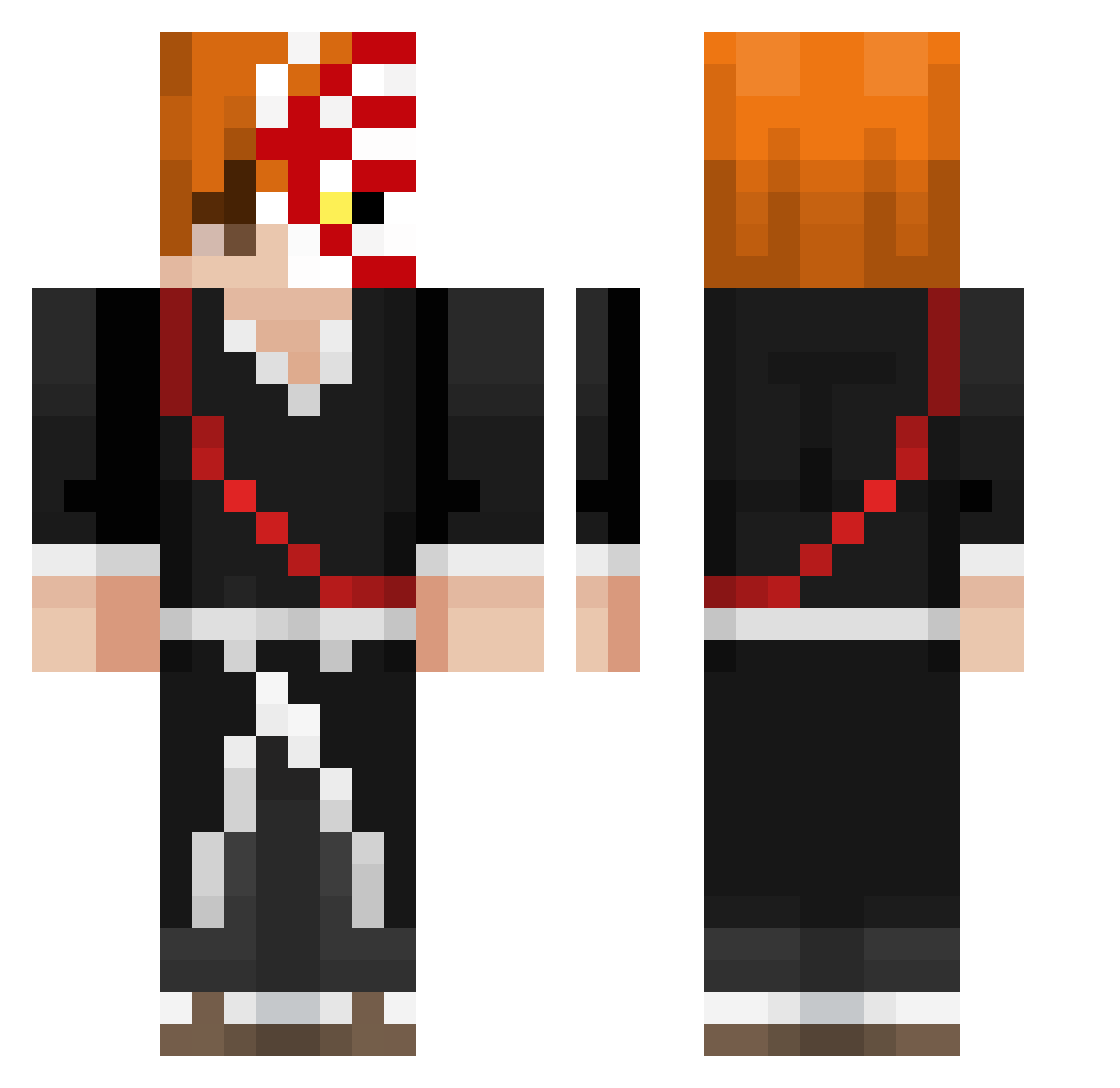
Current Minecraft skin of the player TepaneT, loaded from the official Mojang API. Rotate the 3D model with your mouse or finger, then download the skin as a PNG file and use it in Minecraft: Bedrock Edition or Java Edition for free. When TepaneT changes their skin, this page updates automatically and the old skin stays in the history below.
Other players with this skin (437)
TepaneT was the 185th player we have seen with this skin, first spotted on 19.09.2026. The same skin was seen on these players. Open a nickname to see their current skin and skin history.
 K____K_ sakinah_ fxxkingidle Lucaa6905 quan_cake SENIORISLEM93 LLKetch69 Nayrox78 zugrush slaventemmer69 qkikw _Reita Trubblz AcroSilky lonkan zKuraii Chainsfr_v22 VinxDARTH Ishagi Spidiu uhJude Firassoo LocalColoredMale riki5032 Toaster0207 TioGazpacho Navaspleaff Foexceed CorruptedNitro Woze56 jamirolol Moonkiwix wshlr Julebtw Zebisan Barasuta AdvancedPantsu ShenzenDachi OverFlat grrrvilo PolerBoy Zedxy117 CooKie_Munstarrr Raffa1408 Fallen_Asura AlbertTheCat Ak1f_17 kuwetaman Akehiko malestararee HallowKnights NEVLEP RexYang_TW MazinWolf11 LLL_iao ichigae Tajinier keazt26 Ichigoking2222 Gradel7
More Shinigami Minecraft skins
How to install the TepaneT skin
- Press the Download button above to save the skin as a PNG file.
- Minecraft: Bedrock Edition (PE): open the Dressing Room from the main menu (or tap your character → Edit Character), go to Classic Skins → Owned, press the + (new skin) button, choose the downloaded PNG and pick the Classic (Steve) model. Works on PC and mobile; consoles cannot import custom skins.
- Minecraft: Java Edition: open the Minecraft Launcher, go to the Skins tab, click New Skin, load the PNG, pick the Classic (Steve) model and press Save & Use. You can also upload it at minecraft.net → Profile → Change Skin.
The skin does not show up after import - what should I do?
Restart Minecraft and open the Dressing Room again - imported skins sometimes appear only after a restart. Also make sure you selected the imported skin and picked the Classic (Steve) model.
Which model should I choose, Classic or Slim?
This skin is designed for the Classic (Steve) model. If you pick the wrong model, the arms of the skin will look stretched or squeezed.
Is the skin of TepaneT free to download?
Yes. Press Download, save the PNG file and use it in Minecraft: Bedrock Edition or Java Edition - no payment or registration needed. The skin also works on multiplayer servers and Realms.
More skins
Looking for more? Go back to all Minecraft skins and check the top skins of the week, month and all time, or find any player's skin by nickname.