
Tekkpsy - Minecraft Skins & Skin History
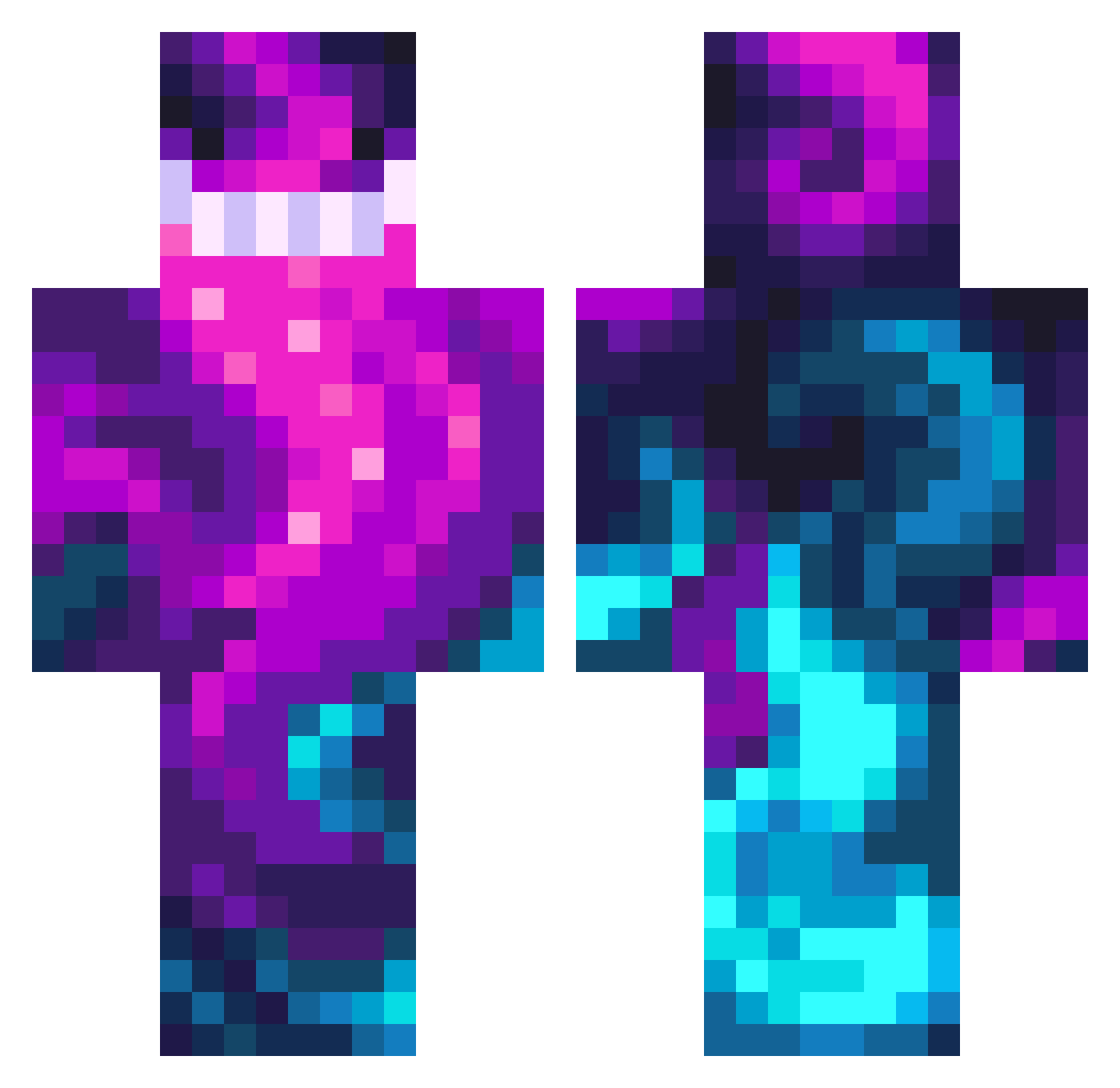
Current Minecraft skin of the player Tekkpsy, loaded from the official Mojang API. Rotate the 3D model with your mouse or finger, then download the skin as a PNG file and use it in Minecraft: Bedrock Edition or Java Edition for free. When Tekkpsy changes their skin, this page updates automatically and the old skin stays in the history below.
Other players with this skin (476)
Tekkpsy was the 87th player we have seen with this skin, first spotted on 16.08.2026. The same skin was seen on these players. Open a nickname to see their current skin and skin history.
 0Modern_Ghost0 yogib92 Dumby113 1Yami1 Meisnsogood jkminer80 Bafla9 CMoney98 ItzMez_
 MeeganYourJacket SE234 Nastoo Deztv TheSlayer17800 KRATOSXGOD cristiandior24 Garebear26 BestCupcake8 LongLiveThePain Bappeles Garlic_D0G iscoolboyNN123 The_GG_SEED PopiciMuSvihli LavenderHaze Cosmic_X_warrior Marushky ItzBorg Bombo3647 Hoolloww AmIAnInsect ANTEKSUPER_123 ikweethetookniet SKIT3Lzz s3tonix KaraSus0 SSpanyyy sakerivers ERTORTUGUE Steve_Monk OcToGer Zolika0526 SleepingMoose09 Makyndi RatHorns3138 Aqua282817 moistwaffless Veyar2000 Greendal3 DisasterPlan Sponge4062 Die3k Porkchops1111 FrankyMeltdown AIRRANDY Ressource getgood0098 SimplifyTv TropicCyclone WillSmiq
How to install the Tekkpsy skin
- Press the Download button above to save the skin as a PNG file.
- Minecraft: Bedrock Edition (PE): open the Dressing Room from the main menu (or tap your character → Edit Character), go to Classic Skins → Owned, press the + (new skin) button, choose the downloaded PNG and pick the Classic (Steve) model. Works on PC and mobile; consoles cannot import custom skins.
- Minecraft: Java Edition: open the Minecraft Launcher, go to the Skins tab, click New Skin, load the PNG, pick the Classic (Steve) model and press Save & Use. You can also upload it at minecraft.net → Profile → Change Skin.
The skin does not show up after import - what should I do?
Restart Minecraft and open the Dressing Room again - imported skins sometimes appear only after a restart. Also make sure you selected the imported skin and picked the Classic (Steve) model.
Which model should I choose, Classic or Slim?
This skin is designed for the Classic (Steve) model. If you pick the wrong model, the arms of the skin will look stretched or squeezed.
Is the skin of Tekkpsy free to download?
Yes. Press Download, save the PNG file and use it in Minecraft: Bedrock Edition or Java Edition - no payment or registration needed. The skin also works on multiplayer servers and Realms.
More skins
Looking for more? Go back to all Minecraft skins and check the top skins of the week, month and all time, or find any player's skin by nickname.