
TeixeiraFanatic - Minecraft Skins & Skin History
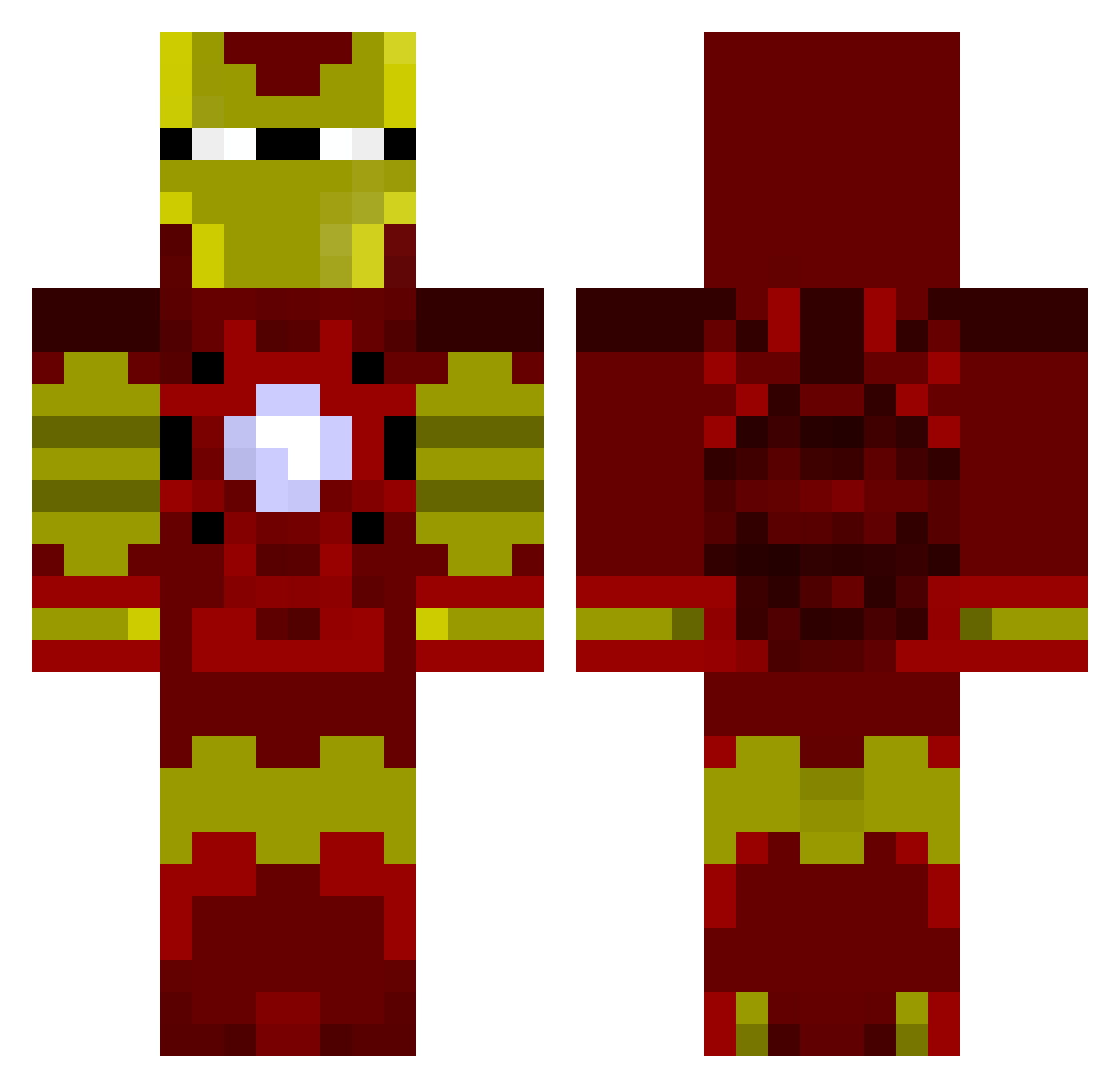
Current Minecraft skin of the player TeixeiraFanatic, loaded from the official Mojang API. Rotate the 3D model with your mouse or finger, then download the skin as a PNG file and use it in Minecraft: Bedrock Edition or Java Edition for free. When TeixeiraFanatic changes their skin, this page updates automatically and the old skin stays in the history below.
Other players with this skin (80)
TeixeiraFanatic was the 55th player we have seen with this skin, first spotted on 27.09.2026. The same skin was seen on these players. Open a nickname to see their current skin and skin history.
 derdermaxiheisst abdi1090 poldisi LightningWolf13 PF_Galaxy Magic4Tao Kimchi_InSoon dustlife TheKasif Ilas011 Bobinhood NL774 R0nny_Rakete mollujob Viamity V3nomenon DaddyDeath stirfrii SoloXD2316 priorynuts jbedbug Sonar118 17George Duggan0504 Kidmaxx11 kiibou_1105 Arnaud6969 JunXion Hanpen_0909 liushuo1 Dejvidos56 RealBuckra HusseinMo03 Caddac5 Drifty_Gaming Samdrix TheChuck724 Melii1211 R3D_SNIIIPE HyperLegende DGL27 Onmar_ TimJoy2020 MmaidoM jjcooly1 Reagain900 ryansmithm domtex05 IceBrady OldSkewl MisterLim rage_kill Oofmaster2 LLIceman1104 UniqueoFluidz tomoyazu lulleking98 borderlandsking gYb740 TTT501
More Iron Man Minecraft skins
How to install the TeixeiraFanatic skin
- Press the Download button above to save the skin as a PNG file.
- Minecraft: Bedrock Edition (PE): open the Dressing Room from the main menu (or tap your character → Edit Character), go to Classic Skins → Owned, press the + (new skin) button, choose the downloaded PNG and pick the Classic (Steve) model. Works on PC and mobile; consoles cannot import custom skins.
- Minecraft: Java Edition: open the Minecraft Launcher, go to the Skins tab, click New Skin, load the PNG, pick the Classic (Steve) model and press Save & Use. You can also upload it at minecraft.net → Profile → Change Skin.
The skin does not show up after import - what should I do?
Restart Minecraft and open the Dressing Room again - imported skins sometimes appear only after a restart. Also make sure you selected the imported skin and picked the Classic (Steve) model.
Which model should I choose, Classic or Slim?
This skin is designed for the Classic (Steve) model. If you pick the wrong model, the arms of the skin will look stretched or squeezed.
Is the skin of TeixeiraFanatic free to download?
Yes. Press Download, save the PNG file and use it in Minecraft: Bedrock Edition or Java Edition - no payment or registration needed. The skin also works on multiplayer servers and Realms.
More skins
Looking for more? Go back to all Minecraft skins and check the top skins of the week, month and all time, or find any player's skin by nickname.