
Techx0r - Minecraft Skins & Skin History
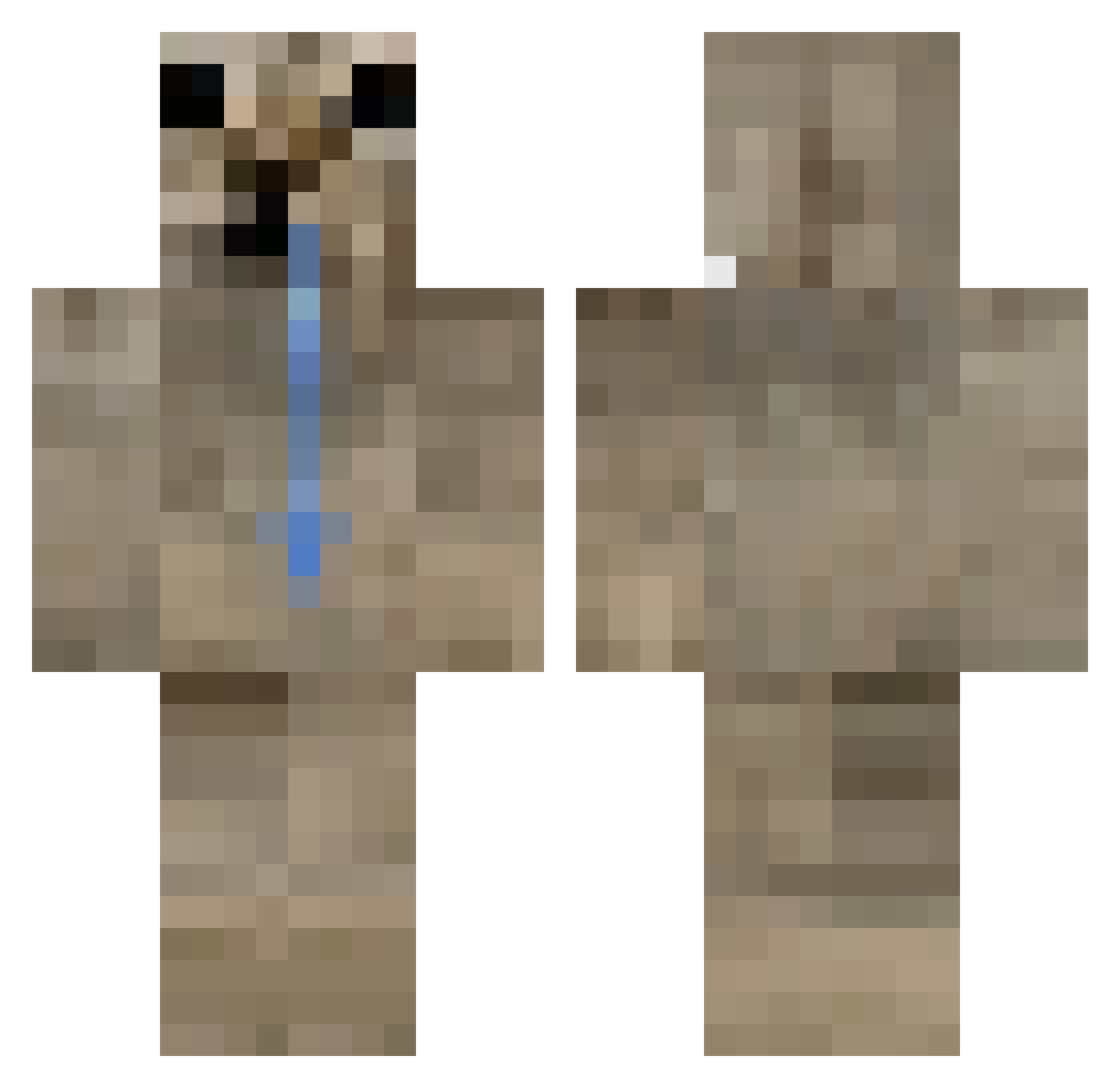
Current Minecraft skin of the player Techx0r, loaded from the official Mojang API. Rotate the 3D model with your mouse or finger, then download the skin as a PNG file and use it in Minecraft: Bedrock Edition or Java Edition for free. When Techx0r changes their skin, this page updates automatically and the old skin stays in the history below.
Other players with this skin (72)
Techx0r was the 18th player we have seen with this skin, first spotted on 23.08.2026. The same skin was seen on these players. Open a nickname to see their current skin and skin history.
 wojaniker
 evoid0111 KYZETIK EnanoMalditoooo KociKarmel airreo Azaarus SuetyBerry ixRS7 mmlso_soup Razorm_ Aysinhoo drugantibus OunterXX cilginbora123 GuelBait
 justburbs Wowmae Snerpie skidd__
 atomizeo BanMixx Slungus_bread letw1k3 cigdst0 nimbusnya MajesticSaix
 SippiMann
 Ra5tk DioVeRu _Begun cunweytt Kreizlex Tunitouuu BillyNoMan2 Smejla DaFank viomvq abyt_ CheburesniK
 LvnWDk0707 ksver AkariiiChan FrustratedFilth Zeyfanger mygoofyahh gokturk3cu godfathers_58 K0delegend Tolgatify Yugenxx danik707 B0LTx_ Razor908 Zyghan388 mistjavia Hip0oO ElAdamino Matysnaya22 skatinyaka
More Sloth Minecraft skins
How to install the Techx0r skin
- Press the Download button above to save the skin as a PNG file.
- Minecraft: Bedrock Edition (PE): open the Dressing Room from the main menu (or tap your character → Edit Character), go to Classic Skins → Owned, press the + (new skin) button, choose the downloaded PNG and pick the Classic (Steve) model. Works on PC and mobile; consoles cannot import custom skins.
- Minecraft: Java Edition: open the Minecraft Launcher, go to the Skins tab, click New Skin, load the PNG, pick the Classic (Steve) model and press Save & Use. You can also upload it at minecraft.net → Profile → Change Skin.
The skin does not show up after import - what should I do?
Restart Minecraft and open the Dressing Room again - imported skins sometimes appear only after a restart. Also make sure you selected the imported skin and picked the Classic (Steve) model.
Which model should I choose, Classic or Slim?
This skin is designed for the Classic (Steve) model. If you pick the wrong model, the arms of the skin will look stretched or squeezed.
Is the skin of Techx0r free to download?
Yes. Press Download, save the PNG file and use it in Minecraft: Bedrock Edition or Java Edition - no payment or registration needed. The skin also works on multiplayer servers and Realms.
More skins
Looking for more? Go back to all Minecraft skins and check the top skins of the week, month and all time, or find any player's skin by nickname.