
Tcayap - Minecraft Skins & Skin History
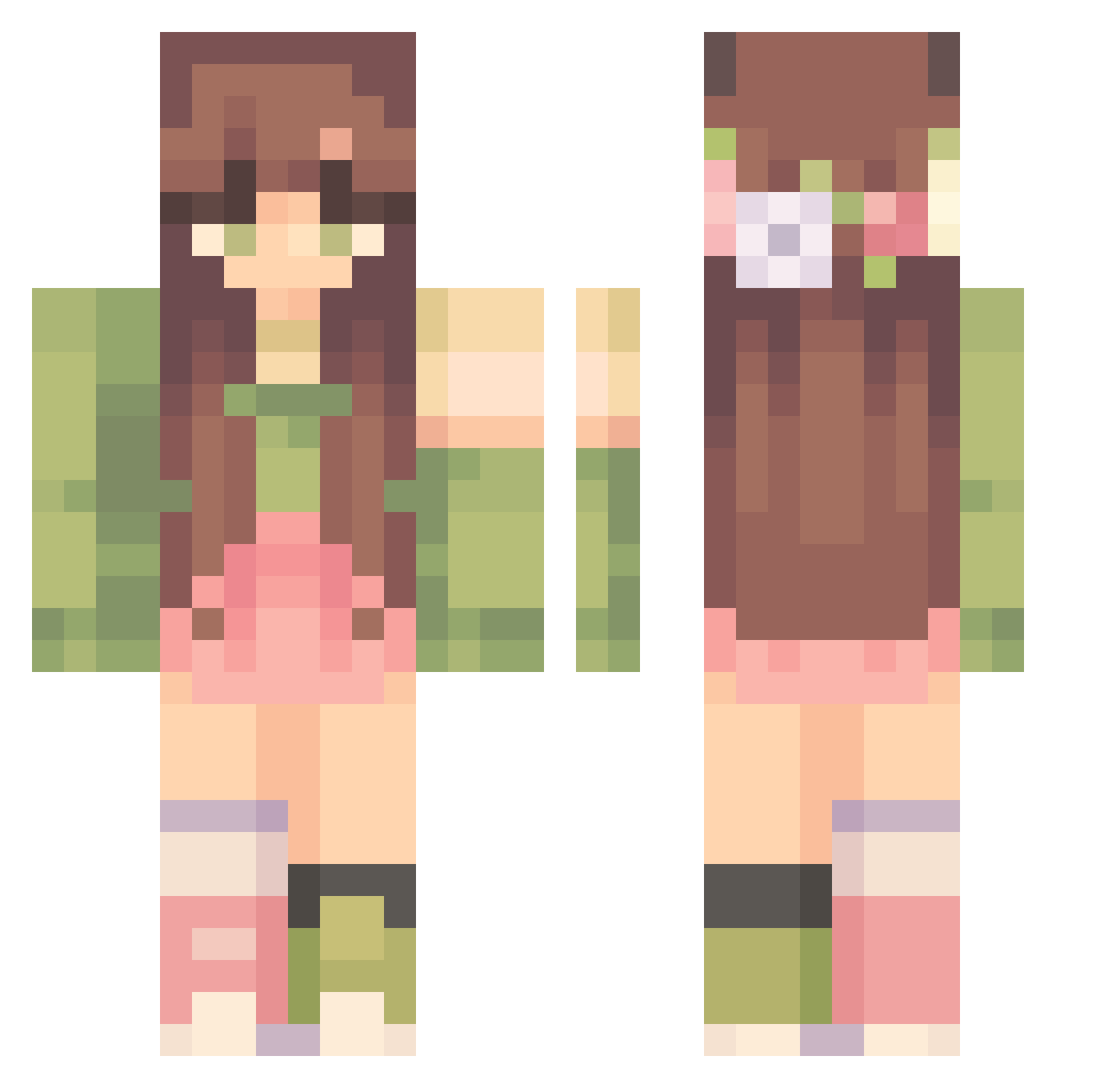
Current Minecraft skin of the player Tcayap, loaded from the official Mojang API. Rotate the 3D model with your mouse or finger, then download the skin as a PNG file and use it in Minecraft: Bedrock Edition or Java Edition for free. When Tcayap changes their skin, this page updates automatically and the old skin stays in the history below.
Other players with this skin (409)
Tcayap was the 332nd player we have seen with this skin, first spotted on 01.11.2026. The same skin was seen on these players. Open a nickname to see their current skin and skin history.
 Paxton1510 succulentshay Milky223 bicvicc WestCoast630 PlushBear_ Lekkerlastig CreeNounette moooon_ Celine_Elisa02 JustTerkins reiannya AwesomeDIY567 paneoskee MeganLynn06 Serenityyyy_ Saracaio LadyLuck0 Leebiebeebie VikiHime KT_EL mvspringvloed choupinete51 Nblossom Lillia_Fawn ASadSaltyOnion jamie2943 HoneyBeeWitch Neptunia286 Feathers137 alexiaatje_123 plant_mom46 DilaraSengul Nevila11 keinhoffd Z3lZ4 carolineanne322 monarcf FinchMoon Raisyns UzumakiAishi xjillyxx jasy_kailyn11110 Mocea Kytarande Kilycats beberri3 MrsViky CandyWagon Oshcokota JekiCola elbelll Jacki_e FluffyPuppy197 M4RMAR Kittyl0ver19 Clarac27 Louna18 BlossomingFairy Arrtiie
More Flower Crown Minecraft skins
See all 4082 Flower Crown skins
How to install the Tcayap skin
- Press the Download button above to save the skin as a PNG file.
- Minecraft: Bedrock Edition (PE): open the Dressing Room from the main menu (or tap your character → Edit Character), go to Classic Skins → Owned, press the + (new skin) button, choose the downloaded PNG and pick the Classic (Steve) model. Works on PC and mobile; consoles cannot import custom skins.
- Minecraft: Java Edition: open the Minecraft Launcher, go to the Skins tab, click New Skin, load the PNG, pick the Classic (Steve) model and press Save & Use. You can also upload it at minecraft.net → Profile → Change Skin.
The skin does not show up after import - what should I do?
Restart Minecraft and open the Dressing Room again - imported skins sometimes appear only after a restart. Also make sure you selected the imported skin and picked the Classic (Steve) model.
Which model should I choose, Classic or Slim?
This skin is designed for the Classic (Steve) model. If you pick the wrong model, the arms of the skin will look stretched or squeezed.
Is the skin of Tcayap free to download?
Yes. Press Download, save the PNG file and use it in Minecraft: Bedrock Edition or Java Edition - no payment or registration needed. The skin also works on multiplayer servers and Realms.
More skins
Looking for more? Go back to all Minecraft skins and check the top skins of the week, month and all time, or find any player's skin by nickname.