
TavoTron9000 - Minecraft Skins & Skin History
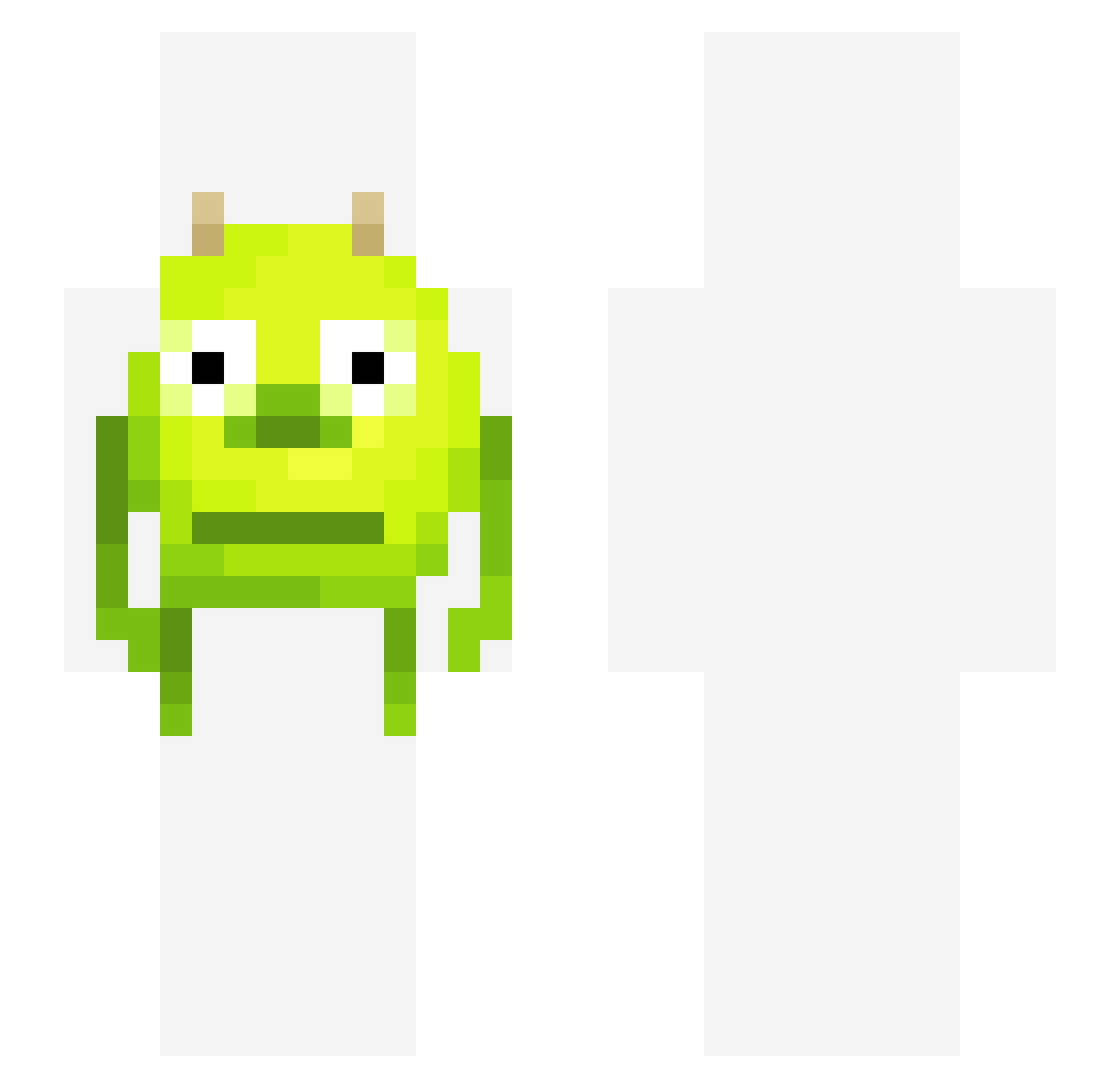
Current Minecraft skin of the player TavoTron9000, loaded from the official Mojang API. Rotate the 3D model with your mouse or finger, then download the skin as a PNG file and use it in Minecraft: Bedrock Edition or Java Edition for free. When TavoTron9000 changes their skin, this page updates automatically and the old skin stays in the history below.
Other players with this skin (391)
TavoTron9000 was the 365th player we have seen with this skin, first spotted on 09.11.2026. The same skin was seen on these players. Open a nickname to see their current skin and skin history.
 squibwarb0 s3xyp1zza Atonz modelothyme GodeLukas lajm123 FreackInFaceHD ewmochi josharcher Mariska69 sky11rose English_Cookie Justtinns MotiveMan brookie703 sanshiro_69 Swiitchy Artaks_R charlie_2578 zweisteinSR agent_501 lottie13577 Mike_Wazowski69 JWPbros03 LemonCandy128 Dudebobsama commloss geotheo12 KDNA_ Mr_Pucci ScrumptiousHoba E_frog_ KruladiXd Loli_Girl_172 Hgn_Headshot Wingus_ ZouppaStar ktxxi21 halal_mp3 dlr0503 Scripteor_ mummy2048 PurVodka ilia4prez sportsboi339 Volkan343 MIGIE2 sagempowell threebrinks _mudkipman35_ 2ophia Harakiri__ 12moonlight34 enlistedfool jessm300 sergoops Magnus1op2 QueenBeaSix XDSnailXD Swetho
More Mike Wazowski Minecraft skins
See all 313 Mike Wazowski skins
How to install the TavoTron9000 skin
- Press the Download button above to save the skin as a PNG file.
- Minecraft: Bedrock Edition (PE): open the Dressing Room from the main menu (or tap your character → Edit Character), go to Classic Skins → Owned, press the + (new skin) button, choose the downloaded PNG and pick the Slim (Alex) model. Works on PC and mobile; consoles cannot import custom skins.
- Minecraft: Java Edition: open the Minecraft Launcher, go to the Skins tab, click New Skin, load the PNG, pick the Slim (Alex) model and press Save & Use. You can also upload it at minecraft.net → Profile → Change Skin.
The skin does not show up after import - what should I do?
Restart Minecraft and open the Dressing Room again - imported skins sometimes appear only after a restart. Also make sure you selected the imported skin and picked the Slim (Alex) model.
Which model should I choose, Classic or Slim?
This skin is designed for the Slim (Alex) model. If you pick the wrong model, the arms of the skin will look stretched or squeezed.
Is the skin of TavoTron9000 free to download?
Yes. Press Download, save the PNG file and use it in Minecraft: Bedrock Edition or Java Edition - no payment or registration needed. The skin also works on multiplayer servers and Realms.
More skins
Looking for more? Go back to all Minecraft skins and check the top skins of the week, month and all time, or find any player's skin by nickname.