
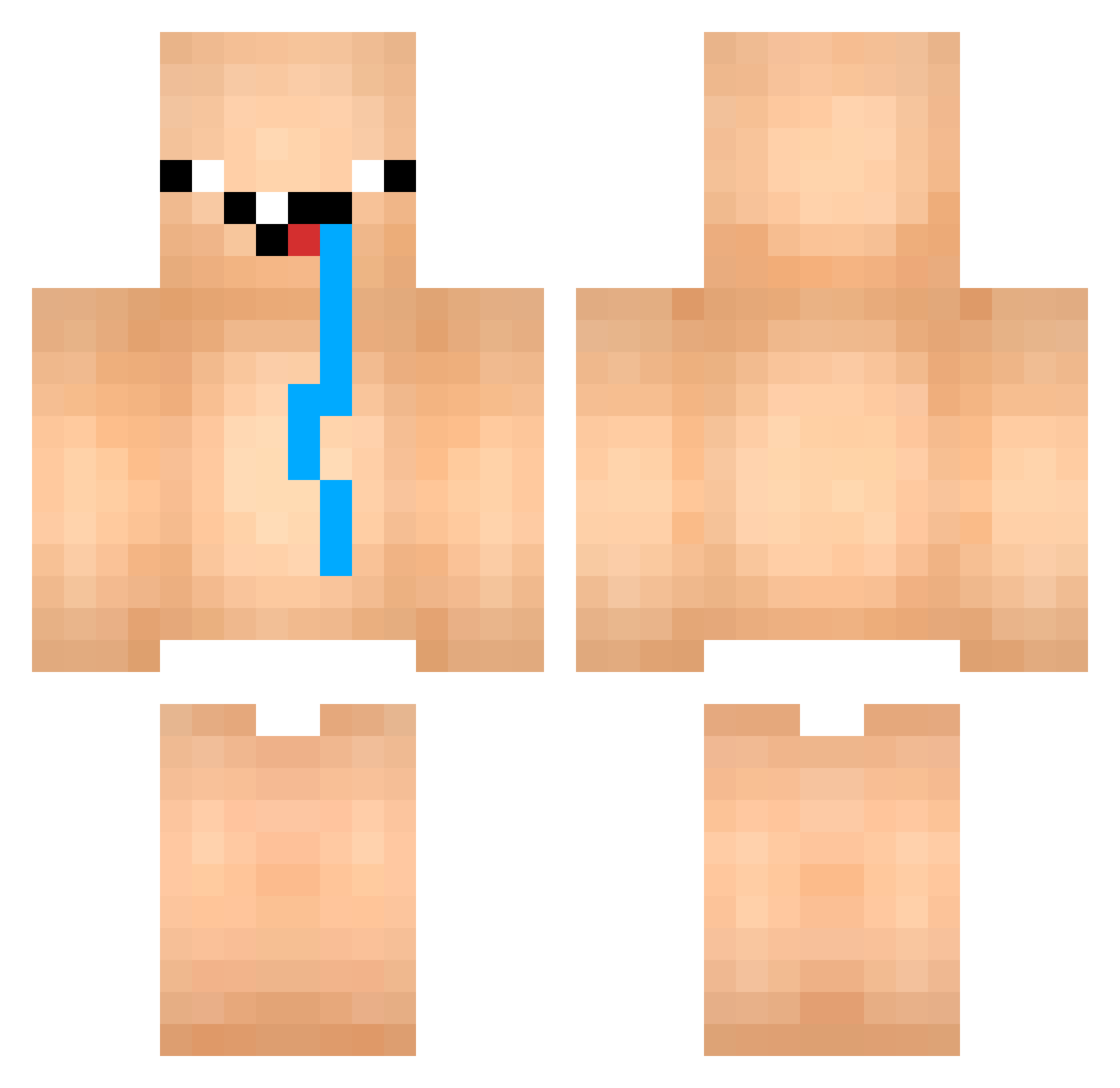
Current Minecraft skin of the player Tashadi, loaded from the official Mojang API. Rotate the 3D model with your mouse or finger, then download the skin as a PNG file and use it in Minecraft: Bedrock Edition or Java Edition for free. When Tashadi changes their skin, this page updates automatically and the old skin stays in the history below.
Other players with this skin (712)
Tashadi was the 221st player we have seen with this skin, first spotted on 20.08.2026. The same skin was seen on these players. Open a nickname to see their current skin and skin history.
 mrmelington
 Lennytvv _KarmhasWIFI_ larez_17 Reetrix Marcustillig123 twolala_ Scothos AlexSmoKe PlaZeOG ha3916 Plastrr BebekFurkan starfish555 JustinCapitaine RustedBubbles jvbrrs MorpHeus34 kwon_248 jjoaov pepuspella Jeeheed YuDreaming1313 TOUTATIS0 Mydane bigegg1211 HcDantas Akathenordine DannySwino johncena8571 poeky2001 Murelson Russticbob geldelch Dodomaster65 dkfdfjdfk Lionerd zzz906 lbiaga NosePig 2GNA _gsb_ Battyll NighasPLS Bibish_4400 Meyhdo Enjoy_Killer JackSon200828 LeeWon06 DaiKaChun rwoxr MarginalMitico Gestas31 Kommer99 Patileon1337 TitleEiEi_ SchiebMichDoch 3yni Made2304 MaybeSucessada
More Diaper Minecraft skins
How to install the Tashadi skin
- Press the Download button above to save the skin as a PNG file.
- Minecraft: Bedrock Edition (PE): open the Dressing Room from the main menu (or tap your character → Edit Character), go to Classic Skins → Owned, press the + (new skin) button, choose the downloaded PNG and pick the Classic (Steve) model. Works on PC and mobile; consoles cannot import custom skins.
- Minecraft: Java Edition: open the Minecraft Launcher, go to the Skins tab, click New Skin, load the PNG, pick the Classic (Steve) model and press Save & Use. You can also upload it at minecraft.net → Profile → Change Skin.
The skin does not show up after import - what should I do?
Restart Minecraft and open the Dressing Room again - imported skins sometimes appear only after a restart. Also make sure you selected the imported skin and picked the Classic (Steve) model.
Which model should I choose, Classic or Slim?
This skin is designed for the Classic (Steve) model. If you pick the wrong model, the arms of the skin will look stretched or squeezed.
Is the skin of Tashadi free to download?
Yes. Press Download, save the PNG file and use it in Minecraft: Bedrock Edition or Java Edition - no payment or registration needed. The skin also works on multiplayer servers and Realms.
More skins
Looking for more? Go back to all Minecraft skins and check the top skins of the week, month and all time, or find any player's skin by nickname.