
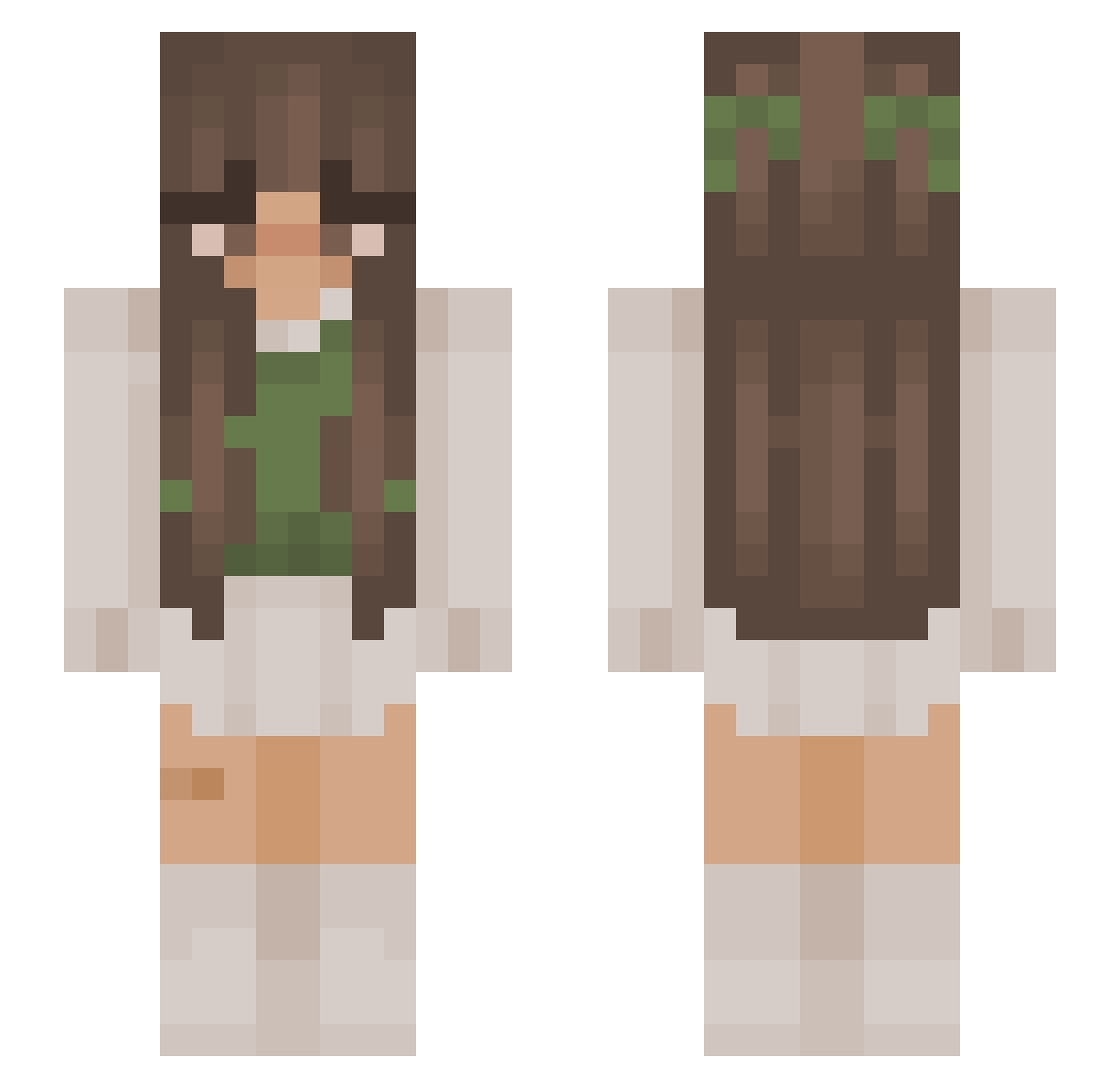
Current Minecraft skin of the player TashaH15, loaded from the official Mojang API. Rotate the 3D model with your mouse or finger, then download the skin as a PNG file and use it in Minecraft: Bedrock Edition or Java Edition for free. When TashaH15 changes their skin, this page updates automatically and the old skin stays in the history below.
Other players with this skin (824)
TashaH15 was the 286th player we have seen with this skin, first spotted on 21.08.2026. The same skin was seen on these players. Open a nickname to see their current skin and skin history.
 StairMaster Charly9080 piptato MaraIonescu1 abgeneigt xjessiexxx Nilli_ Ashlegreat Pocky992 inaa210 talakoxuwa Mumu908
 albasg143 _KingNugget SaraPerSempreSi Midy0 Swinky0 awolfsghosts Aniaty Dianthus_Mara Vat2G xlianeya CharlieRose18 Klaorus IngeVH19 mariiiissa lydiaejj p1fwu Lolitaaa56 MoonBeamPenguin korsza Rosievine Asterja carode_ Sxbriinaa Kygotgame StealthyWolff FairyCB Euphorielle aloendra NanaseQ freshhhavocado angeInev Chl0eMay Yasmy21 n0vowels33 diggvry HorseAileen5 Jolapeep stankyboogers breezlepop Kumnic0t sanaasdk Andzia__ _ge_men cohwy Glitter_12 slliitt kelloriies AkaPurpleRiot
More Cottagecore Minecraft skins
See all 5508 Cottagecore skins
How to install the TashaH15 skin
- Press the Download button above to save the skin as a PNG file.
- Minecraft: Bedrock Edition (PE): open the Dressing Room from the main menu (or tap your character → Edit Character), go to Classic Skins → Owned, press the + (new skin) button, choose the downloaded PNG and pick the Slim (Alex) model. Works on PC and mobile; consoles cannot import custom skins.
- Minecraft: Java Edition: open the Minecraft Launcher, go to the Skins tab, click New Skin, load the PNG, pick the Slim (Alex) model and press Save & Use. You can also upload it at minecraft.net → Profile → Change Skin.
The skin does not show up after import - what should I do?
Restart Minecraft and open the Dressing Room again - imported skins sometimes appear only after a restart. Also make sure you selected the imported skin and picked the Slim (Alex) model.
Which model should I choose, Classic or Slim?
This skin is designed for the Slim (Alex) model. If you pick the wrong model, the arms of the skin will look stretched or squeezed.
Is the skin of TashaH15 free to download?
Yes. Press Download, save the PNG file and use it in Minecraft: Bedrock Edition or Java Edition - no payment or registration needed. The skin also works on multiplayer servers and Realms.
More skins
Looking for more? Go back to all Minecraft skins and check the top skins of the week, month and all time, or find any player's skin by nickname.